Hello Wolfgang
You can use some fields. Use reflection
DOCS:
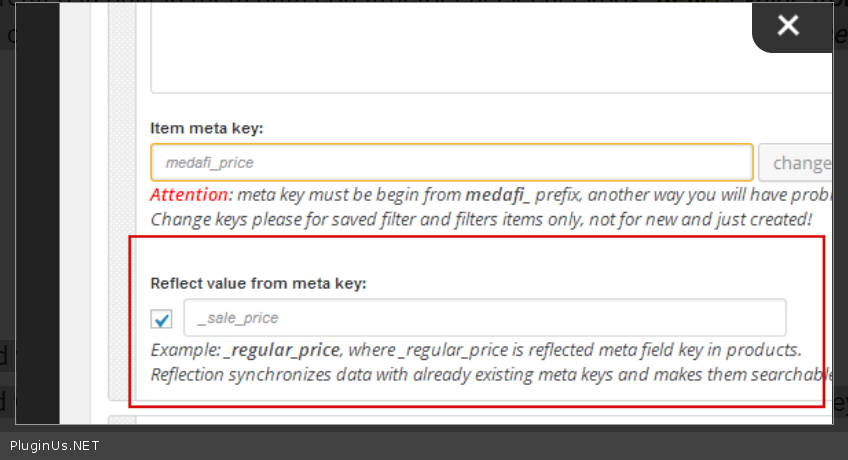
Now very important moment when we are talking about Price! MDTF plugin sometimes installed when site works already, and products already have prices in their meta fields. For example in woocommerce it is _price. So, to make such already defined meta keys searchable the plugin has functionality named as reflections – reflecting of value of other meta key. For using this you need in the prices html-item which we created in built-in meta data constructor check checkbox “Reflect value from meta key” and write in activated textinput near that checkbox write meta key which we want to reflect, in our case it is ‘_price’ and press button Update:
https://c2n.me/3SkUogw.png
Checkboxes can be reflected with meta keys which have values as 0 or 1 only
Drop-downs can be reflected with meta keys which has the same value as its drop-down <options> keys
Textinput can be reflected by meta keys with any text values
Calendars doesn works with reflections at all!
Hi,
I am not able to integrate the plugin MDTF with the plugin Advanced Custom Fields.
I try using reflections, but there is no value showing.
Example: I have a field for number on Advanced Custom Fields called “reference” and in the post page, the field reflected don’t have value, is empty.
In woocommece is one thing using the _price, but I don’t using woocommerce, I just need to filter this reference field created in Advanced Custom Fields.
Hello
You need to use meta keys of the Advanced Custom Fields. “_price”- this is just an example
Advanced Custom Fields called “reference” – you need to know the specific meta key