Menu hover and clickability
-
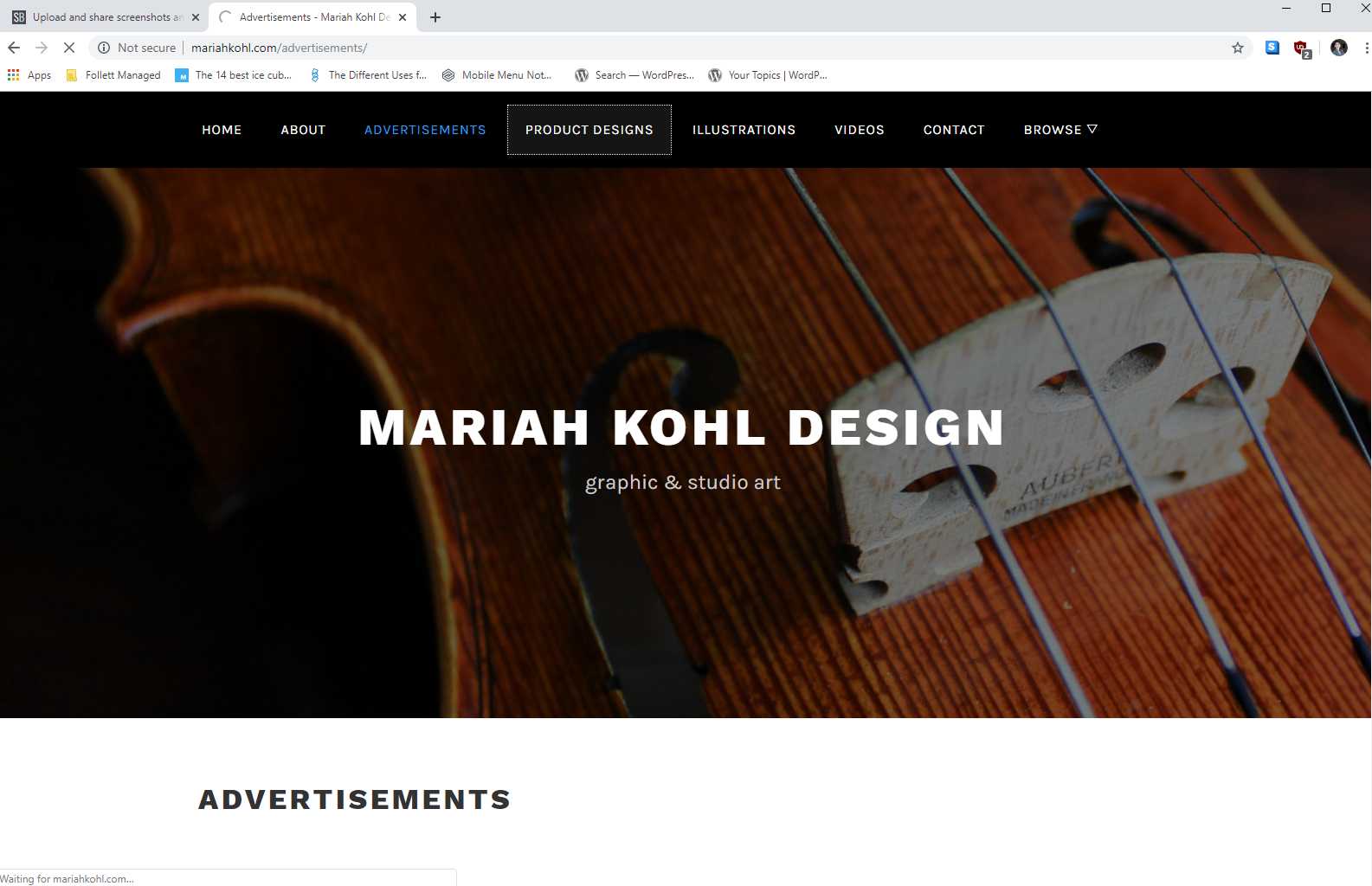
I’ve managed to get the desired font color and font hover color on my website. However, I noticed when I’m on a page, that page in the menu bar is highlighted in a dark grey rectangle. Is there a way to remove that and have the page I’m on be highlighted just by the blue hover text? I also noticed when I click on one of the pages in the menu bar, there is a white dotted rectangle outline if I move the mouse slightly. Can that be fixed?
The page I need help with: [log in to see the link]
-
In Additional CSS in the Customizer, add this:
.main-navigation ul li.current_page_item > a, .main-navigation ul li.current-menu-item > a, .main-navigation ul li.current_page_ancestor > a { background: #000; color: #009ee2; }Thanks! It got rid of the dark grey. 🙂 When you looked at my site, did you notice the white dotted outline in the menu after clicking? I’m wondering if it’s just my server.
I do not see anything like what you mentioned. It might be something you see as an admin. Could you share a screenshot of what you see on your end?
You can use an online tool for that such as https://snipboard.io/ and paste here the link.I logged out as admin and took a screenshot. It appears after I click a page from the menu bar. https://snipboard.io/PYsNAo.jpg
I think that is the focus outline you’re seeing, try this
.main-navigation ul.nav-menu li a:focus { outline: none; }That fixed it! Thanks! 🙂
The topic ‘Menu hover and clickability’ is closed to new replies.