Hello @superseb75,
If you don’t have customized the plugin’s files, you simply should install the Developer version of the plugin following the steps below the process does not affect to the forms created previously.
1. Download the zip file with the copy of the plugin, visiting your personal download link (please, do not include your download link here because would be required invalidate it)
2. Go to the plugins section in your WordPress, deactivate the free version of the plugin, and then, click on the corresponding “Delete” link.
3. Press the “Add New” button at top of the section.
4. Press the “Upload Plugin” button, and then select the zipped file downloaded in the first step.
5. Finally, install and activate the plugin.
and that’s all.
If you have been editing the CSS files of the plugin, it is not the correct way to customize the form’s appearance, because WordPress replace the plugin’s files when install the updates.
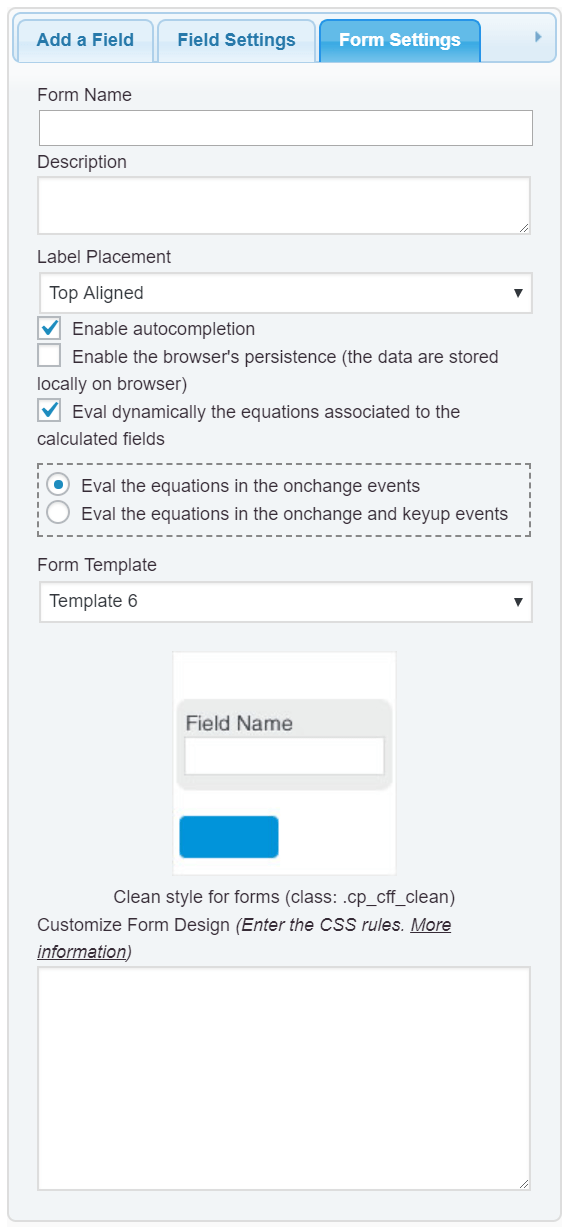
The easier way would be entere the new style definitions into the “Customize Form Design” attribute in the “Form Settings” tab:
Best regards.
Hello @codepeople
Are you sure :
2. Go to the plugins section in your WordPress, deactivate the free version of the plugin, and then, click on the corresponding “Delete” link.
By clicking “Delete” it would definitly delete past work no? Again I can’t delete past work, I’ve spent so much time.
At least is there a way to save past work somewhere?
Thank you
Hello @superseb75
As I said in the previous ticket, if you don’t have edited the plugin’s files, and you have simply created the forms, the upgrade process does not affect to the forms because does not modifies their corresponding entries in the database.
Best regards.


