Hi @gmads,
Are the cookies also not listed in the cookie scan? (Complianz wizard -> cookies -> cookie scan), and the ‘used cookies’ list (also wizard -> cookies -> used cookies).
If you have not removed them, they should appear in this menu.
You could issue a rescan + sync via these menu’s to see if they are retrieved.
Kind regards,
Leon
Thread Starter
 Gmads
Gmads
(@gmads)
Hi Leon,
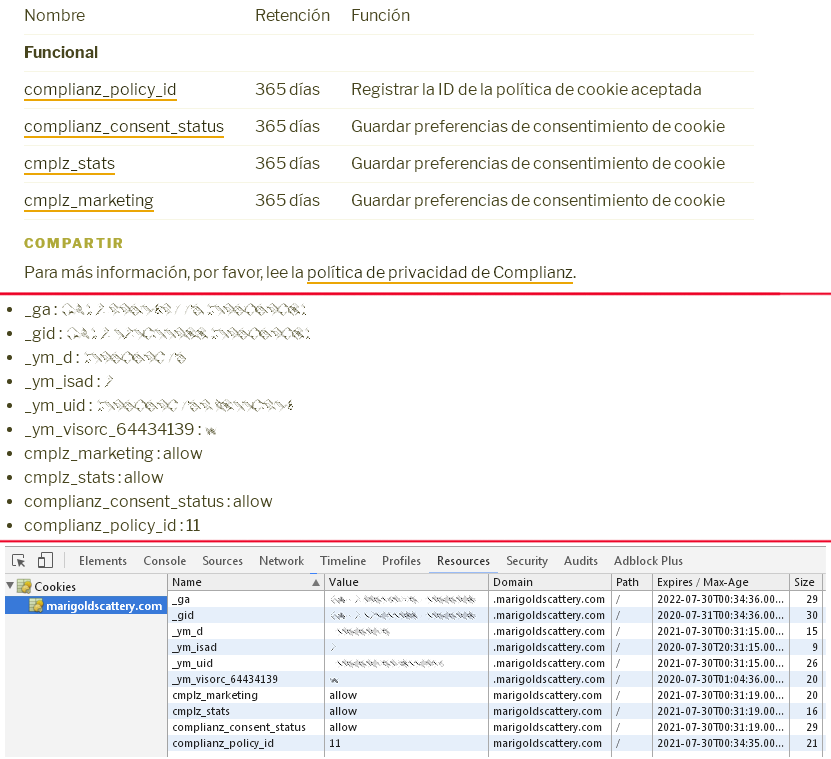
Well, it seems that I was doing a few incorrect things because I had not actually grasped the correct way to set up everything, but after some long thinking, given your tips, I finally figured it out:
1. Disable all cookie-related plugins.
2. Log off from WP.
3. Set the browser to allow all cookies and disable the “do not track me” feature.
4. Clear all cookies.
5. Open a normal (not an incognito/private one) browser window.
6. Visit the site and navigate around a bit, specially where cookie-setting services might be (like YouTube videos).
7. Log on to your WP site.
8. Enable de Complianz plugin, and run de wizard.
These steps will set the correct environment for the plugin wizard to actually find all the cookies that are created, and the services used. Once the plugin has the correct info, one then may reconfigure the browser to its original settings, and continue to work with an incognito window, if that is what one is used to.
My site’s Cookie declaration page is now listing correctly all the cookies.
Thanks a lot,
Guillermo