• Resolved irenagluck

    (@irenagluck)


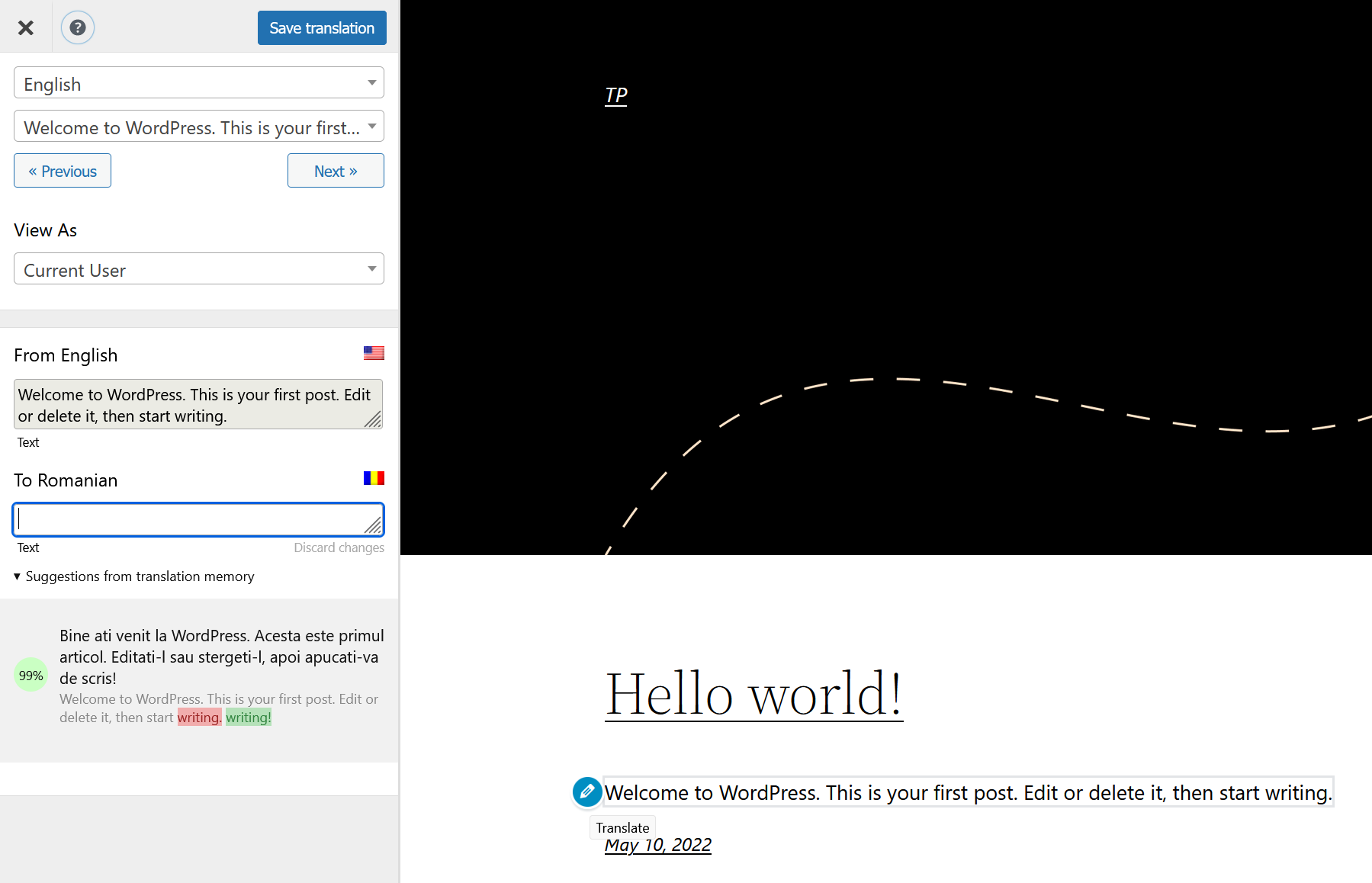
    My default Language is English and I translate to Hebrew. Suddenly (not sure when it happened) most of the translations I have on my posts do not show – I went to the ‘Translate Page’ and for each missing translation the one in memory is shown with some signs (like “-” “…”, etc..) marked as if they were changed – but they weren’t!

    As shown in the link above…

    The page I need help with: [log in to see the link]

Viewing 2 replies - 1 through 2 (of 2 total)
  • Plugin Support Anghel Emanuel

    (@anghelemanuel99)

    Hello there,

    Thank you for reaching us!

    ​If you change a string and add a symbol to it such as “.” this will invalidate the translation and that string will be treated as a new string.
    ​​
    ​TranslatePress will treat the second string as a new one and you`ll need to add a new translation for it.

    To facilitate translation retrieval we implemented the Translation Memory feature.

    If you go to the translation interface and select that string, the Translation Memory feature will show you translation suggestions for that string (based on other strings that you have translated in the past).

    https://translatepress.com/wp-content/uploads/2017/08/translation-memory.png

    If there’s anything else, please let me know!

    Kind Regards,

    Thread Starter irenagluck

    (@irenagluck)

    Thank you for the reply! The thing is I haven’t changed anything, haven’t touched my old posts. The Translator although now shows me these characters as if they were changed – but they weren’t, it shows the same character in red and green – but it is the same.

    How can I send you screenshot?

Viewing 2 replies - 1 through 2 (of 2 total)

The topic ‘Missing translations’ is closed to new replies.