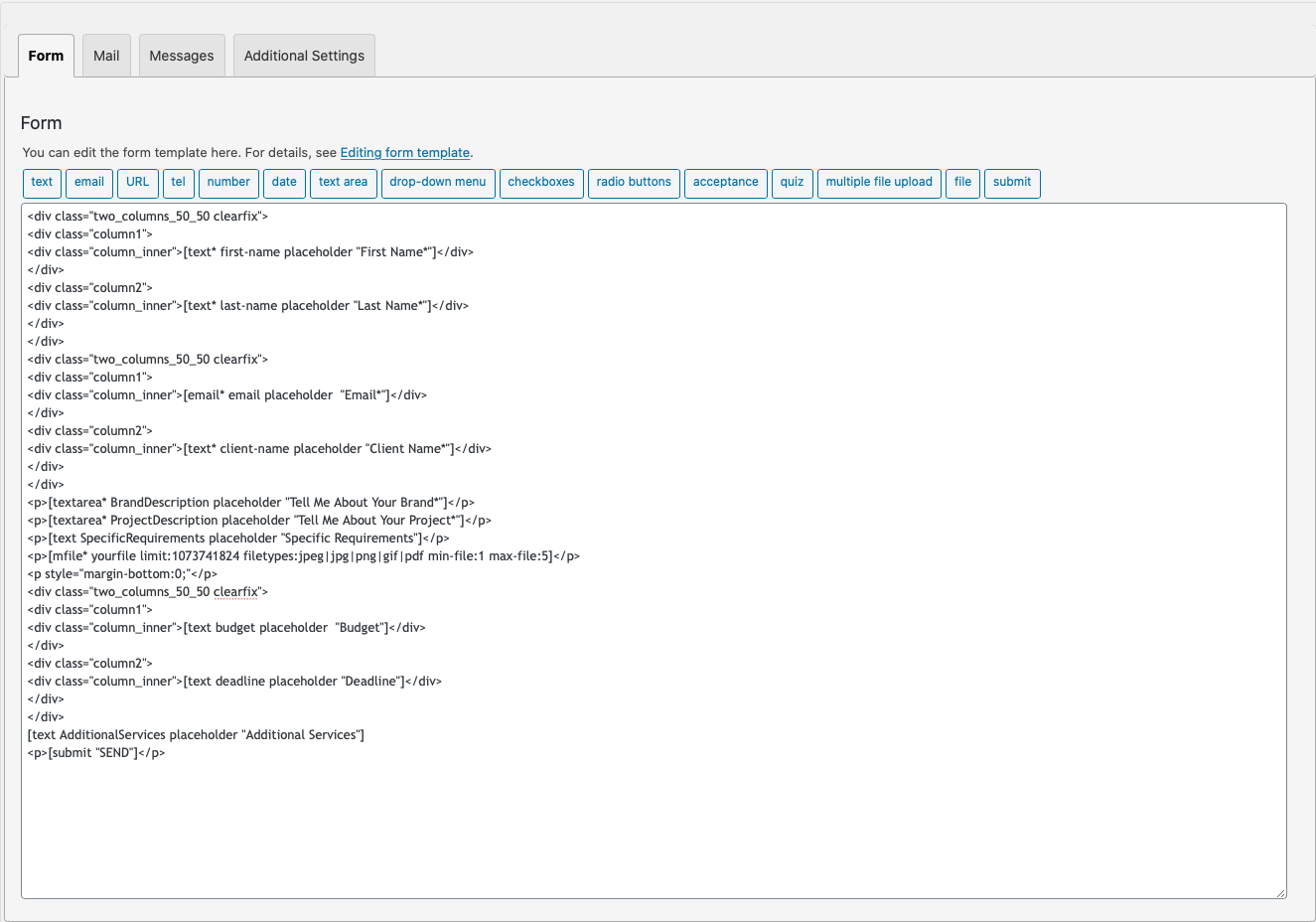
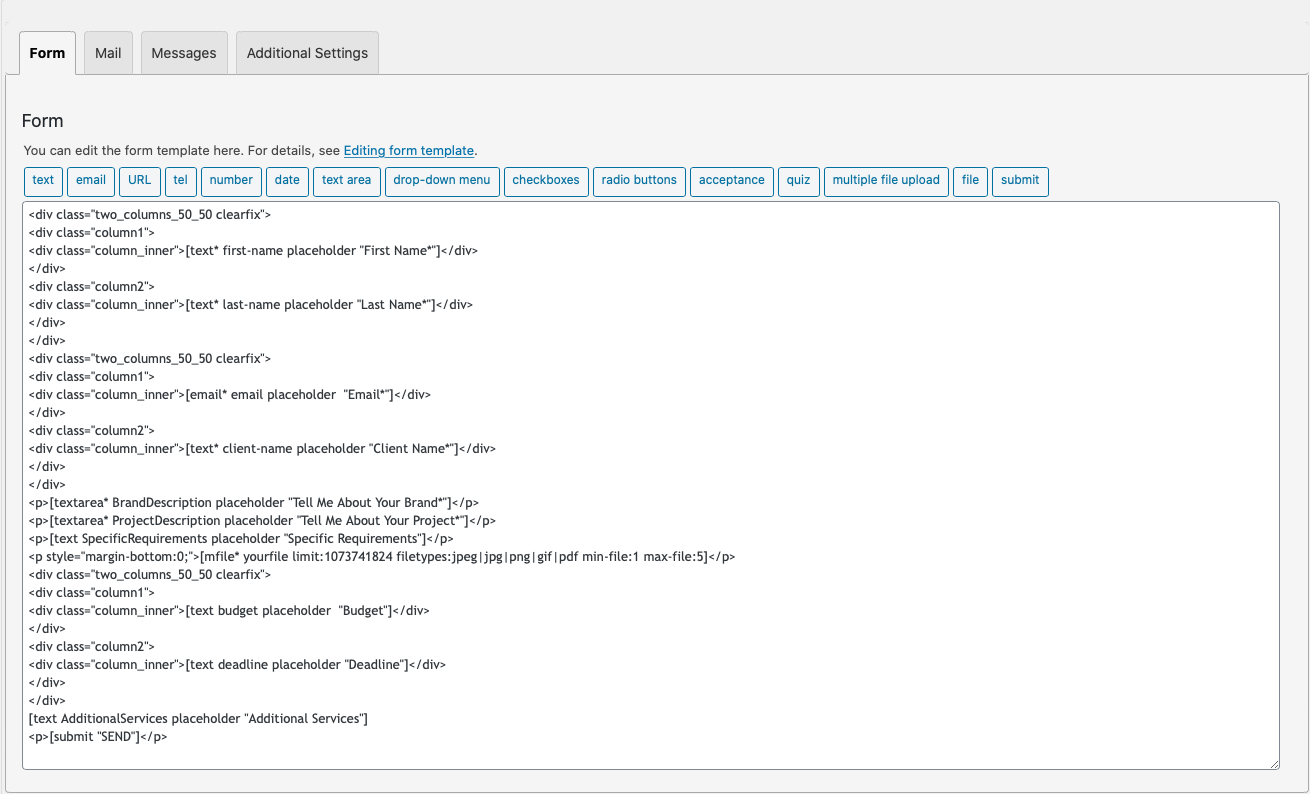
@lwhitecreative , check below:
/* Drag & Drop Files Here */
.codedropz-upload-inner h3 {

}

/* Or Text */
.codedropz-upload-inner span {

}

/* Browse Files - Text */
a.cd-upload-btn {

}

/* Counter */
.dnd-upload-counter {

}
Perfect, thanks Glen! Is there also a way to change the loading area elements?
– file icon/color
– file name font/color
– file size font/color
– progress bar color
– progress percentage text
On a side note, I know this might be outside of your plugin, but do you have any idea as to why there might be uneven padding between the Drag & Drop plugin and my budget/deadline text areas? I didn’t do anything differently so I’m not sure why the padding there looks almost doubled as compared to the rest of the form.
@lwhitecreative , here are all the elements you need to style.
/* File Icon - Color */
.dnd-upload-status .dnd-upload-image span{
	color:#000;
}

/* File Name - Color */
.dnd-upload-status .dnd-upload-details .name {
	color:#016d98; /* Blue */
}

/* File Size - Color */
.dnd-upload-status .dnd-upload-details .name em {
	color:#016d98; /* gray */
}

/* Progress Bar - Background Color & Progress Percentage text color */
.dnd-upload-status .dnd-upload-details .dnd-progress-bar span {
	background-color:#4CAF50; /* Green progress bar */
	color:#fff; /* White percentage text color */
}
The uneven padding is because of class=”two_columns_50_50 clearfix” after p tag the main wrapper of uploader.
You need to add margin-bottom:0 on p tag.
( see here : https://snipboard.io/Otpc7A.jpg )
Thanks so much! That should be all the styling code I need, it looks great.
Thanks for answering my question about the weird gap. I tried adding the code to my contact form but I’m not sure if I did it correctly because nothing has changed. Can you let me know what I did wrong? Here is a screenshot: https://snipboard.io/vm6Z45.jpg
Thanks again!
You’re adding the wrong p tag.
It should be this p : https://imgur.com/TJeReQ2
Ahhh, that makes sense. Thanks!
I moved the code to it’s proper place, and while it’s closed up the gap a touch, it’s still not quite the same as the rest of the form: https://snipboard.io/3VlRm9.jpg
Is there anything else I should do to fix it? Luckily the gap doesn’t bother me too much, so if not, it should be okay.
I see, please try this option.
.codedropz-upload-wrapper {
  margin-bottom:-20px;
}
That fixed it! Thanks so much for your help.