My sidebar disappears
-
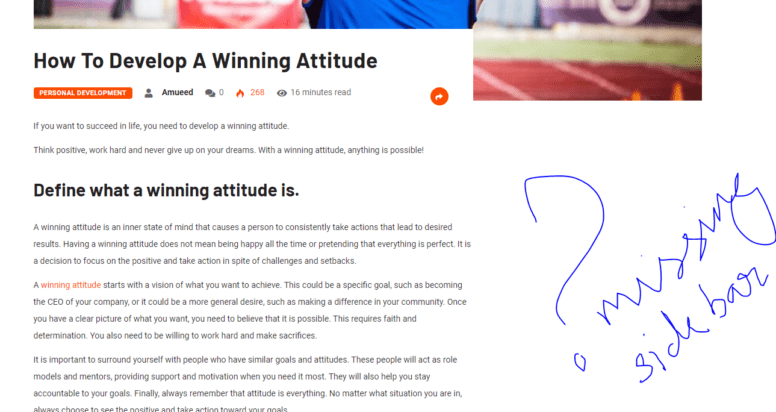
I’ve submitted one page but the problem is with all posts. The sidebar which I’ve set to be sticky disappears and I can’t scroll to the bottom of the page, it jumps up as we do so. It appears as if the sidebar widgets have been shifted to the bottom below which we can’t navigate.
When I disabled the sticky sidebar option, I could see the widgets, but they were at the bottom of the page right above the footer.
I tried disabling a few features, but couldn’t get it.
Also saw a similar query, so tried toggling the mobile cache, which too didn’t resolve the issue. Please guide me.-
This topic was modified 3 years, 7 months ago by
Abdul Mueed Qazi.
-
This topic was modified 3 years, 7 months ago by
Abdul Mueed Qazi.
The page I need help with: [log in to see the link]
-
This topic was modified 3 years, 7 months ago by
-
Please provide the report number , you can get it in toolbox -> report -> click “send to LiteSpeed”
OHNFMLLG
please do me a screenshot which sidebar you refer to ?
https://seethroughhearts.com/wp-content/uploads/2022/10/Capture.png
Here, I couldn’t take a screenshot of the bottom of the page where it shows up because the page automatically moves up as I try to go beyond the post.

it seems working on me , may I know how to reproduce it ?
It seems to happen only when google ads load along with it. Please try again without an ad blocker.
please try disable all JS optimization options , purge all , see how it goes
It didn’t work. I had to change the layout of the page, and now it seems to be fine.
Wonder how could have I resolved it without doing this?well , you can try the old fashion way , most likely it is caused by one of the options you have enabled , you can reset to default setting first, and then enable them back one by one ,or few by few , to narrow down which option caused it , then we will see what to do next.
Yeah sure, thanks.
The topic ‘My sidebar disappears’ is closed to new replies.