Hi @cb49747,
Our forms do not have action attributes so there must be another error that is preventing the form from submitting to MailChimp. What happens when you click submit? Are there any noticeable error messages?
Kevin.
I love the plugin, great work. I got it to work by deselecting the enable json submission in the forms settings. What would need to be done to use json? Would I need to create my own json to handle the request?
I’m glad you enjoy the plugin!
I am not 100% sure, but I think the issue may be that the JavaScript file that handles the submission is not being enqueued on your page. This could happen if you’re only using do_shortcode() and there are no other forms embedded onto the page.
Do you know how to check if a JavaScript page has been loaded? If so, you could look for yikes-mc-ajax-forms.min.js. If not, you could send me a URL to your site and I will check :-).
Cheers,
Kevin.
I don’t believe that javascript is loading.
If you are able to, you can enqueue this file yourself. It’ll take a bit of testing to make sure it’s working, but you could enqueue it with something like this:
global $post;
$page_data = $post;
if ( defined( YIKES_MC_URL ) && defined( YIKES_MC_VERSION ) && ! empty( $page_data ) ) {
wp_enqueue_script( 'yikes-easy-mc-ajax' , YIKES_MC_URL . 'public/js/yikes-mc-ajax-forms.min.js' , array( 'jquery' ) , YIKES_MC_VERSION, false );
wp_localize_script( 'yikes-easy-mc-ajax', 'yikes_mailchimp_ajax', array(
				'ajax_url'                      => esc_url( admin_url( 'admin-ajax.php' ) ),
				'page_data'                     => $page_data,
				'interest_group_checkbox_error' => '', // Add your own error text here, e.g. "This field is required"
				'preloader_url'                 => apply_filters( 'yikes-mailchimp-preloader', esc_url_raw( admin_url( 'images/wpspin_light.gif' ) ) ),
				'loading_dots'                  => apply_filters( 'yikes-mailchimp-loading-dots', YIKES_MC_URL . 'includes/images/loading-dots.gif' ),
			) );
}
Is that helpful?
ok thanks,
I will try to give this a try a bit later
Yeah sorry it’s a bit complicated. And I’m still not 100% sure that the missing JavaScript file is the issue; if you have a URL to your site I can check it out for you.
Let me know,
Kevin.
Sure Kevin.
here is the site http://www.mckinleyproducts.com/wp/
This is still underconstruction, so don’t be to critical. lol
Appreciate it.
Chris
Hi Chris,
The form is not set to AJAX right now so I can’t tell if the JavaScript file is being loaded!
Shoot
sorry I just set it to AJAX.
Hi Chris,
I just looked at the site again and it seemed like the form still wasn’t using AJAX. Are you sure you set the Enable AJAX Submission to yes?
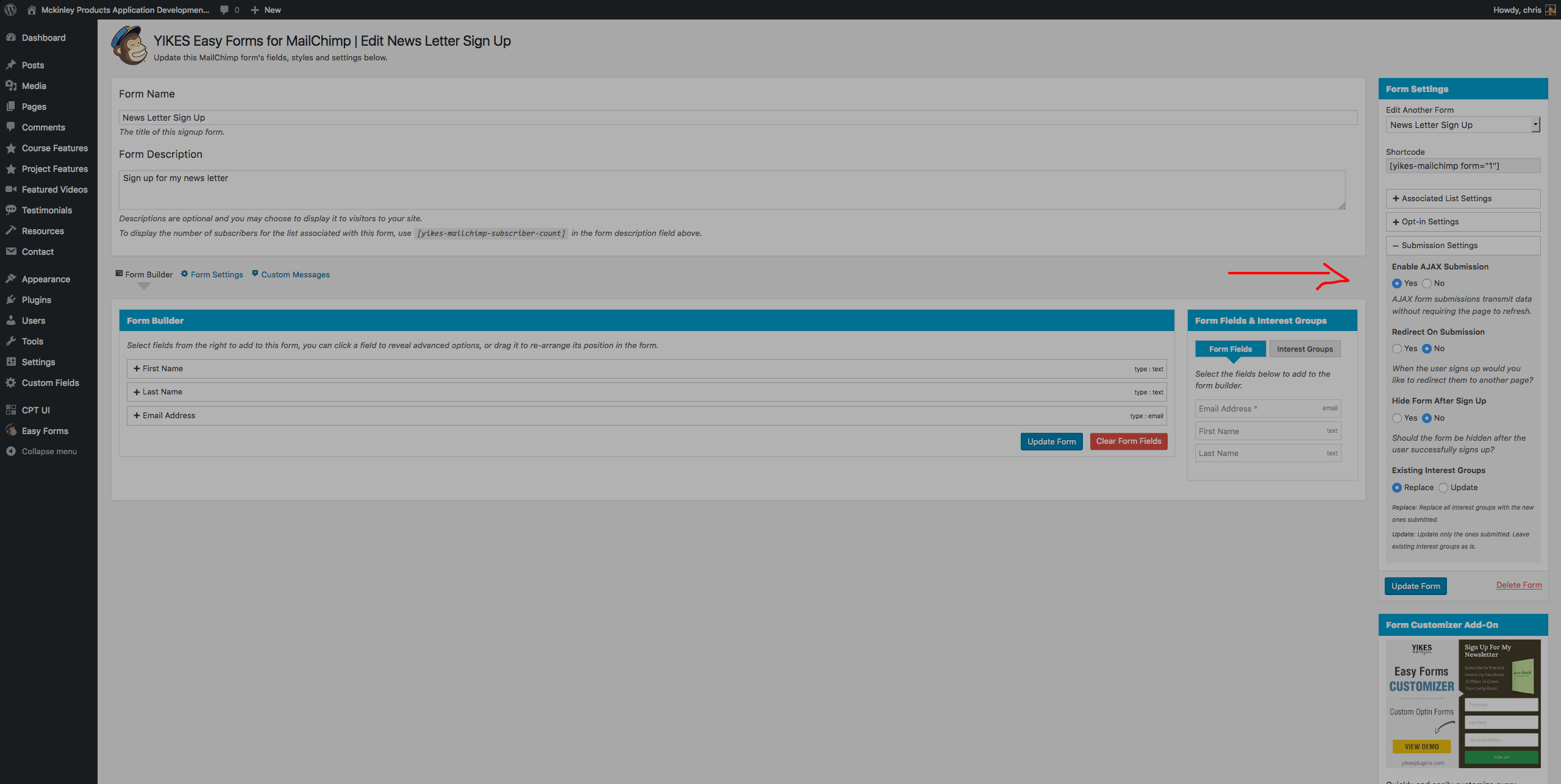
I have this selected here and have clicked update form am I missing something?
Chris,
Can you try embedding the shortcode like this:
[yikes-mailchimp form="1" ajax="1"]
After reviewing the code, I don’t see a reason why your shortcode wouldn’t enqueue the required AJAX file. So you do not need to enqueue the file yourself; there must be another issue preventing the files from loading.
Also appreciate all the here. You are going above and beyond.
Thanks.
Yep I changed the short code.


