Hi arsm,
Thank you for pointing out that issue. I managed to reproduce the issue on my WordPress site. Details have been passed to our developers, and we will release a patch as soon as possible.
Is there anything else we can help you with?
Thread Starter
 anonymized-14293447
(@anonymized-14293447)
thank you for letting me know… no other questions at the moment 🙂
OK 🙂
When our developers release the patch, we’ll let you know in this forum thread.
Hi arsm (@arsenalemusica),
I’d like to inform you that the new updated plugin version with the patch has been released.
Please update the plugin to version 1.4.6.
If you have any additional questions, we’re here to help.
Thread Starter
anonymized-14293447
(@anonymized-14293447)
thank you for updating me but I still don’t have a weight output in my cart. Again, not visible if weight=0 ?
Hi arsm (@arsenalemusica),
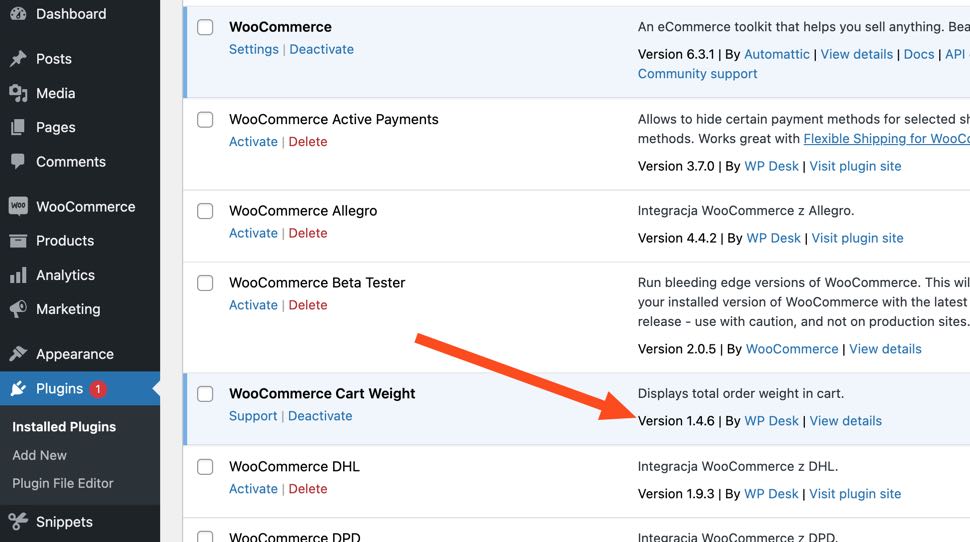
Could you please confirm that you updated the plugin to the version 1.4.6?
You can see the current version of your plugins in Dashboard > Plugins
https://cdn.zappy.app/b096541f6fcf4fdf9f621c13426bea65.jpeg
If the plugin is updated, then it may be related to cookies/cache in your web browser. Please test it by opening up your page in an incognito mode/private browsing mode.
Also, if you use any cache plugins on your WordPress site, you may need to clear it to see correct weight in the cart.
I hope that helps. Please reply if you need further assistance.
Thread Starter
anonymized-14293447
(@anonymized-14293447)
My reply was not stored here. So let me confirm again that I have the latest version, and no caching/incognito issues are interfering.
Thread Starter
anonymized-14293447
(@anonymized-14293447)
I’m closing this topic, it doesn’t seem to resolve even with the latest update. Giving up. Goodbye!