No working
-
Hello dear
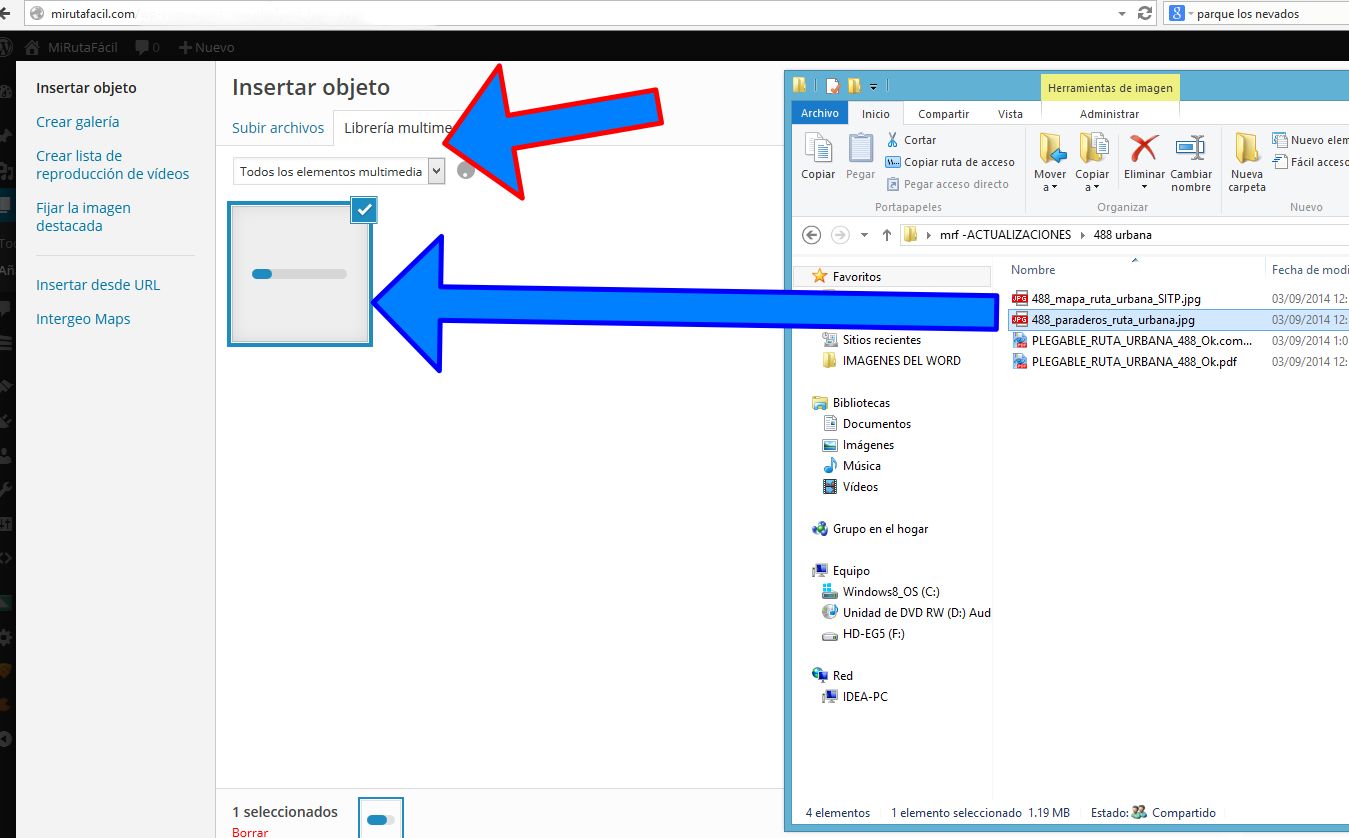
I am testing the plugin, and no working, the file upload to the tab “with previews”…
https://ww.wp.xz.cn/plugins/upload-files-by-default-when-inserting-media/

-
To clarify the issue: In the post (or page editor), click the [Add Media] button, then you get the ‘insert media’ popup. Without the plugin the ‘Media Library’ tab is selected, with the plugin active the ‘Upload Files’ tab should be selected.
Is the issue you are reporting that the ‘Media Library’ Tab is selected?
If so, we need to find out the reason why it isn’t working for you it works on all of the sites I have tested it on. Once we have a reason there should be a way to fix it for you.
Is the plugin showing as active in plugins -> installed plugins?
Which theme are you using?
What is the URL of your site?To rule out a possible conflict with other plugins can you temporarily deactivate all other plugins and try again?
Hello dear
I upload a screencapture
http://u.cubeupload.com/ramonjosegn/nowork.jpg
I am testing with plugins deactive and no show tab for upload either
The website is http://www.mirutafacil.com
I am using The Verge theme by Rohit
http://rohitink.com/2014/07/13/verge-magazine-woo-commerce-theme/Thanks for support
I have installed verge to a test site and I’ve not been able to reproduce this.
Can you go to the post edit page in admin and view the source? Do you see the following lines (or something very similar)? This should be close to the bottom of the source for the edit page.
<script type="text/javascript"> jQuery(document).ready(function($){ wp.media.controller.Library.prototype.defaults.contentUserSetting=false; }); </script>Yes I can see the code on the bottom of the source
<div class="fullscreen-overlay" id="fullscreen-overlay"></div> <div class="fullscreen-overlay fullscreen-fader fade-300" id="fullscreen-fader"></div> <div id="sz-google-hidden-shortcodes" style="display:none !important"><div class="sz-drive-embed" data-width="430" data-height="380" data-description="Drive Embed"></div><div class="sz-drive-viewer" data-width="430" data-height="270" data-description="Drive Viewer"></div><div class="sz-drive-save" data-width="430" data-height="350" data-description="Drive Save Button"></div></div> <!-- START: Add QuickTag button for Post Snippets --> <script type="text/javascript" charset="utf-8"> if (typeof QTags != 'undefined') { function qt_post_snippets() { post_snippets_caller = 'html'; jQuery("#post-snippets-dialog").dialog("open"); } QTags.addButton('post_snippets_id', 'Post Snippets', qt_post_snippets); } </script> <!-- END: Add QuickTag button for Post Snippets --> <script type="text/javascript"> jQuery(document).ready(function($){ wp.media.controller.Library.prototype.defaults.contentUserSetting=false; }); </script> <div class="clear"></div></div><!-- wpwrap --> <script type="text/javascript">if(typeof wpOnload=='function')wpOnload();</script> </body> </html>I can send you the admin acces via email?
Not yet.
Which OS & browser (inc versions) are you using? Can you try this on other devices/browsers? If so, is it the same with those?
I am using
– Mozilla Firefox 32.0.2
– Windows 8.0I am testing with Chrome Versión 37.0.2062.120 m (64-bit) and not working.
I can’t reproduce the issue on windows with chrome either.
This is very strange, but there must be a reason.
I don’t normally encourage people to share login details, but if you are happy for me to have a look at your installation, please send the details via the contact page on my own site.

The topic ‘No working’ is closed to new replies.