Hi and thank you for reporting.
1,2 will be fixed in the upcoming version.
3 is not quite clear. What do you mean by “the display is broken”? “Embed Product” meta-box looks fine to me. Can you please elaborate?
Testing version of Stripe Payments (2.0.16t1 at the moment) should have your issues 1 and 2 resolved.
Thank you for your support
I confirmed that I could translate
3 is just that the text is not surrounded by lines.
Share screenshots with Google Photos.
https://photos.app.goo.gl/ccXdg1y6knh84YZs7
Thank you.
I tried in Chrome, Firefox and Edge browsers and it looks fine to me:
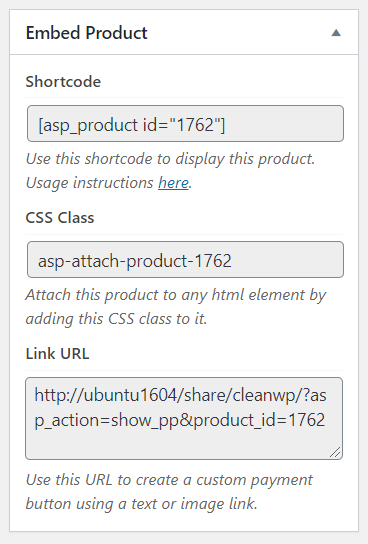
My guess is that this is some other plugin or theme is changing CSS style of <fieldset> tag, which makes it look like on your screenshot.
It was confirmed that the borderline of fieldset was displayed due to the influence of other plugins.
However, it is very common that border lines are displayed in the fieldset, so I think that the following is more desirable as markup.
original:
<fieldset>
<legend><?php echo esc_html( __( 'Shortcode', 'stripe-payments' ) ); ?></leneged>
</fieldset>
<input type="text" name="asp_product_shortcode" style="width: 100%;" class="asp-select-on-click" readonly value="[asp_product id="<?php echo $post->ID; ?>"]">
<p class="description"><?php echo esc_html( __( 'Use this shortcode to display this product.', 'stripe-payments' ) ); ?> Usage instructions <a href="https://s-plugins.com/embedding-products-post-page/" target="_blank">here</a>.</p>
Modified:
<fieldset>
<legend><?php echo esc_html( __( 'Shortcode', 'stripe-payments' ) ); ?></legend>
<input type="text" name="asp_product_shortcode" style="width: 100%;" class="asp-select-on-click" readonly value="[asp_product id="<?php echo $post->ID; ?>"]">
<p class="description"><?php echo esc_html( __( 'Use this shortcode to display this product.', 'stripe-payments' ) ); ?> Usage instructions <a href="https://s-plugins.com/embedding-products-post-page/" target="_blank">here</a>.</p>
</fieldset>
By the way, the spelling of “/legend” is wrong with “/leneged”.
No problem at present, so it has been resolved.
However, it is very common that border lines are displayed in the fieldset, so I think that the following is more desirable as markup.
I agree. This should be rectified in the upcoming version of the plugin.
By the way, the spelling of “/legend” is wrong with “/leneged”.
Thank you. This has been fixed too.
BTW we have a public git repo which seems to be a better place for some code changes etc. 😉 https://github.com/Arsenal21/stripe-payments


