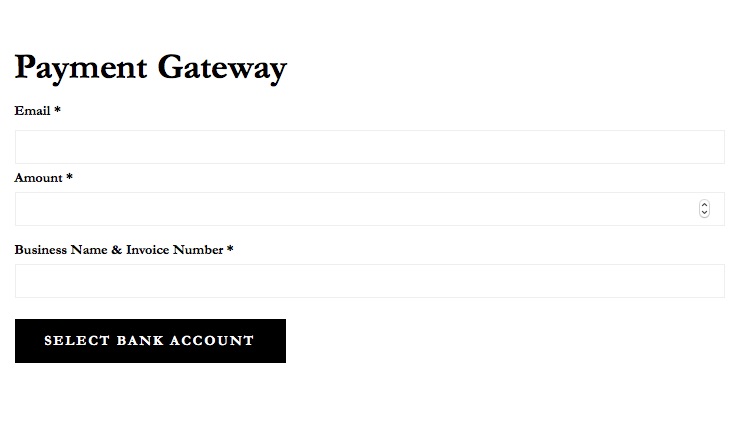
You can change the form to say “Invoice Number” rather than “Note” with some jQuery.
In your theme’s functions.php add:
add_action(‘wp_footer’, ‘my_custom_form_text’);
function my_custom_form_text() {
?>
<script>
jQuery(function() {
jQuery(‘#sc-form .sp-field-wrap label[for=sp-desc]’).html(‘Invoice Number’);
});
</script>
<?php
}
?>
thank you mcmwebsol.
It didnt work for me. By the way, how does one receive notification when the transaction has completed. I am not receiving one. It it just due to the sandbox nature?
thanks
Robert
RE: changing note copy. There is not official way to do this. The code posted above should however. Be sure the quotes are not curly like above however.
The plugin does not provide notification but Stripe can be configured to notify you.
-
This reply was modified 6 years, 11 months ago by
 justinwhall.
-
This reply was modified 6 years, 11 months ago by justinwhall.
-
This reply was modified 6 years, 11 months ago by justinwhall.
Thank you Justinwhall,
The adjustment to the curly quotes did the job. Is there a way to add Business name to the form?
thanks and best
robert
The form is just two input fields. You can, however, put whatever you want above (or below) the shortcode.
Thanks forgetting back so quickly.
DO you have a premium version of the plugin that offers more customization?
Thanks and best
Robert
No, not at this time. Out of curiosity, what would you want in terms of customizations?
i need to be able to allow payments to be made to two different accounts. One for CA customers only, one for all other states.
Any suggestions for payments to two accounts?
I have the plugin working. By default it has three fields. One of those fields I have titled Business Name and Invoice number. Is there a way to have an additional field so Business name and Invoice number have their own fields?
example
thank you
robert