Hi,
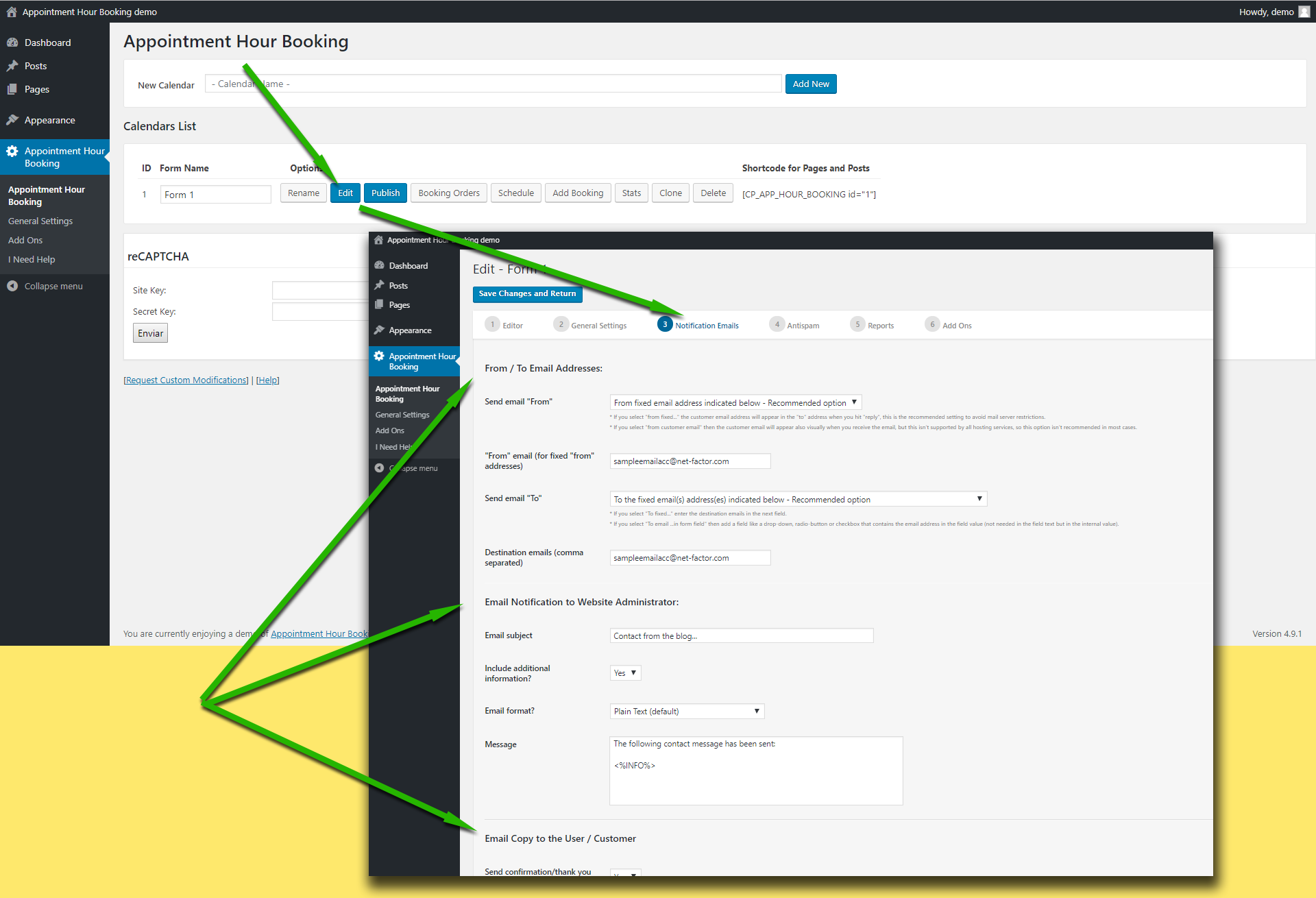
Please check first the “from” email address used in the settings. Note that if you use a “from” email from a public email service like “@hotmail.com”, “@aol.com”, “@outlook.com”, “@gmail.com”, … it will be filtered by most antispam systems since the email will be identified as “not originated at the expected server”.
Try using a “from” address that belongs to the website domain.
This is the related settings area in the plugin:
https://apphourbooking.dwbooster.com/customdownloads/email-settings.png

Note also that the plugin uses the settings specified into the WordPress website to deliver the emails, if your hosting has some specific requirements like a fixed “from” address or a custom “SMTP” server those settings must be configured into the WordPress website.
Thank you for using the plugin!