Only start counter when element in view
-
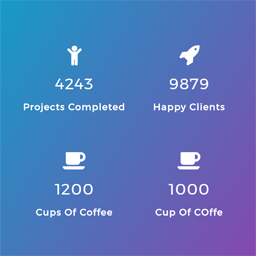
Hi, I’d like my number counter to start only when the user actually starts viewing the counter. Otherwise, by the time they scroll down, the counter would’ve already finished its animation and they just look like static numbers.
I’ve tried to change the plugin files, assets -> js -> counter_nscript.js to the following (seen from another forum).
var worked = 0;

jQuery(document).ready(function( jQuery ) {
jQuery(window).scroll(function() {
    var top_of_element = jQuery('.counter').offset().top;
    var bottom_of_element = jQuery('.counter').offset().top + jQuery('.counter').outerHeight();
    var bottom_of_screen = jQuery(window).scrollTop() + jQuery(window).innerHeight();
    var top_of_screen = jQuery(window).scrollTop();

    if ((bottom_of_screen > top_of_element) && (top_of_screen < bottom_of_element) && worked == 0){
        jQuery('.counter').counterUp({
            delay: 20,
            time: 2000
        });
	worked = 1;
    }
})});
But this didn’t work. Please lmk what else I can try! Thanks

Viewing 2 replies - 1 through 2 (of 2 total)

Viewing 2 replies - 1 through 2 (of 2 total)
The topic ‘Only start counter when element in view’ is closed to new replies.