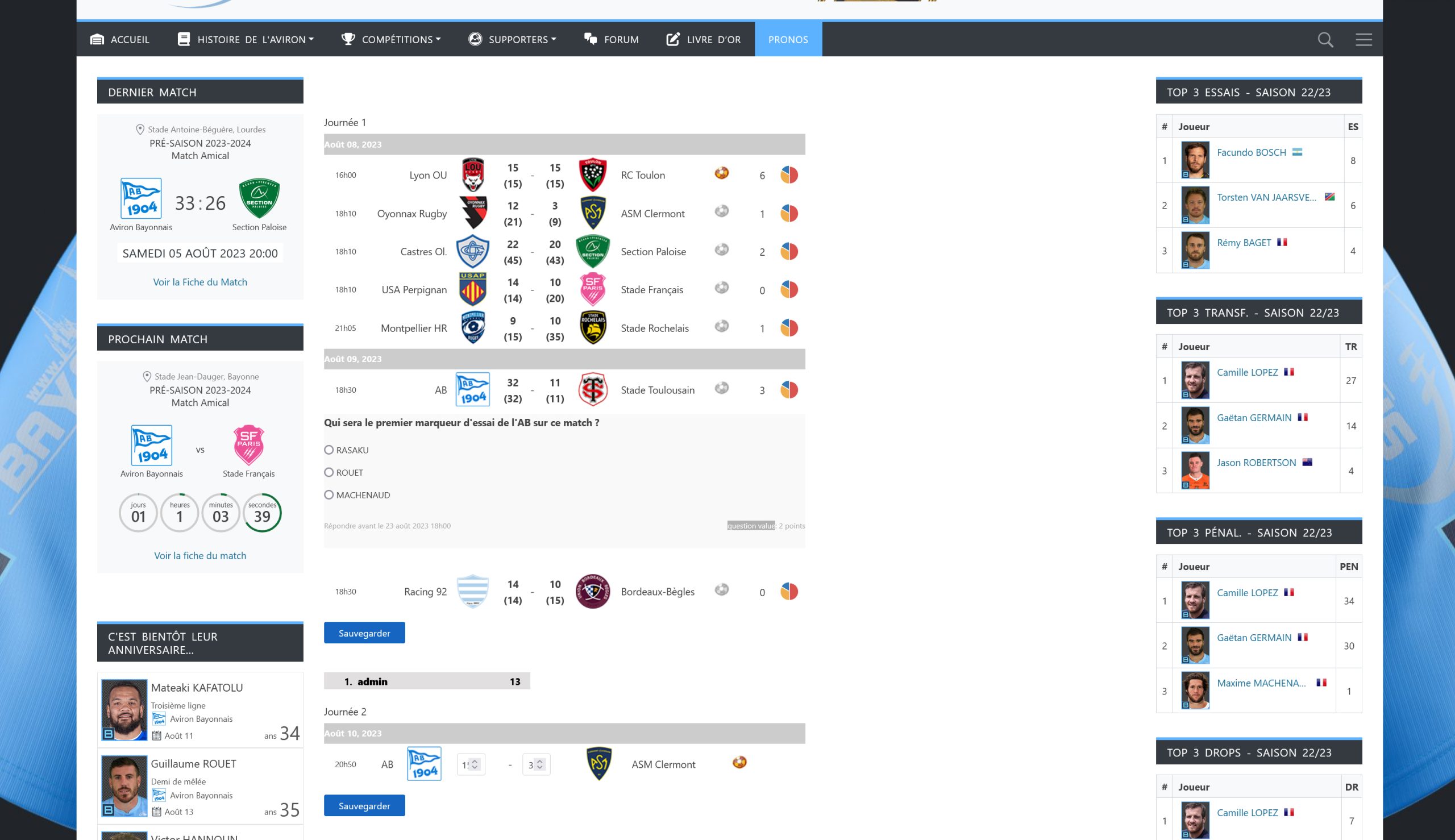
I don’t see where to change the width. I tried changing the width from 700px to 1200px in this file, pool.css in wp-content/plugins/football-pool/assets but nothing changes…
For the translation, I searched for the terms to be translated with Loco Translate, but they were not found.
-
This reply was modified 2 years, 9 months ago by
 Patrick.
It is better to add your own CSS in a child theme, or in the Additional CSS field under Appearance 》 Customize (if that is still available), or via a plugin like ‘Scripts and styles’. And make sure your rule has a higher specificity than the one from the plugin.
I use the standard translation process of WordPress. I don’t know what Loco Translate is or does. Easiest solution is to reach out to the French translation team and to request that the translations are approved, or have them promote you to a project translation editor so you can evaluate and approve the translations for the French language.
I found where to change the language of “question value”. It’s in the file : class-football-pool-pool.php in line 1563
please note that when you change files in the plugin, that your changes will be overwritten on every plugin update.
Hello,
Yes, absolutely.
For display, I don’t know where to edit. What’s amazing is that when I select “Mobile-friendly layout” in the layout options, it displays correctly, across the entire width of the page.
The mobile-friendly layout uses a flex layout (CSS) that behaves different than the classic layout that is still in an old-fashioned table structure. If you want the table layout to take the full width, then you need to set its max-width to 100%:
/* Full width in classic layout */
table.matchinfo.classic-layout { max-width: 100%; }
Hello Antoine,
Strangely, since yesterday morning the predictions page is displayed correctly, over the entire width, without me having done anything.
On the other hand, I try to modify the width of the box (5em instead of 3em) where we enter the scores, as well as the alignment of the text (center instead of right). I have modified the values below in the following file: wp-content/plugins/football-pool/assets/pool.css but the modification is not taken into account. I do not understand why.
.fp-prediction-form input.prediction {
width: 3em;
text-align: right;
}
I only have this box width problem on Firefox, on Microsoft Edge it displays correctly.
However, I cleared the cache.
-
This reply was modified 2 years, 9 months ago by Patrick.
-
This reply was modified 2 years, 9 months ago by Patrick.