Hello
I think the pagination disappears because the third-party plugin does not receive information about the number of posts
where can I see this pagination( exact page )?
Thread Starter
 cesdls
(@cesdls)
You can see the pagination on http://www.artmodels360.com/?s=&post_type=pose. I currently have pagination enabled but am still retaining the default “Older posts” link for my customer’s convenience.
Their website is https://bestwebsoft.com/products/wordpress/plugins/pagination/ and the plugin is available for free so you can download and review the code.
The ability to show pagination (number of pages of results and ability to navigate to other pages of results) is very important for a website with lots of content.
Thread Starter
cesdls
(@cesdls)
Apparently I can’t include links in my reply.
You can see the pagination on [my website using the “Browse Poses” menu item]. I currently have pagination enabled but am still retaining the default “Older posts” link for my customer’s convenience.
Their website is [the BestWebSoft website] and the plugin is available for free so you can download and review the code.
The ability to show pagination (number of pages of results and ability to navigate to other pages of results) is very important for a website with lots of content.
Hello
ability to navigate to other pages of results) is very important for a website with lots of content. – I absolutely agree with you! But it does not depend on the filter, it depends on the current template
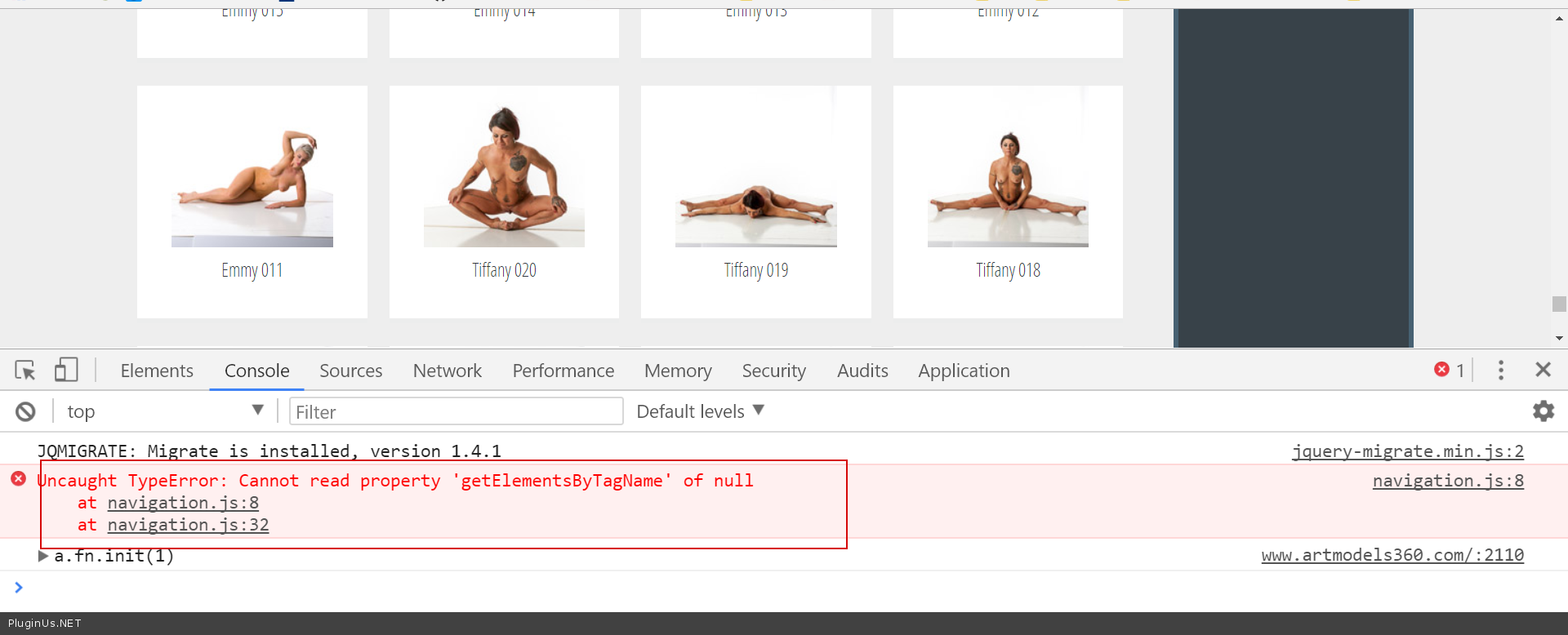
Also JS errors – https://c2n.me/3REivUM.png
I advise you- contact to support of your theme and learn how to include the standard pagination. I think this is the best way.
What shortcode do you use to show posts? [meta_data_filter_results] Right?
What template? “search” ?
Thread Starter
cesdls
(@cesdls)
Yes, that is the shortcode I’m using. I did find this FAQ information on the BestWebSoft page that appears to address this situation. https://support.bestwebsoft.com/hc/en-us/articles/115000108423-I-have-custom-post-types-where-I-output-the-information-via-custom-query-to-the-database-How-can-I-add-the-pagination-block-to-this-custom-post-type-
The pagination plugin works fine until a filter is applied.
Example:
Go to the ArtModels360 page and choose “Browse Poses.” The number of pages is shown at the bottom of the grid of thumbnail images.
Now click on “Female” to filter for just female models and wait for the page to refresh. Scroll to the bottom and you’ll see that the number of pages block is not visible.
-
This reply was modified 8 years, 4 months ago by
 cesdls.
Hello
Try in file – “\plugins\meta-data-filter\views\shortcode\meta_data_filter.php”
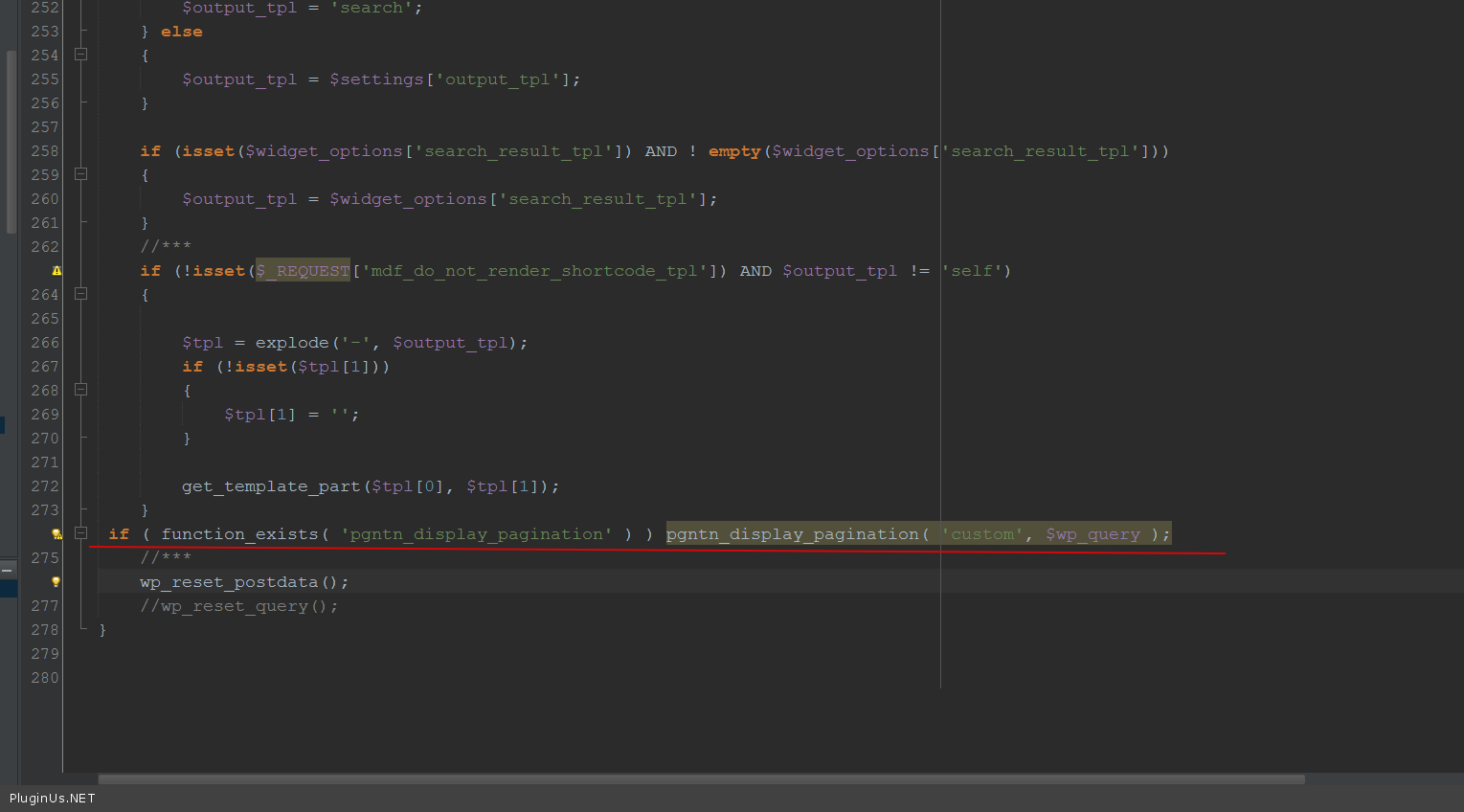
Add this code ( https://c2n.me/3RHRMpX.png ):
if ( function_exists( ‘pgntn_display_pagination’ ) ) pgntn_display_pagination( ‘custom’, $wp_query );
Thread Starter
cesdls
(@cesdls)
Unfortunately that didn’t work. I did notice in your referenced screenshot that your php file has 277 lines where my copy only has 227. The other files in the shortcode folder have a 1/26/2016 date.
Hello
it does not matter how many lines!
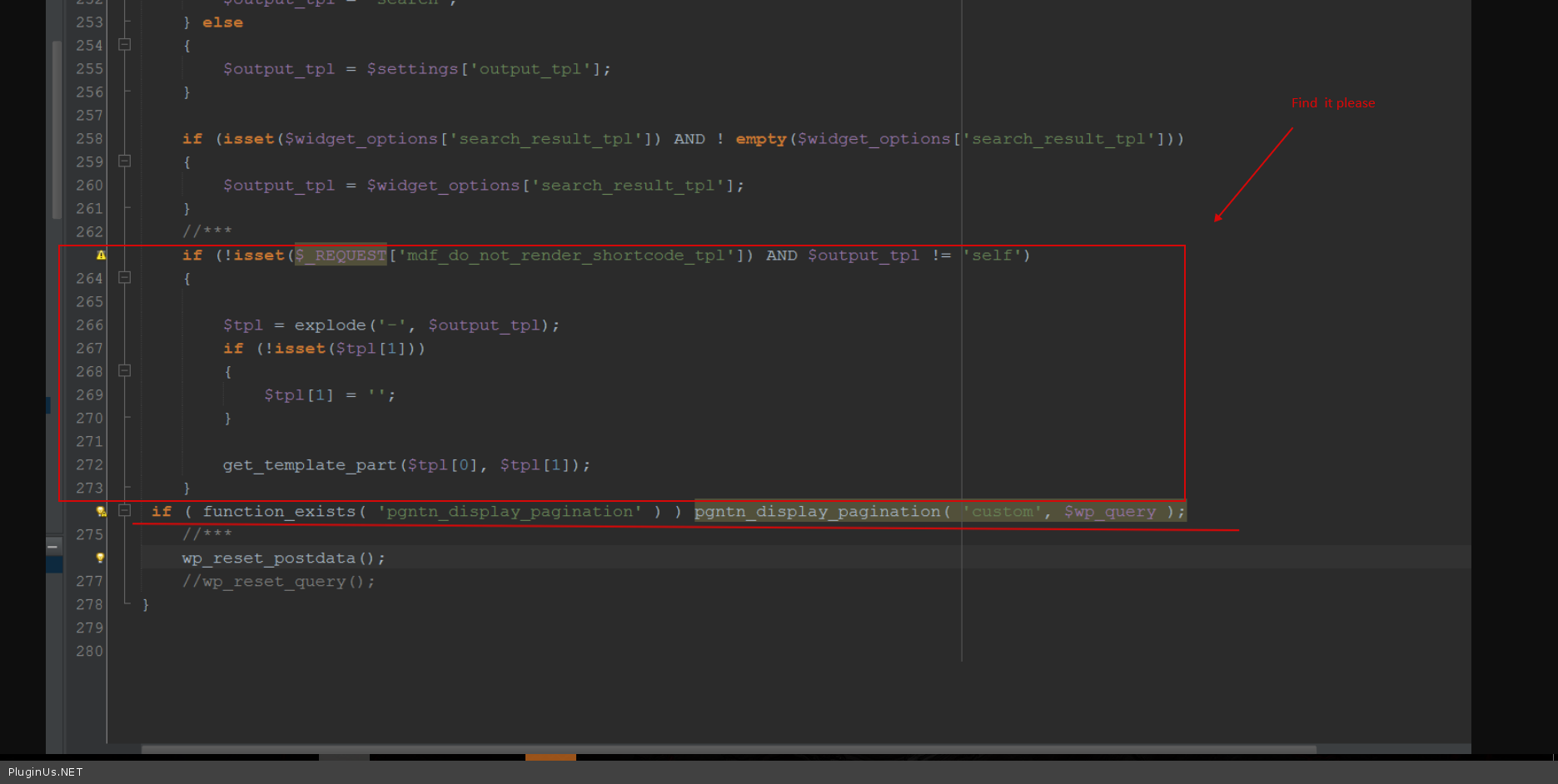
Paste the code after this – https://c2n.me/3RLTl8d.png
Thread Starter
cesdls
(@cesdls)
That is where I added the code. I also tried with and without comments on the last two lines. I also tried changing custom to pose, poses, post and posts and none of the combinations made any difference.
I commented on the number of lines since your copy seems to have 50 more lines of code so I wondered what they were doing differently than my copy. Do I need an updated copy of the .php file(s)?