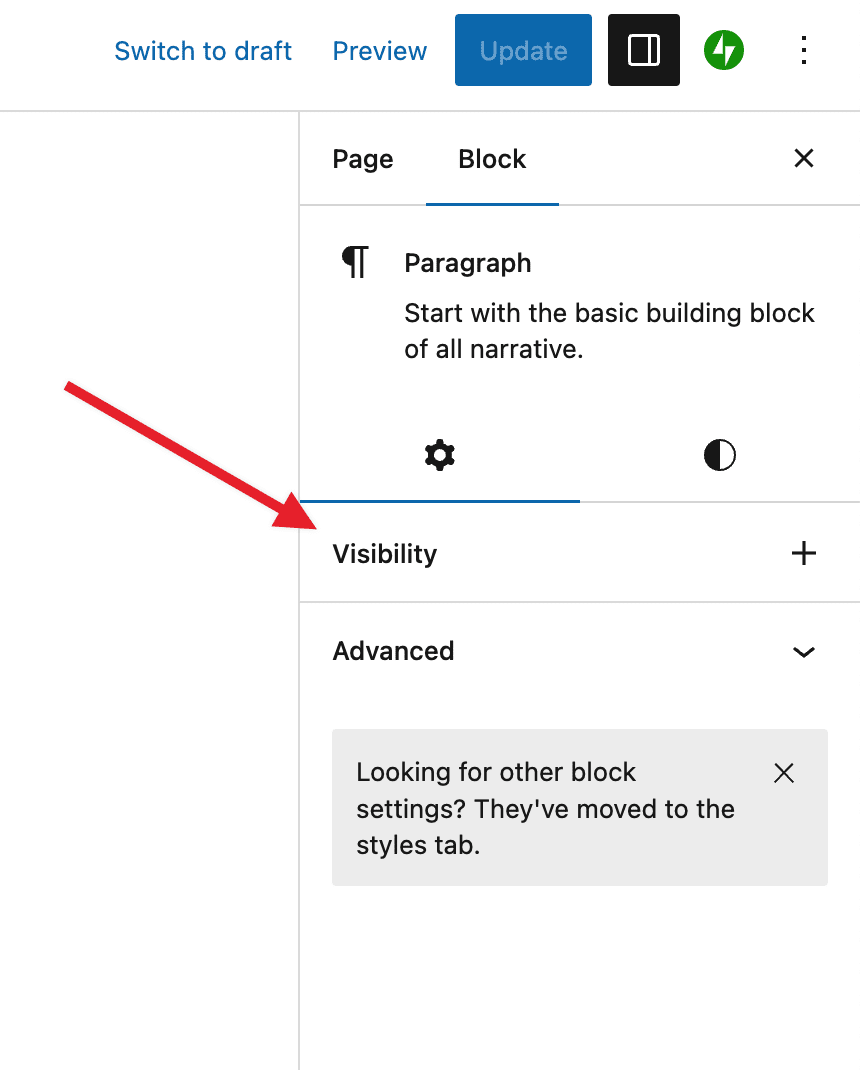
I chose to build the plugin without a collapsable panel since this is how all panels will soon work in WordPress Core.
That said, you can make some modification in the plugin settings to simplify the editing experience.
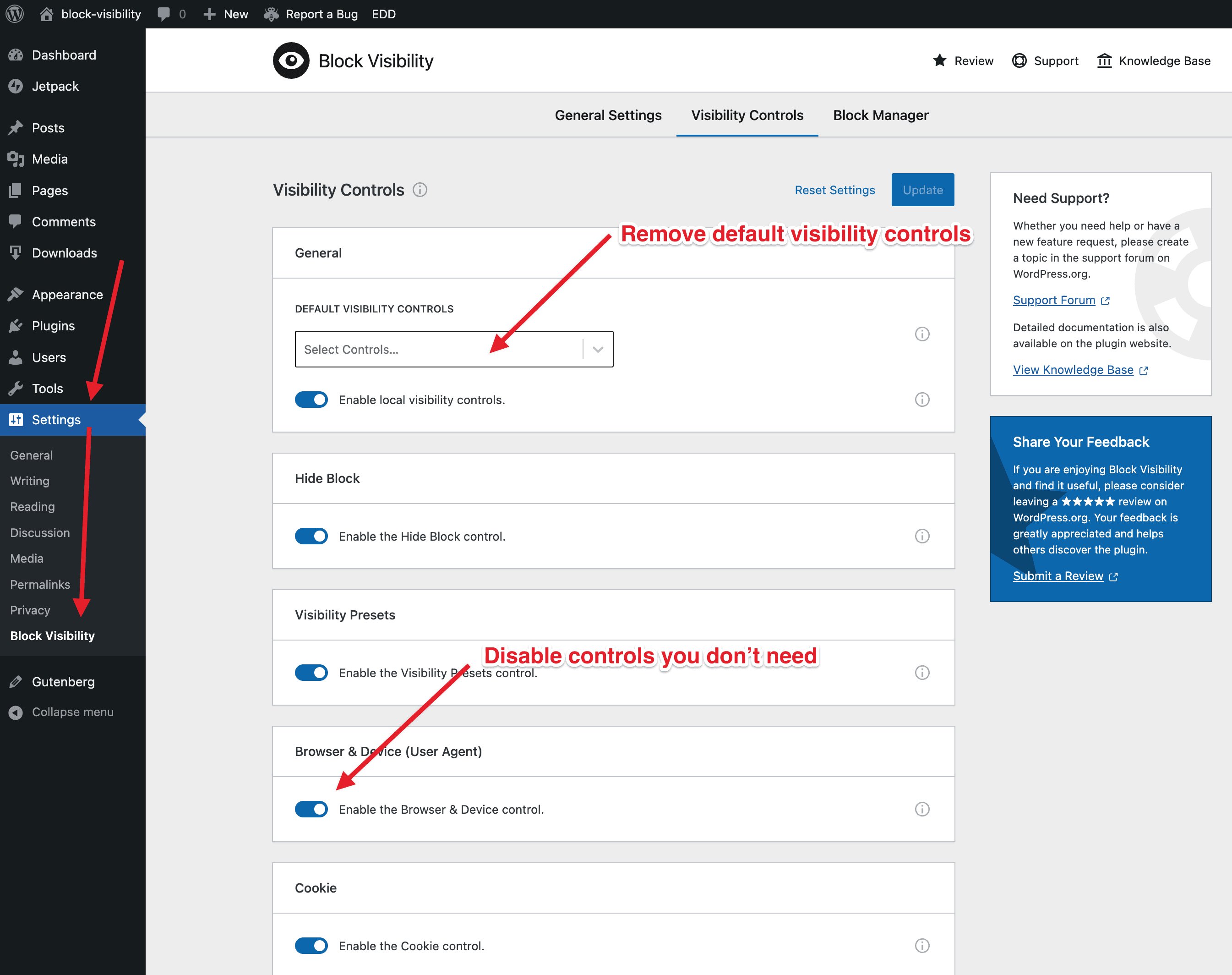
First, you can disable “default visibility controls”. Default controls display automatically in the Visibility panel. Second, you can disable any controls that you will never use.
The screenshot below shows you how to modify these settings.
When there are no default control, the Visibility panel will look like this:
Let me know if I can answer any additional questions or be of further assistance.
But I kept wondering why it’s the only setting that works this way. So I checked native blocks (eg. columns block). Panels like that are used only for styling (tab), for settings (tab) they’re still collapsible.
Are you saying all the panels in the future will look like those used for styling?
Thanks for the feedback @zerocore. This is an intentional design choice for the plugin, which is why I marked it as resolved.
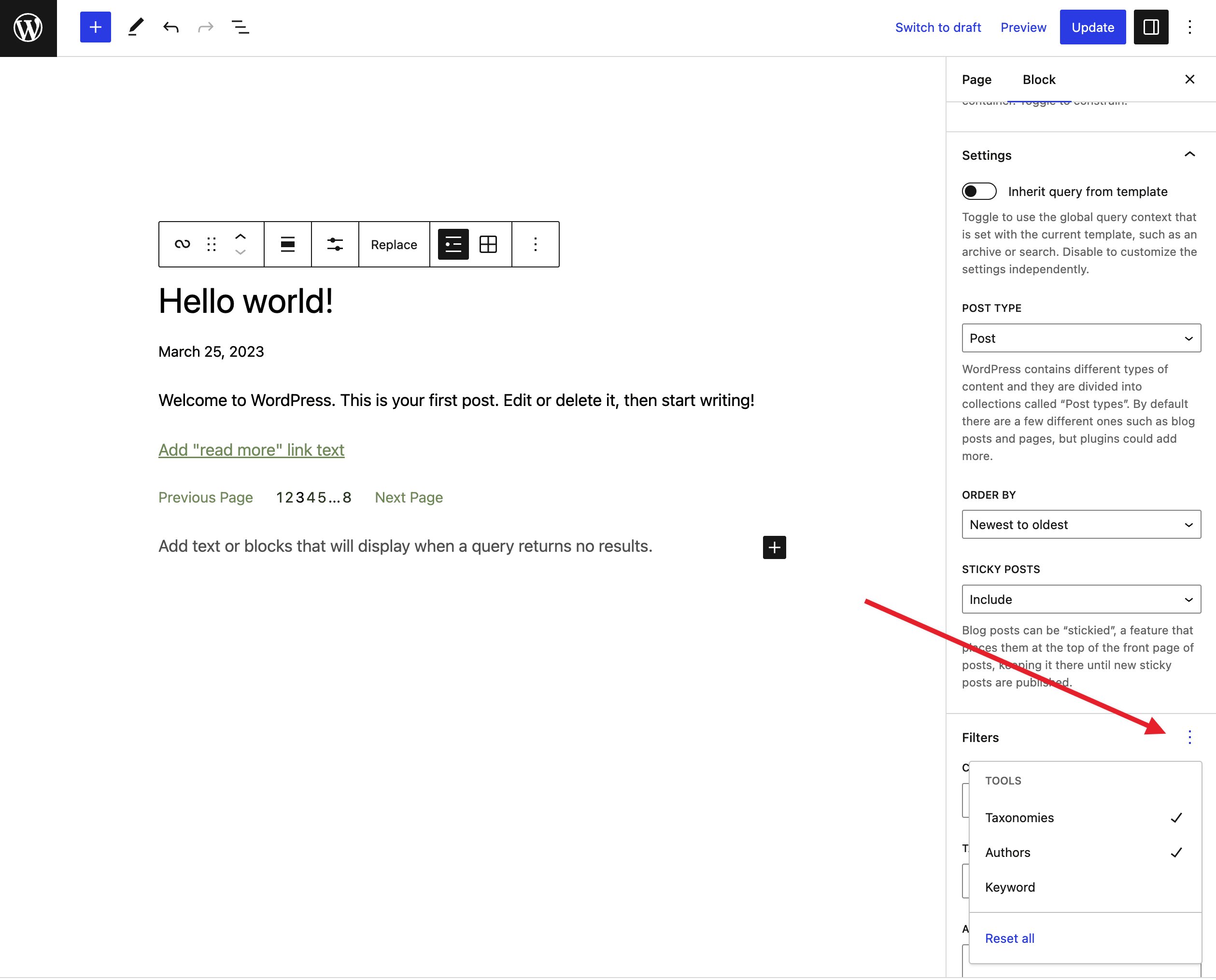
The panel uses the same design “system” as the panels under the Styles tab in that it allows you to add additional “tools” to the panel. You can then reset “tools” which remove them from the panel.
This approach is not unique to the Styles tab, even though most block settings still use the collapsable method. You can see here on the Query Loop block that the Filters panel uses this new “tools” approach.
Long story short, there is no designated panel design based on the tab that the panel “lives” in. Given how Block Visibility works, in that it allows you to configure multiple controls, the “tools” panel made the most sense. While there are definitely some drawbacks to this design, there are no plans to revert to a collapsible panel.