Hi @remscoco – It sounds like you could be dealing with a plugin or theme conflict, as this isn’t behavior I’ve seen occur by default.
The best way to determine this is to:
- Temporarily switch your theme to Storefront
- Disable all plugins except for WooCommerce
- Repeat the action that is causing the problem
If you’re not seeing the same problem after completing the conflict test, then you know the problem was with the plugins and/or theme you deactivated. To figure out which plugin is causing the problem, reactivate your other plugins one by one, testing after each, until you find the one causing conflict. You can find a more detailed explanation on how to do a conflict test here.
Thanks!
– Joey
thanks i will check all that!
i got same.
ALl order cannot be captured in Woocommerce -> Orders.
This new version very suck
@mrgozvn were you able to do the conflict testing @jricketts4 mentioned? That may help to identify and fix the source of the issue.
@mikestraw
I did and nothing better.
I feel he couldnt understand
@mrgozvn it may be worth reviewing your PayPal Checkout settings to make sure everything is set up right between WooCommerce and PayPal.
Review these setup and configuration steps to make sure everything is correct, especially the API credentials.
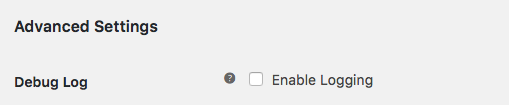
Then, activate debug logging under WooCommerce > Settings > Payments > PayPal Checkout:

Link to image: https://docs.woocommerce.com/wp-content/uploads/2012/05/2016-08-24_10-06-03.png
Activate the Storefront theme and deactivate all plugins except WooCommerce and WooCommerce PayPal Checkout Payment Gateway. Then try placing a test order.
If the order has the same issue with a successful order, then there are a couple places you can check to find out what may be causing this to fail:
The Order Notes (WP Admin > WooCommerce > Orders > Click Order # > Find – Order Notes (Right side)) can show the updates to the order while it was processing.
The WooCommerce logs under WP Admin > WooCommerce > Status > Logs. There will be several logs listed, and you can choose from the list and click View to switch between them. If you activated debug logging under WooCommerce > Settings > Payments > PayPal Checkout, then you should see detailed paypal-checkout logs. Check those and any fatal-error logs to see what may be causing the issue.
If the payments work, then it is an issue with your theme or another plugin. You can work out where the conflict is by reactivating things one at a time.
If the problem is still there with only Storefront, WooCommerce, and WooCommerce PayPal Checkout Payment Gateway active and you aren’t able to fix the problem based on what you find above, feel free to share the logs and any other details here. We may be able to help interpret what’s there and help out.
We haven’t heard back from you in a while, so I’m going to mark this as resolved – if you have any further questions, you can start a new thread.
– Joey