Pinterest Icon does not work as expected
-
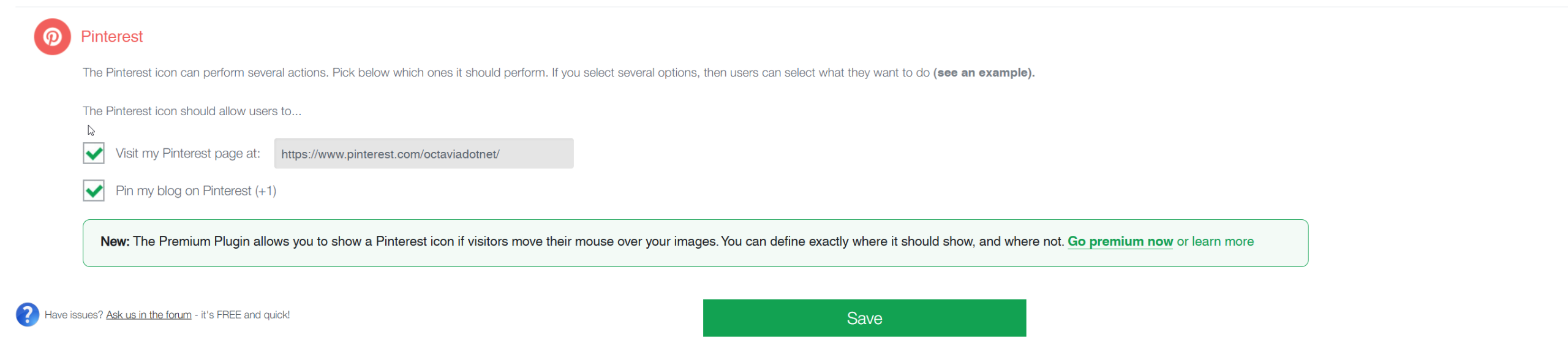
I have configured the non-premium version of Social Media Share Buttons & Social Sharing Icons to use just 4 social media buttons. I am using the buttons as a widget. I have already tried to simply remove Pinterest and add it back again, but that had no affect on the behavior. The reference URL to our site has these buttons at the top of the right hand side column on all pages that display this section. You can see this on the home page: https://octavia.net/
The Pinterest icon has not worked for a while and I am not sure why. The link for Pinterest is showing as:
javascript:void(0);
It is configured in the plugin to use this URL:
” https://www.pinterest.com/octaviadotnet/ “
This is a valid link.
I would like to know why the Pinterest Social Media Button has stopped working as expected. I have Facebook, Instagram and YouTube Social Media Buttons all working as expected.
Please let me know if there is something that I have misconfigured or if this is a defect which will be corrected. Again this used to work and did so for many years.
-
This topic was modified 3 weeks, 3 days ago by
.
-
This topic was modified 3 weeks, 3 days ago by
-
This topic was modified 3 weeks, 3 days ago by
-
This topic was modified 3 weeks, 3 days ago by
The page I need help with: [log in to see the link]
-
This topic was modified 3 weeks, 3 days ago by


You must be logged in to reply to this topic.