Plugin Author
 Awais
Awais
(@awais300)
Hello @marianssen
OK, I have a quick thought on it.
Can you try adding the below code at the top of the function datetime_add_gf_form_script in the file:
wp-content/plugins/gf-datetime-field-add-on/includes/class-awaiswp-datetime-field-settings.php
Code:
if(is_admin() || true == defined('REST_REQUEST')) {
   return $form;
}
The code would look like as shown in below screenshot
https://i.imgur.com/bEiTML9.png
Let me know if that didn’t solve the issue then I will try to reproduce the issue.
@awais300 this worked! Thank you very much for the quick support. Is this going to be added in the next version of the plugin?
Plugin Author
Awais
(@awais300)
@marianssen Glad, it worked!
Yes, I will update the plugin & release it in the next version very soon.
Thank you for reporting the issue.
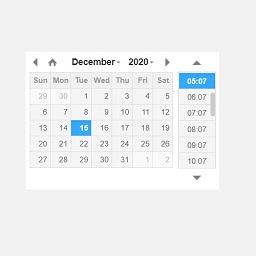
One small thing I just noticed that could be improved in the next version – if one gravity forms is already sent on a page (via ajax), the date-time field does not work anymore on another field.
E.g. we have a pop-up form, where we collect phone number using a gravity form, and we have a second contact form later on the page. If a user fills-out the phone number, the date-time field does not work (the date picker does not show when clicked) in the form later. Works correctly after refresh.
Plugin Author
Awais
(@awais300)
@marianssen Regarding your last comment, can you share the page link where I can see the issue? Thank you.