• Resolved Henry

    (@spoogy)


    Hi,
    After installing and activating plugin, there’s no customposts menu at dashboard left hand pane. Altought, I’ll see custom post pages under Elementor sub-menu. Also, when creating a new page with Elementor editor, there’s no custom post pages widgets available.

    Plugin installed and activated without any errors but not showing up anywhere.

    Using WP 6.2 with OceanWP and Elementor free as well as some other plugins.

Viewing 6 replies - 1 through 6 (of 6 total)
  • Plugin Author Michael

    (@migaweb)

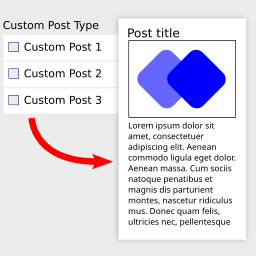
    There is no own menu in the left hand pane, it is the menu below “Elementor” called “Custom post pages”. And if that is visible you should be able to see the Elementor widgets too:

    I have tested it with the latest Elementor, WP 6.2 and Astra theme

    Thread Starter Henry

    (@spoogy)

    Hi,

    Thanks for replying! And yes, after closing browser and re-opening widgets came available. I was able to create new custom-single-post page but, now when I ‘link’ it under Elementor > Custom post pages > Add

    In a dropdown menu there’s only ‘Post’ choice available (not custompost as in instruction video). If I chose that Post and link it with my custom-single-post page, it does not work. I assume I should have that ‘custompost’ option available in that drop down menu but how to get that?

    https://nikry.fi/wp/wp-content/uploads/2023/04/link.png

    • This reply was modified 3 years, 1 month ago by Henry.
    Plugin Author Michael

    (@migaweb)

    You need to create custom post types. Either with a plugin or in your functions.php. That is not part of the plugin.

    The normal Post entry works too. If your custom-single-post contains e.g. the Post title widget and you click on view (next to trash of your post it should show up in your custom-single-post template. Since you say all the stuff before came up when you’ve closed the page it sounds like you have some caching issues. Make sure to press save after you’ve added a box. Also: if you have other Post templates in your theme it might not work.

    Thread Starter Henry

    (@spoogy)

    Ok. Understood. Now my problem is, when I click that ‘view’ of my post, I’ll see some default template which is some weird mix of from OceanWP and Elementor. I need to now find out how to get rid of that and replace it with the custom one.

    Thanks for your support!

    Plugin Author Michael

    (@migaweb)

    you could also just use https://proelements.org/ and use the normal Elementor theme builder and all the rules. So you don’t need to use my module to fake that 🙂

    Thread Starter Henry

    (@spoogy)

    Thanks for suggestion. I will take a look on that but still…I want to get this also working. 🙂

    Thank you for your great support!

    “Problem” solved on my behalf

Viewing 6 replies - 1 through 6 (of 6 total)

The topic ‘Plugin does not install correctly’ is closed to new replies.