Hello @maxwellkfer
Your website is loading the resources from the CDN server, but the files are empty in the CDN server.
Please, visit the following link:
https://everinvest.b-cdn.net/wp-content/plugins/calculated-fields-form/js/cache/all.js
And now, visit the same URL from your web server:
https://www.everinvest.fr/wp-content/plugins/calculated-fields-form/js/cache/all.js
The plugin you’re using to synchronize the website server files with the CDN server is copying empty files.
Best regards.
Thank you for the very fast answer !
Ok, do you know how I can solve this ?
I use Bunny CDN and WP ROCKET.
Hello @maxwellkfer
Try to upload the file on your web server that contains the correct code to the CDN server to overwrite the empty file in the CDN server.
Best regards.
I am not sure to understand.
But anyway, thank you very much for your answers 🙂
Hello @maxwellkfer
Please, check if the plugin that handles the CDN files allows you to reload them.
Another alternative would be to include a script tag in the footer.php file of the theme active on your website to load the all.js file:
<script src="https://www.everinvest.fr/wp-content/plugins/calculated-fields-form/js/cache/all.js"></script>
Best regards.
I have an option where I can exclude some files from the CDN.
So I tried to exclude :
– “/wp-content/plugins/calculated-fields-form/js/cache/all.js”
– “/wp-content/plugins/calculated-fields-form/”
– The page where the simulator is used
But neither works.
Thank you
Hello @maxwellkfer
Your website continues loading the wrong file copy from the CDN server. Please, look at the screenshot our your page source below:
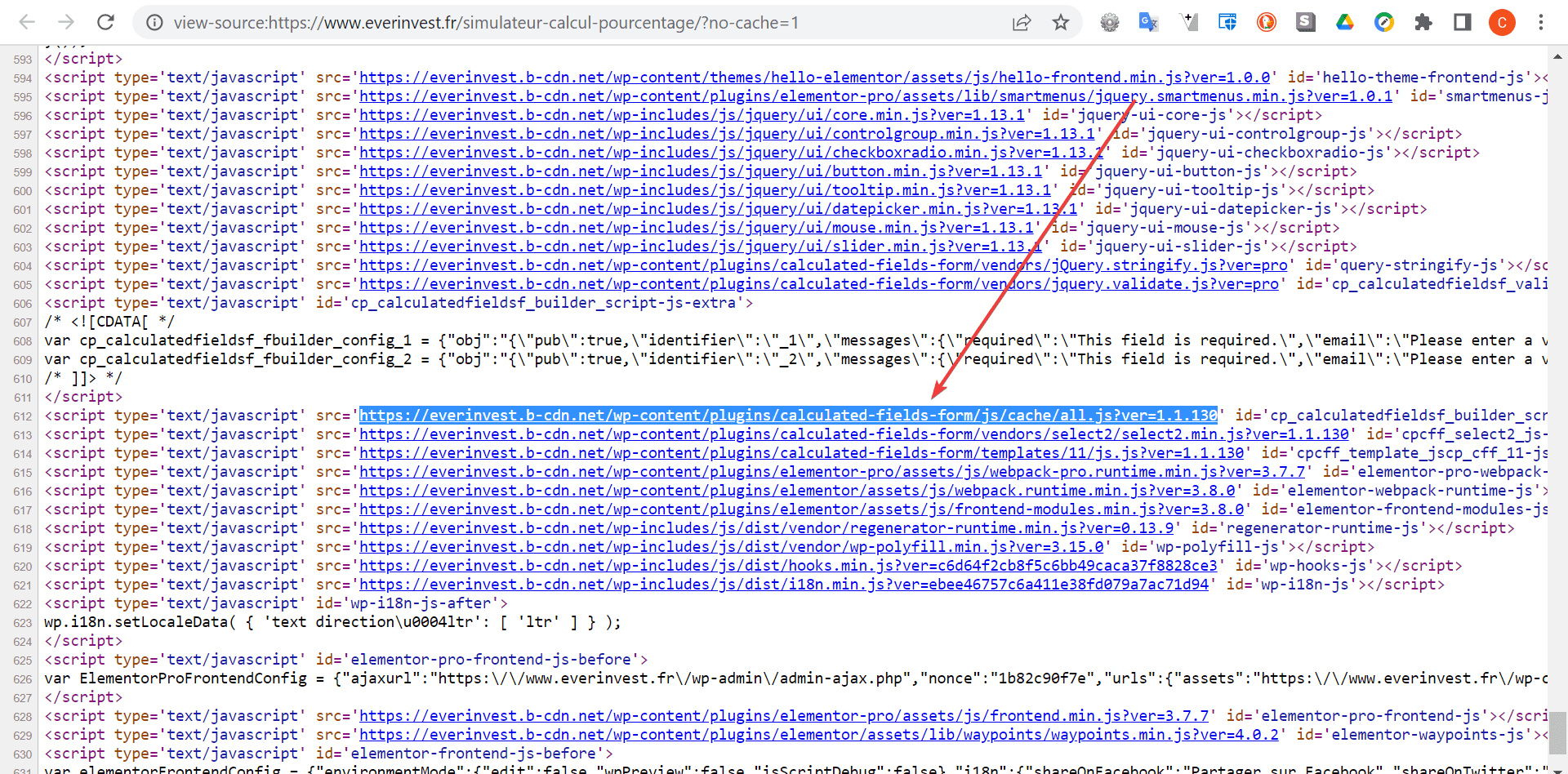
Best regards.


