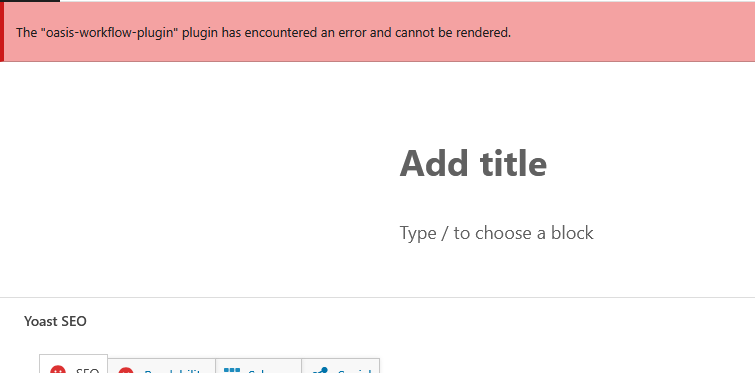
Hi @husainm – for now, can you disable the Oasis Workflow plugin – so that you can move forward.
I don’t know if you misunderstood me but the plugin is not working for me, but it’s not affecting the website. I just want to know if you can help me fix it.
Everything is working fine except the button “Submit to workflow” in the editor is not showing.
-
This reply was modified 6 months, 4 weeks ago by
 husainm.
-
This reply was modified 6 months, 4 weeks ago by husainm.
-
This reply was modified 6 months, 4 weeks ago by husainm.
Hi @husainm ,
Could you please share a bit more about your system information, such as:
- WordPress version
- Oasis Workflow version
- PHP version
- And, if possible, a list of active plugins
This will help us better understand your setup and identify what might be causing the issue.
Hi @husainm,
Sorry for the late reply — somehow I didn’t receive a notification for your message.
Anyway, I was able to replicate the issue on my end using your server configuration, and thanks to that, I was also able to identify the solution.
Starting from WordPress v6.6+, some block editor/Gutenberg packages functions were deprecated Or change import location. Because of this, we updated our code to ensure compatibility with the latest WordPress versions.
We’ve now also added a fallback for older WordPress versions (anything below v6.6, such as v6.5.3), so older sites will remain fully compatible with our latest plugin.
We will update the plugin ASAP, but in the meantime, you can upgrade using the fixed version if you’d like. I’ve created a ZIP file just for you—download it, replace your existing “oasis-workflow” plugin, and test it out.
Please let us know how it goes. We’ll release the official update soon, so when you receive the update notification, feel free to update.
Here’s the download link for the fixed plugin ZIP:
https://www.oasisworkflowdemo.com/oasis-workflow-for-husainm.zip
It’s working now! Thank you for the support
-
This reply was modified 6 months, 3 weeks ago by husainm.
Hello, the button works however the email are not working 🙁
We’re not receiving any emails
-
This reply was modified 6 months, 2 weeks ago by husainm.
Hi @husainm,
Can you share a screenshot of your Workflow Settings page?
Also, can you confirm whether normal emails from your website are being successfully sent and received by the recipients?
Hi,
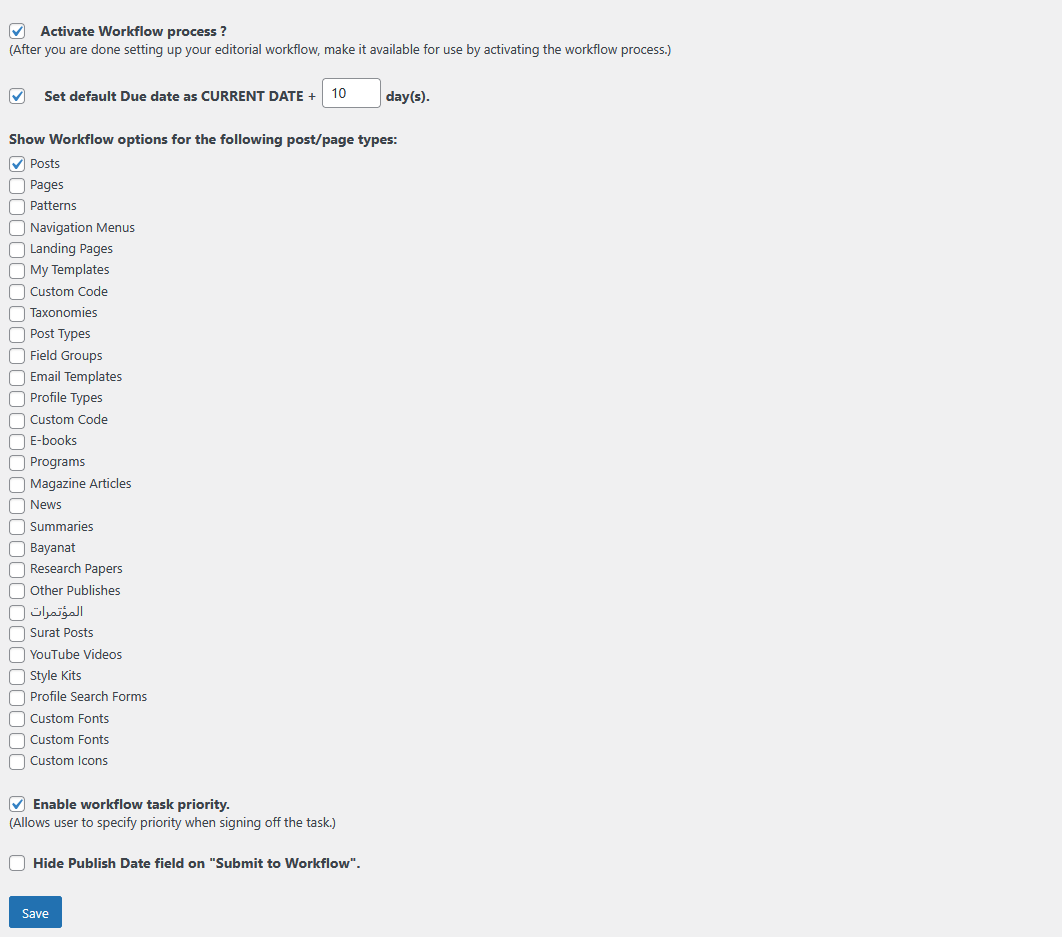
Here are the settings:
https://api.tunabytes.com/uploads/files/workflow1.png
https://api.tunabytes.com/uploads/files/workflow2.png
Also, what do you mean to check if normal emails from your website are being successfully sent and received by the recipients? Because I tried to change the sender email and it didn’t work either. Do we have to configure an email service or such?
Hi @husainm ,
By “normal emails,” I meant the regular system emails your website sends—like password reset emails, new order notifications, or contact form emails. If these aren’t being delivered, then workflow emails will also fail, because both use the same email-sending method.
To quickly check this, you can use a plugin like WP Test Email. It lets you send a test email from your website to confirm whether outgoing mail is working at all.
If the test email doesn’t arrive, that means your site isn’t able to send emails reliably, and you’ll need to configure an SMTP service (SendGrid, Gmail SMTP, Mailgun, etc.) for proper delivery.
Please run the test and let me know the result—we’ll move to the next step from there.