Hi @nmoudan
thank you very much for your question.
There are two kinds of users:
– who can see the menu
– who can see and change the options
Only who has the capability “manage_options” (usually the administrators ) can see the plugin’s Settings page and decide which role can see the Top Bar Menu.
Normally Editors have no “manage_options” capabilities, so you will not be able to set the options. You can see the menu only if the administrators decide that editors can see the menu.
Browsing the code you will find a file called ql-admin.php. Open that file and search the function eos_quil_settings_page in line 35. If you replace “manage_options” with “edit_posts” (lines 39 and 61), then you should be able to see the settings page and change the settings.
Here you have the file: https://plugins.trac.ww.wp.xz.cn/browser/top-bar-links/tags/1.0.3/admin/ql-admin.php
Usually, editors have no right to use the inbuilt WordPress code editor, so I suppose you have FTP access.
Remember that at the next plugin update you will lose your changes.
I’ve decided to give the possibility to change options only to users that have the “manage_options” capability because the administrators may want to hide some links to users having lower capabilities.
However, I will add a filter in the next version and you will be able to filter the capability in your functions.php or your custom plugin, and you will not lose your changes anymore after the plugin update. Until then.
As soon as I publish the new version I will write here how you can filter the capability in your custom code.
Hi @nmoudan
update the plugin to the last version 1.0.4 and add this snippet in your custom plugin or functions.php file:
add_filter( 'eos_quil_settings_capability','my_custom_capability_for_top_bar_links' );
function my_custom_capability_for_top_bar_links( $capability ){
	return 'edit_posts';
}
add_filter( 'eos_quil_who_can_see','my_custom_who_can_see_top_bar_links' );
function my_custom_who_can_see_top_bar_links( $role ){
	return 'editor';
}
add_action( 'admin_init','my_custom_capability_for_menus' );
function my_custom_capability_for_menus(){
	$role_object = get_role( 'editor' );
	$role_object->add_cap( 'edit_menus' );
}
Then editors will be able to see and set the Top Bar Links, but be careful, they will also able to edit the normal menus you see on front-end.
I hope it helps you.
Hi Jose,
Thank you for your response. i cant find the (ql-admin.php) in the plugin files! is it only part of the pro version maybe?
and with regards to what i really need, i am not interested in letting editors change website settings, but the top bar is basically content, and i need to let them post website alerts when needed, i find it inconvenient that there is no option to allow users with different roles to create content. usually other plugins do show up on my “user role editor” options and i can just decide to give access to specific roles,
Thanks again for your assistance,
Hi @nmoudan
ql-admin.php is in the subfolder “admin”
Are you sure you are speaking about my plugin “Top Bar Links”?
There is no PRO version.
This is the plugin:
https://ww.wp.xz.cn/plugins/top-bar-links/
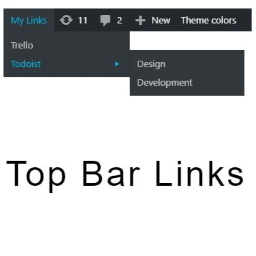
Top Bar Links gives the possibility to add links to the admin top bar, nothing else.
ouups! im so sorry man. i am talking about top-bar plugin
https://en-ca.ww.wp.xz.cn/plugins/top-bar/
that is so funny. sorry for the trouble and thanks again.
no problem 🙂 I’m going to close the thread.