• socialbear

    (@socialbear)


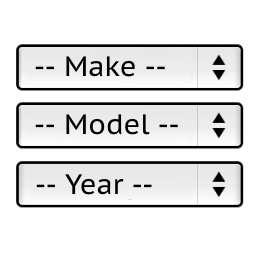
    We use the shortcode of [ymm_selector template=”selector.php”] in home page twice for desktop & mobile but Mobile version isn’t working? Why?

    The page I need help with: [log in to see the link]

Viewing 4 replies - 1 through 4 (of 4 total)
  • Plugin Author Pektsekye

    (@pektsekye)

    Hello,

    The HTML tag of the YMM block should have a unique ID.

    Try to replace the line:

    
        $block->setWidgetId('content');
    

    with:

    
        $id = isset($atts['id']) ? (int) $atts['id'] : 0;
        $block->setWidgetId('content_' . $id);
    

    in the file:
    wp-content/plugins/ymm-search/ymm-search.php

    Then specify a unique ID in the shortcode like this:

    
    [ymm_selector template="selector.php" id=2]
    

    Stanislav

    Thread Starter socialbear

    (@socialbear)

    Thank You Very Much. Its working now.

    Thread Starter socialbear

    (@socialbear)

    Facing a new issue with plugin. Its not working as confilicting with a search plugin named Ajax Search Lite.

    As we are using YMM Search but it is not showing products in results. Please check.

    Plugin Author Pektsekye

    (@pektsekye)

    Hello,

    This plugin is not compatible with the ajax filter plugins.
    Only with the default Woocommerce filter widgets by price, by attribute.

    Stanislav

Viewing 4 replies - 1 through 4 (of 4 total)

The topic ‘Plugin Not Working In Mobile View’ is closed to new replies.