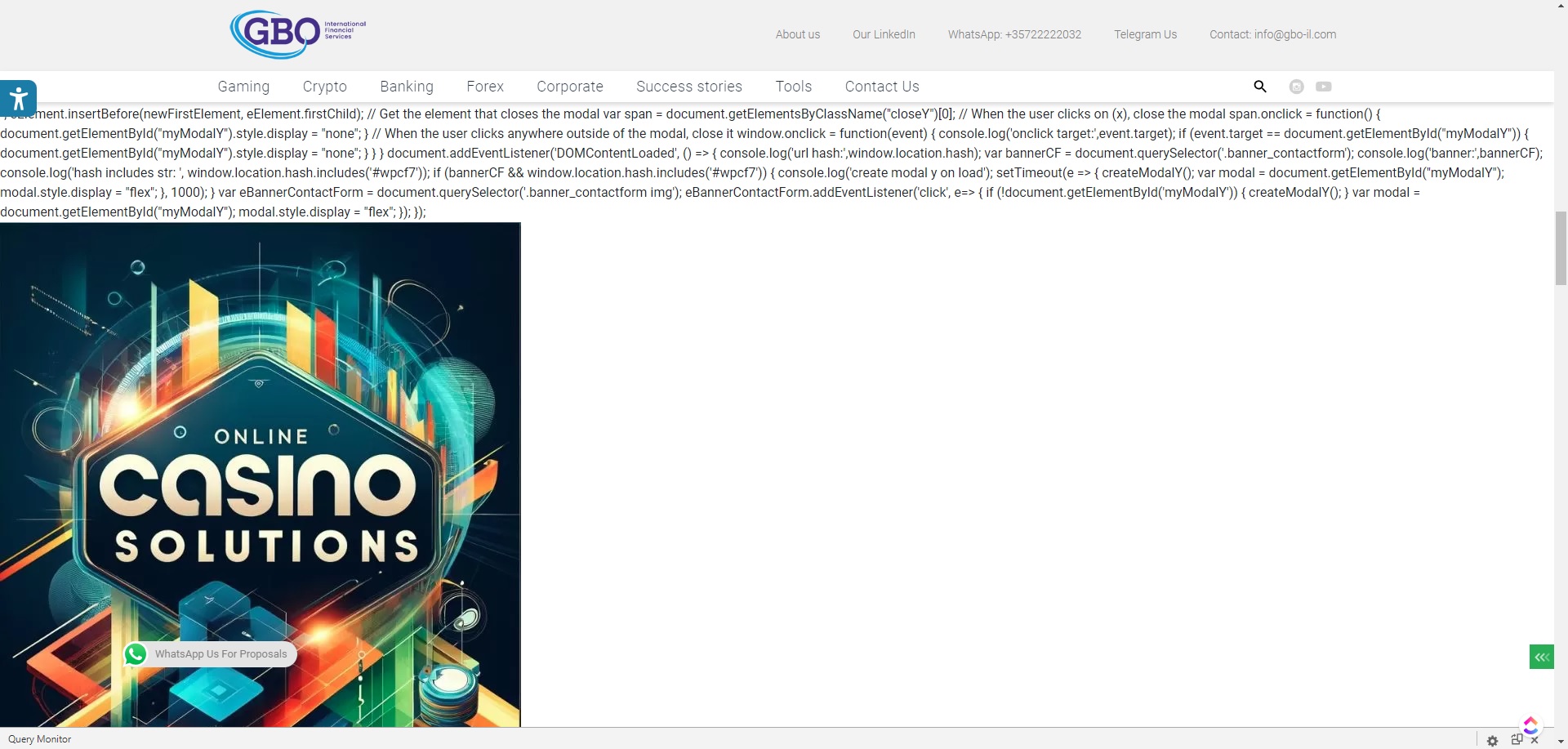
Hello,
This is not the Anti-Spam plugin code. Did you try to disable the plugin? Did it fix the issues?
Hello.
We haven’t heard back from you in a few days, so I’m going to mark this topic as “resolved”.
If you have any further questions, you can start a new topic or contact us via our private Ticket System: https://cleantalk.org/my/support/open.
Hello Serge,
Yes, we have tried to disable ClenaTalk plugin and once we did the page got back to normal. This is 100% caused by CleanTalk’s plugin.
Guy.
Please, send us the following for better understanding the cause of the issue:
- Your PHP version
- Your CMS version (also, is it MultiSite or Single)
- The link to the cache solutions if you use any
- Your webserver error log (it could be found in your hosting account)
You can send the log either via email:
[email protected]
Or create a private ticket:
https://cleantalk.org/my/support/open
Thank you. Please see below the information you’ve asked for:
PHP version – 8.0
Your CMS version (also, is it MultiSite or Single) – WordPress version 6.6.2, Single.
The link to the cache solutions if you use any – CloudFlare
Your webserver error log (it could be found in your hosting account) – The file was huge. I’ve deleted it and now a new one is not generated. I’ll try to send as soon as a new one is available.
Thank you.
Thank you for your feedback.
We did release a new version of the CleanTalk plugin recently. Please, check if it fixes the issue.
Update the plugin and then clear your website cache. Make sure that the website cache is 24 hours or less.
Does it work for you?
Hi Serge,
I’ve updated the plugin to the latest version and purged all cache. The issue remains.
Guy.
Could you send a screenshot of the issue?
Thank you for your feedback.
We are checking it. Please, wait up to 3 business days.
For further investigation please contact us through our private Ticket System:
https://cleantalk.org/my/support/open
Hello, @theguyil
We switched our Use AJAX for JavaScript check option to “On” and that fixed the issue.
Does it help?