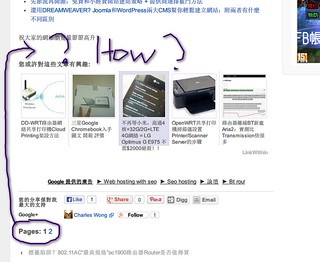
Instead of adding wp_link_pages() to your theme’s single.php file, you could hook that function into the existing the_content() function, much like Jetpack does when hooking the Like button to the content. Once you do so, you’ll be able to define a priority for your hook, and decide whether the Like button or the pagination should have a higher priority.
- Start by removing
wp_link_pages() from your theme’s single.php file.
- Then, in your theme’s functions.php file, add the following function:
function jeherve_custom_pagination( $content ) {
	if( is_singular() ) {
		$content .= wp_link_pages('echo=0');
	}
	return $content;
}
add_filter( 'the_content','jeherve_custom_pagination', 1 );
If you want to change the placement of the pagination links, change the priority value (it’s currently 1).
I hope this helps.
Thanks Jeherve! I works like a charm!
Actually you help me more than my asking, you have taught me the add_filter function which seems very useful to inject the code into anywhere as wish
Then I now can modify linkwithin’s pluging’s php too, because i saw they are using the add_filter too
Great Thanks to your help!
Dear Jeherve,
I am still modifying function jeherve_custom_pagination( $content )
mainly to modify the styling of the page links
i followed the
http://codex.ww.wp.xz.cn/Template_Tags/wp_link_pages
Method 1: Page-links in Paragraph Tags
I changed <p></p> into <h1></h1> but doesn’t work
Method 2: Page-links in DIV
I defined the css in style.css, change div id=”page-links” to what I denfined, but it gives me a blank page…
I am wondering why there is such different in putting the wp_link_pages call in function.php or single.php, or is there anything i mess up?
it is beyond the jetpack pluging, it will be great if you have spare time to help me out~ if you don’t I understand, thx in advance!
Sorry, the Paragraph Tags method works now! maybe it is due to the cache mode of my site…
But still cannot solve the <div> method~ anyway, i can have sth work now at least, all credit to Jeremy Herve
I am wondering why there is such different in putting the wp_link_pages call in function.php or single.php, or is there anything i mess up?
The wp_link_pages() function accepts many parameters; you might want to check what parameters the function used when it was inserted into your theme’s single.php file.
Hello Jeremy,
The code works great, but I don’t know how to remove the original wp_link_pages() because I’m using Thesis, so I wind up with duplicate page navigation.
Here is the page I am trying it out on.
I had added your function to my custom_functions.php file.
Is there a way to remove wp_link_pages() in Thesis 1.8.5?
Is there a way to remove wp_link_pages() in Thesis 1.8.5?
I’m not familiar with Thesis, but you should be able to look for the wp_link_pages() in the Thesis theme folder, and delete it when you find it.
If you do not feel comfortable editing PHP files, you can also contact the theme authors about this, since Thesis is a premium theme and offers support.
Thanks. I finally found it in thesis_185>lib>functions>content.php
I probably am not supposed to modify that file, but I deleted the line
wp_link_pages($lp_args);
and it worked.
If anyone has a more “correct” way to do this by modifying the custom_functions.php file (i.e., with remove_action or remove_filter please let me know.
If anyone has a more “correct” way to do this by modifying the custom_functions.php file (i.e., with remove_action or remove_filter please let me know.
The Thesis support team should be able to help you with that.
Hi Jeremy,
I used your code to fix the placement of the pagination links, however due to my lack of php skills, I would like to know how to style the pagination, I had it done before using the other way (in the single.php) – but cannot work out how to do this now…
Please help!
@thefactsite You should be able to apply the same style to the pagination links by using the same parameters you used in the original wp_link_pages() function.
You can then use CSS to style it more.
I hope this helps.
Sorry I still don’t understand.. I have used this…
function jeherve_custom_pagination( $content ) {
	if( is_singular() ) {
		$content .= wp_link_pages('echo=0');
	}
	return $content;
}
add_filter( 'the_content','jeherve_custom_pagination', 1 );
Where do I put in the details for the div class?
Did your theme use wp_link_pages('echo=0') or something else? It might have used something like wp_link_pages('before=<div id="page-links">&after=</div>').
You can read more about this function here:
http://codex.ww.wp.xz.cn/Template_Tags/wp_link_pages
Hello Jeremy, your function causes the page links to appear twice on the post (1 at the top before the post and another at the bottom after the post). Is this the right behaviour for the function?
I ask this because I removed the default function in my content.php and that removed the page links after jetpack sharing (initially page links where tripled on the post).
Thank you Jeremy, that worked well, the only issue is the same as seoulsistahh, the page links appear at the top and bottom of the post, is there a way to only have it appear at the bottom?
You can see an example here: http://www.thefactsite.com/2010/09/300-random-animal-facts.html
Thank you so much for your help, I really appreciate it.