Thanks for posting an Issue.
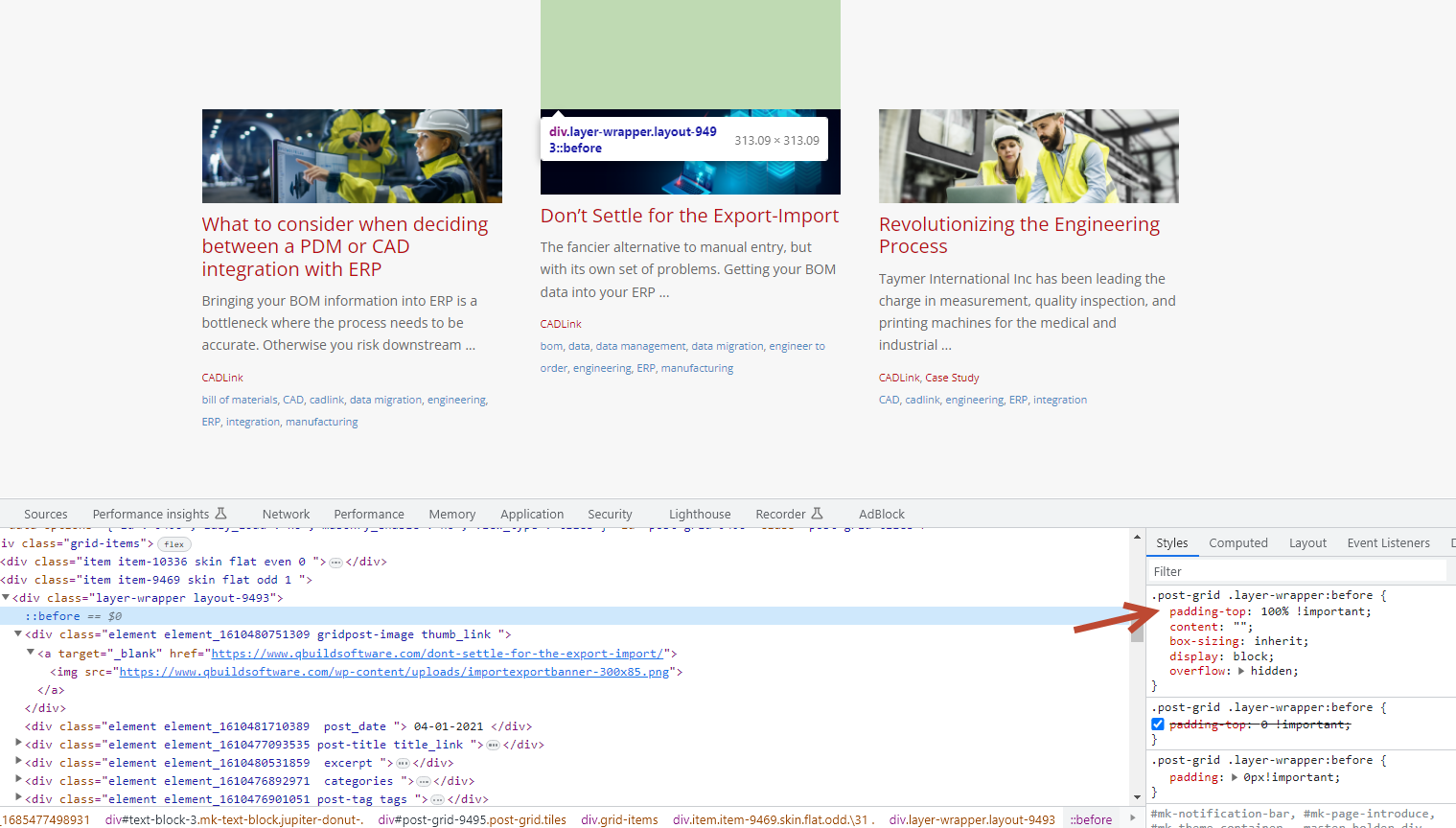
I just visited your blog page . Where I found some custom CSS added to your blog page.
You have to remove it, and your blog page return to the original style.
Hi there,
Hi @qbuildemily ,
First, Edit your post grid.https://ibb.co/TLs27YJ
Under Layouts , look for the layout you’re using and go to the Edit mode –https://ibb.co/wzy6BPK
Copy the CSS code below and paste it under Custom Scripts => Custom CSS option.https://ibb.co/Bgd8Fs7 Code to copy:
.post-grid .layer-wrapper:before{
    padding-top: 0 !important;
}
Let us know if it helps.
This doesn’t seem to have any effect.
I have been testing on our development site: https://qbuilddev.wpengine.com/blog
Hi @qbuildemily , Please note, these CSS not come from our plugin, it seems you added under custom CSS section, you could removed it to solved.
https://i.ibb.co/RNvbGYS/08-Jun-23-10-46-31-AM.png