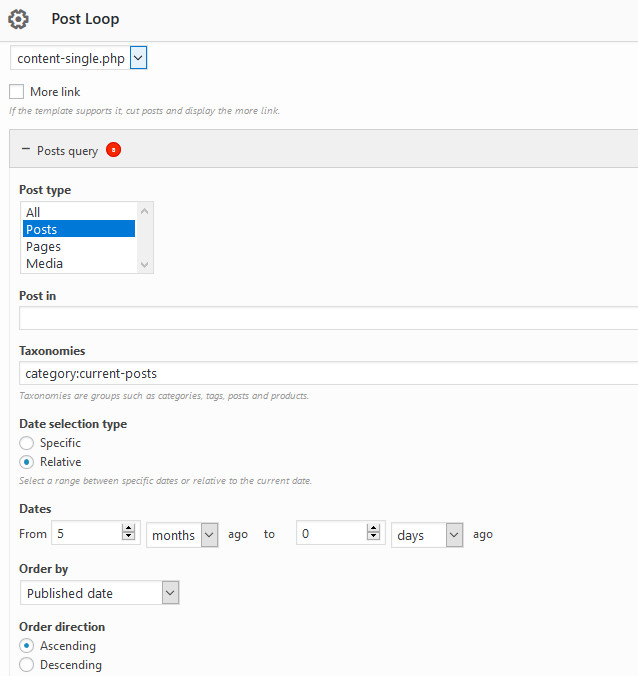
Post Loop requiring dates
-
I did a roll back for the Page Builder plug in and for some reason (not related to the plug in) the post loop now is requiring a date. See
https://radisson.ca/wp-content/uploads/2019/11/PostDateRequired.jpg
for the screen shot.I don’t know how to set this, nor do I want to use it, but with it set as I have it 5 months to 0 days (??) nothing recent is showing.
How do I get it back to not being required at all.
I have never used this option and don’t need it.The post loop is on the home page https://radisson.ca…. with the first one (currently) showing as ‘Financial Audit”. But if you look here on the post page you will see the recent ones which are not being shown on the home page.
https://radisson.ca/updates/Thanks
The page I need help with: [log in to see the link]


The topic ‘Post Loop requiring dates’ is closed to new replies.