Hi @matthiaspabst,
Thanks for using Block Lab and for asking about HTML output.
Is it possible to prevent a block from rendering the HTML output in the block editor?
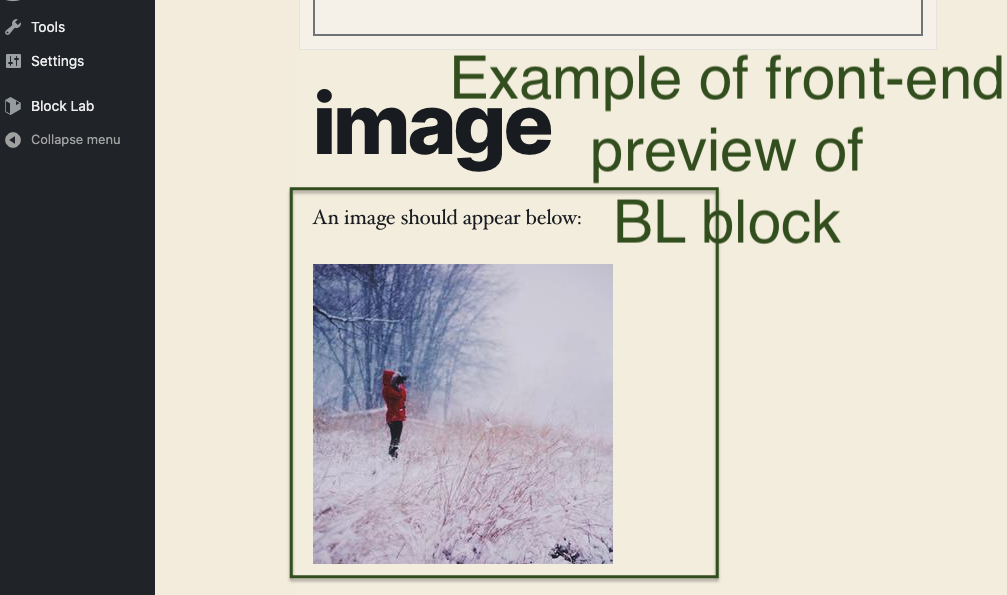
Is this what you had in mind? The front-end preview of the block in the block editor, not the actual fields like the image field, etc…
https://cldup.com/5bqEYqCKGu.png
If that is what you had in mind, there’s unfortunately no way to hide that.
Hi @ryankienstra
yes, I’m talking about the frontend-preview in the block editor. See these screenshots (1. input mode, 2. preview, 3. frontend): https://cloudup.com/cMszfqeo0zw
The preview (2nd image) looks very confusing, especially for non-tech editors. That’s why I was looking for a way to hide the preview in the editor …
PS: The buttons load some more content in a modal via shortcodes.
Hi Matthias,
Thanks for your screenshots, really nice gallery in Cloudup!
It definitely makes sense that you’d want to hide the preview.
Unfortunately, there’s no way to do that now. But I’ll keep that in mind, it seems like it could help a lot of people.
Maybe you’ve considered loading the CSS in the block editor so it looks good, though it’s probably a big CSS file.
Hi Ryan,
I don’t want to overload the editor and switched to another solution without BlockLab, though I really like it.
Thank you for your help!
Best regards
Matthias
Thanks, @matthiaspabst!
If we do add a way to disable the preview, I’ll ping you here if that’s alright.