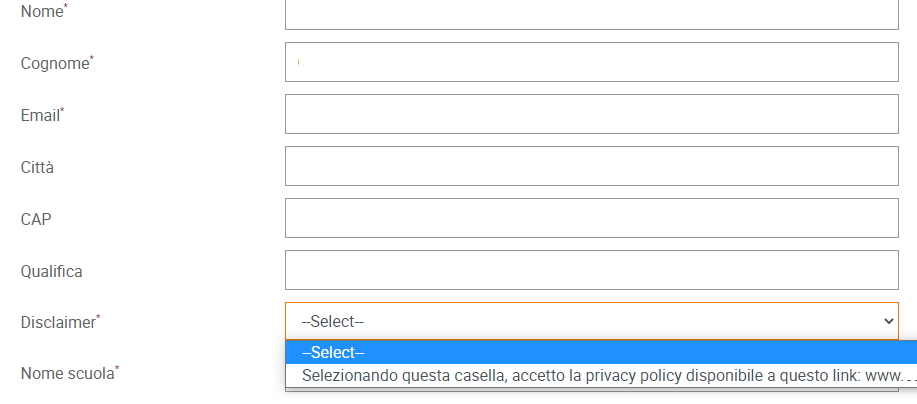
Hi @federicoz,
I am not sure what you mean, can you please send a screenshot or like so I know what you are referring to. Thanks,
Hi @federicoz,
We have our own setting for this. On the general options tab, please see the setting: Registration Confirmation Checkbox. In the next setting you can also choose whether it is checked by default or not. And in the Translation tab you can change what the checkbox text says.
I hope that helps. Thanks,
Hi @federicoz,
I believe you do this by removing the registration field within GoToWebinar i.e. on their website. Please see: https://support.clickdimensions.com/hc/en-us/articles/115001162033-Set-Up-GoToWebinar-Registration-Form-Fields (I don’t know how up to date the instructions are). Please also see: https://support.goto.com/webinar/help/can-i-add-and-customize-a-registration-disclaimer-g2w040053 which might be newer instructions.
Or another option is you can just hide it with CSS 🙂
Thanks,