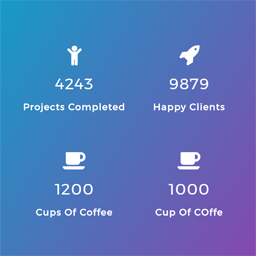
hi @doubledeckerbus ,
go to plugin editor > select counter nuber showcase > assets > js > select counter_nscript.js and replace the code with below
var worked = 0;

jQuery(document).ready(function( jQuery ) {
jQuery(window).scroll(function() {
    var top_of_element = jQuery('.counter').offset().top;
    var bottom_of_element = jQuery('.counter').offset().top + jQuery('.counter').outerHeight();
    var bottom_of_screen = jQuery(window).scrollTop() + jQuery(window).innerHeight();
    var top_of_screen = jQuery(window).scrollTop();

    if ((bottom_of_screen > top_of_element) && (top_of_screen < bottom_of_element) && worked == 0){
        jQuery('.counter').counterUp({
            delay: 20,
            time: 2000
        });
	worked = 1;
    }
});
alse go to jquery.counterup.min.js
and replace
t.waypoint(i,{offset:"100%",triggerOnce:!0}) with i()
and save.
please let me know if it works or not
thanks
-
This reply was modified 5 years, 8 months ago by
 preetam27.
Thank you!
That solved the problem.
hi @doubledeckerbus ,
glad that issue has been resolved..please rate our plugin
thanks
Hi,
I have a similar problem, I use Divi , page address:umowy.org
Please help.
hi @mate5087,
please actiate and use our plugin on the url you have shared
thanks