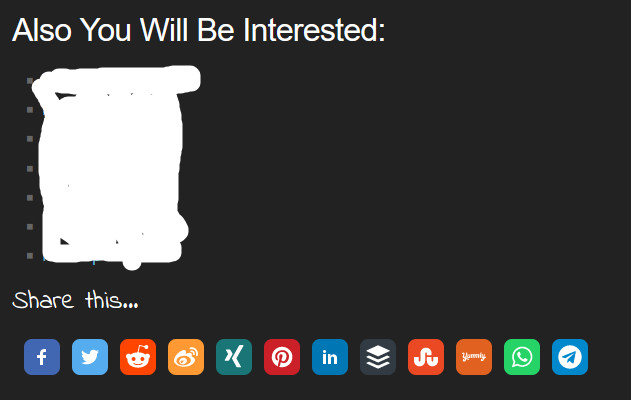
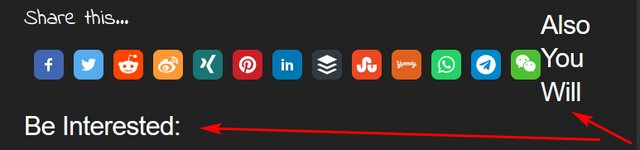
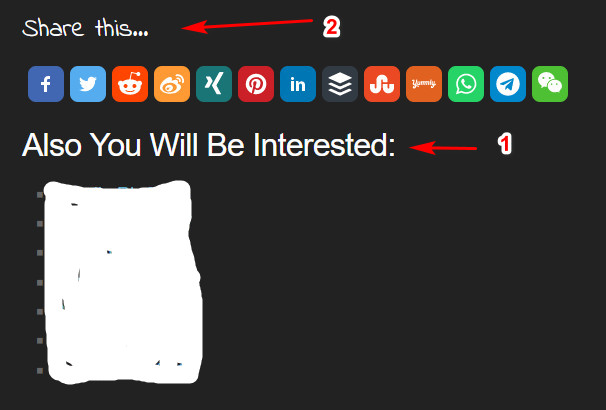
Thank you for the screenshot provided, apologies for this.
This is a bug we are aware of, we plan to fix this in a future update. We have noticed this is caused when the buttons are placed before the footer and there is no WordPress Block between them.
As a temporary fix for this you could either:
Add an empty WordPress block after the buttons.
2. Add this line of code to the CSS section of the plugin. It’s at the bottom of the plugin settings.
.ssbp-list p {display:none}
It will hide the extra line of buttons that are inside a tag.
Again, apologies for this inconvenience; and thank you for reporting this.
Thanks for the advice, I tried again and it fixed the icons.
However, I have the Related Posts plugin, it was the first, the second Sharing Buttons plugin, after the update it became the other way around and broke the layout a little. Rolled back to the old version again.
That issue you mentioned is an alignment one, we plan to fix it on the next update, it’s a conflict between the CSS classes from the buttons and the WordPress theme sharing the same name.
To fix it, please add this CSS code to the plugin’s settings: .ssba-modern-2 {float:unset;}
Thanks for mentioning it, and please let us know how it goes!
Thanks, that helped too. One more question remains, why the buttons moved to the first place, before Related Posts, before the update, the SSBA buttons were in second place.
There is also a bug on the settings page, when I scroll down the settings page jumps up. I don’t know how to explain it properly. I hope you understand me.
I like the plugin, I hope these bugs can be fixed.
Regards
This reply was modified 3 years, 4 months ago by sombrero610.
As I cannot see the code of the page, I cannot say if this is something intrinsic to the buttons, or if the buttons are inheriting a CSS property from your theme that makes them appear before the Related Posts. You could try looking at the CSS properties of the buttons using the browser’s console and check each one of them to see what’s causing the issue.
If you want us to help you with this via email, you can also click on the Support green button on sharethis.com/support to contact us directly!
As for the second thing you mentioned, it seems expanding one of the Advanced, Styling,or Counter settings will smooth out the scrolling. Nonetheless, thanks for sharing this with us. I will send the report to the engineers, along with the other issues.
Thank you for your understanding, and we are glad you like the plugin!
This reply was modified 3 years, 4 months ago by ShareThis.
Viewing 5 replies - 1 through 5 (of 5 total)
The topic ‘Problem with icons after update’ is closed to new replies.