• Hello

    I have a website with the theme and like it a lot

    However I am getting lot of white space under paragraphs which I do not want

    If you see here where error is

    http://www.doctorwhoworlduk.com/bloodheat

    I need it to look more like

    http://doctorwhoworlduk.com/thepit

    I switch to the visual mode and the problem goes away it puts the page to way I want it.

    The problem is I have so many pages and do not want to have to do to each page.

    I have looked at margins on .css file please can you suggest anything else.

    Thanks

Viewing 9 replies - 1 through 9 (of 9 total)
  • Thread Starter ahearne

    (@ahearne)

    Seems to be resolved removing the tag for some reason.

    Hi there,

    Have you resolved this?

    If not which element should I be looking at?

    Thread Starter ahearne

    (@ahearne)

    Hi Leo

    Thanks for your reply; what do you think?

    If you look at for example

    http://doctorwhoworlduk.com/tvmovietest

    compared to the page should look like

    http://doctorwhoworlduk.com/tvmovie

    If I keep taken out of it, it’s how I want it to be, I assume the ‘s are not necessary but would be useful to know but thank you for time and if any suggestions welcome.

    Thread Starter ahearne

    (@ahearne)

    Hi Leo

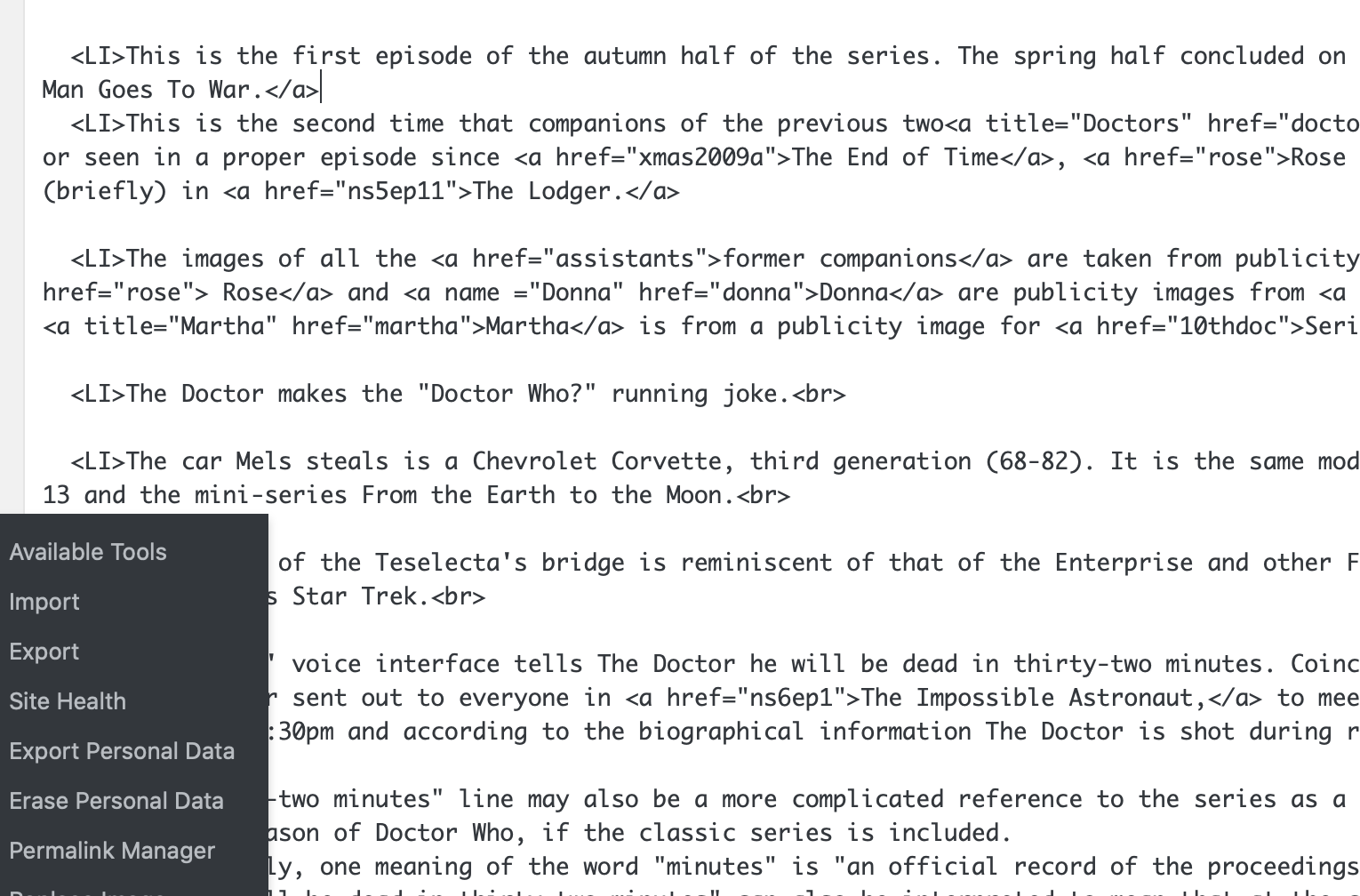
    You will see per screenshot still happening on some pages the gaps between LI in the HTML code

    http://doctorwhoworlduk.com/Images/listproblemhtml.png

    I am unsure why these gaps are happening I would welcome some ideas.

    Thanks

    Sorry I’m still confused what I should be looking at.

    The two pages you linked look exactly the same to me.

    In your screenshot, I don’t see <li> with a closing tag </li>?

    Thread Starter ahearne

    (@ahearne)

    Hi

    If you look at the notes compared on both pages you will see they look different between Lungburrow and The Eye of Harmony for example.

    In the screenshot you will see gaps between the

    • tags and do not need the gaps I am just unsure how else to get rid of the gaps between them.
    • This reply was modified 5 years, 10 months ago by ahearne.
    • This reply was modified 5 years, 10 months ago by ahearne.

    I believe the <br> tag is causing the issue you are referring to:
    https://www.screencast.com/t/WHtTeWISas

    Thread Starter ahearne

    (@ahearne)

    Thanks for looking; what does the symbol mean next to the BR mean please?

    What would you suggest to rectify?

    Hi there,

    the ==$0 is just an identifier – it shows the currently selected element when using the browser developer tools.

    You need to edit your List. Switch the view to text / code view and delete any spaces or <br> tags between your <li> elements

Viewing 9 replies - 1 through 9 (of 9 total)

The topic ‘Problems with pages’ is closed to new replies.