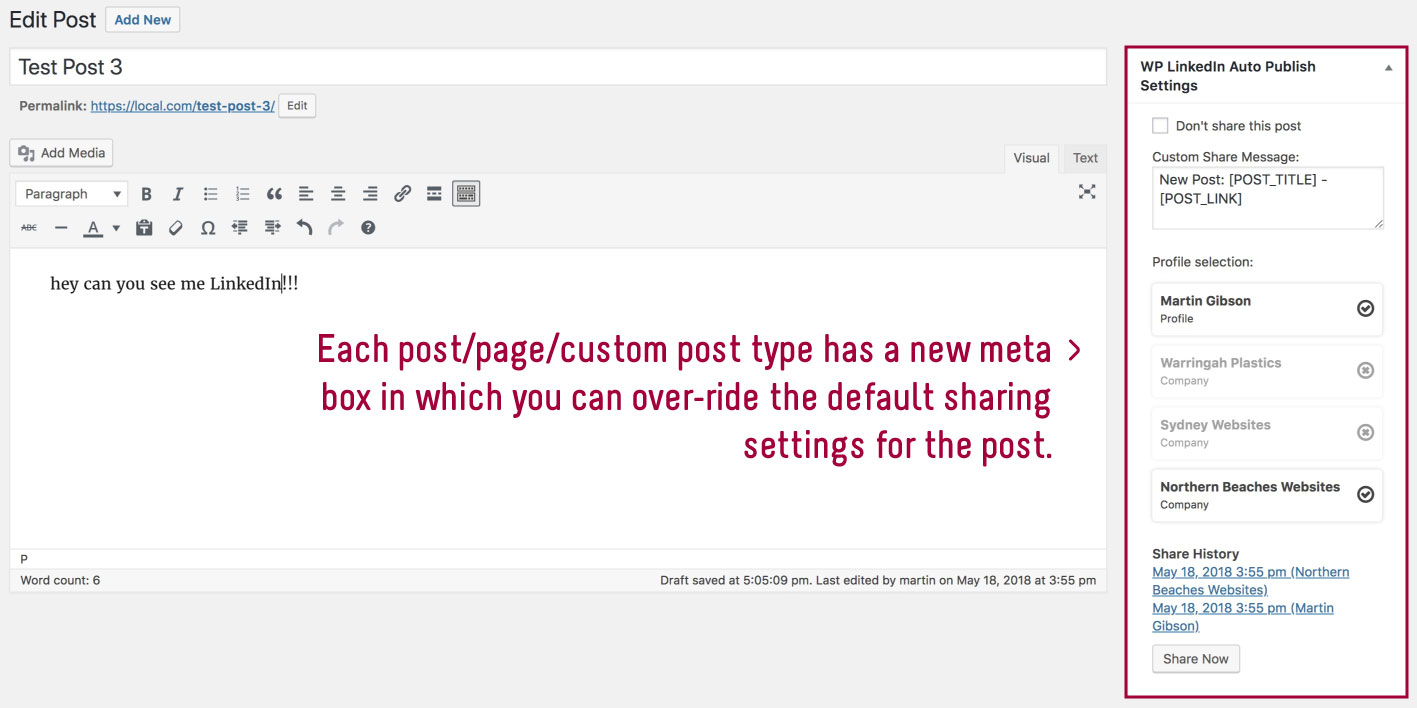
Profile not selected
-
I installed the plugin, connected to LinkedIn and selected a company page as profile (selection is visible).
At posting a blog post, nothing happens. If I try to send manually I get:
Not shared Share now – We tried to send the post but no profile is selected for this post.I tried
- with personal profile and company profile.
- I deleted all options (with link from help-site) and reconfigured. Same result.
- Any ideas?
Kind regards!
PHP Version: 8.3.28
WordPress Version: 6.9
Plugin Version: 8.21
Core plugin settings: {“wp_linkedin_autopublish_profile_selection”:”BlZACXdGWy”,”wp_linkedin_autopublish_default_share_message”:”[POST_TITLE]\r\n[POST_EXCERPT]\r\n\r\n[POST_LINK]\r\nEin Beitrag von [POST_AUTHOR]\r\n\r\n#ProductiveBooks #B\u00fccher #LesenMachtSchlau #Literatur #NeueB\u00fccher #Bookstagramm #Bookstagrammgermany #Rezension #Bildung “,”wp_linkedin_autopublish_default_share_profile”:””,”wp_linkedin_autopublish_dont_share_categories”:””,”wp_linkedin_autopublish_share_post_types”:”,Post”,”wp_linkedin_autopublish_tab_memory”:”#sharingOptionsPage”,”wp_linkedin_autopublish_dismiss_welcome_message”:””}
Do not share posts by default: No
Currently authenticated: 06/03/2026
Active Theme: OceanWP
Active Plugins:- IP2Location Country Blocker
- Enhanced Responsive Images
- The SEO Framework
- Contact Form 7
- Contact Form CFDB7
- Elementor
- Embed Optimizer
- Enable Media Replace
- Essential Addons for Elementor
- Site Kit by Google
- XML Sitemap Generator for Google
- Image Prioritizer
- Local Google Fonts
- Ocean Extra
- Optimization Detective
- Performance Lab
- Performant Translations
- PixMagix
- Restrict Media Library Access
- Simple CAPTCHA Alternative with Cloudflare Turnstile
- Simple User Avatar
- Speculative Loading
- Unbloater
- UpdraftPlus – Backup/Restore
- User Switching
- Web Worker Offloading
- Modern Image Formats
- WP File Manager
- WP LinkedIn Auto Publish
- WP to Buffer
- WP Views Counter
The page I need help with: [log in to see the link]


You must be logged in to reply to this topic.