Hello @nakotsu,
By default, with activating TI WooCommerce Wishlist plugin, you’ll see that style, but if you are looking for styles for products, you can find it on Customizing > WooCommerce > Archives > Products. It’s the style of the products: https://i.postimg.cc/QdQfBS9t/image.png.
Best Regards
hello @skalanter
Thank you for your answer and sorry for didn’t thank you before, i’ve just seen your message.
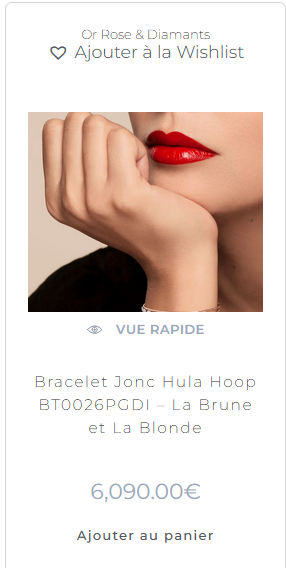
Unfortunately, the style is different for me
It is actually like this : https://i.postimg.cc/t4TtK9rg/quickview-wishlist.png
It would be perfect if i have 2 icon like here https://i.postimg.cc/QdQfBS9t/image.png, one for quick view and one for wishlist
Best Regards
Hello @nakotsu,
Please share a live URL.
Also, please share a screenshot from Customizing > WooCommerce > Archives (products section), on your website.
Also, please tell us a little about the versions of plugins you use. To do this, please go to WP Dashboard > Tools > Site Health > Info Tab and click on the button Copy site info to clipboard. You can send the information as code here or upload them to http://pastebin.com/ and get an exclusive link.
Best Regards
Hello, my bad, i just tried to publish and the modification appear. it wasn’t working just on the customisation page on live thank you !