Leo
Leo
(@leohsiang)
Hi there,
Sorry – which widget are you referring to here?
Let me know 🙂
Hello,
I changed my layout only for “posts” to:
Content/left Sidebar/right Sidebar
Then I put “Last Comments” into the left Sidebar.
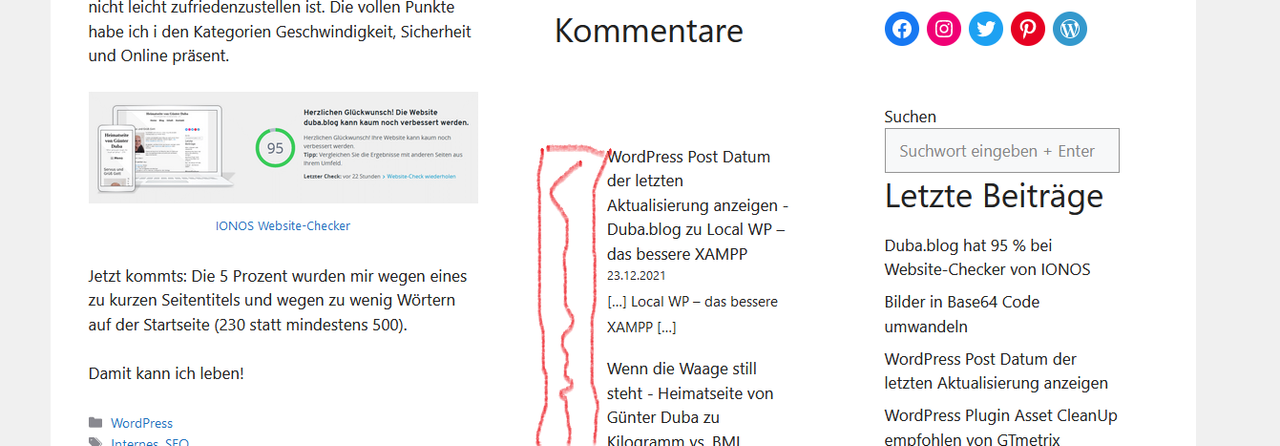
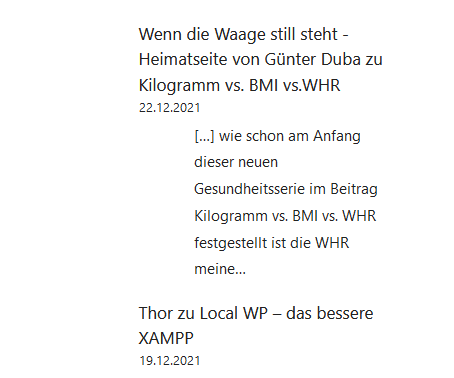
In the backend it looks fine, but after publishing there is a lot of white space left of the comments (where the avatars were).
But the white space was in the right sidebar (default layout) too after deactivating Avatar.
Thanks for your time and your brain 🙂
Leo
(@leohsiang)
Can you show a screenshot of what you are referring to here?
You can use a service like this and provide the direct links here:
https://postimages.org/
Leo
(@leohsiang)
Try this CSS:
.has-avatars .wp-block-latest-comments__comment .wp-block-latest-comments__comment-meta {
    margin-left: 0;
}
This is a WordPress core issue rather than a theme issue as well.
We have a halftime victory!
https://i.postimg.cc/fbCY1WFq/screenshot-avatar-css-2.png
Only a little code is missing.
Thanks a lot!
Leo
(@leohsiang)
Edit your CSS to this:
.has-avatars .wp-block-latest-comments__comment .wp-block-latest-comments__comment-excerpt, .has-avatars .wp-block-latest-comments__comment .wp-block-latest-comments__comment-meta {
    margin-left: 0;
}
You are the greatest!
For weeks, I was searching a solution, and now I will sleep well.
The same I wish you and rock the 31st!
Best wishes from Vienna
Günter