Hello! Congrats on your new site launch. Your site is extremely fast.
I ran PSI on your site and I’m seeing the same as you:

This is more a question for the AMP core project, and there is one issue opened I see regarding it: amphtml#36291. In short, there’s nothing you can do about it the moment but it’s something the AMP project is working on improving as I’ve just commented on that issue.
Do note that the PSI audit there is estimating the improvement by removing the duplicate modules. Since the analysis is done in a lab context, it’s trying to approximate the impact to FID by using the TBT metric, where unused script and duplicate modules are impacting. The audits don’t impact your performance score. They are there just to give suggestions for what might improve your score. The most important thing is to monitor the real user metrics which appear in in the top section of the PSI results (which is field data provided by Chrome UX Report):
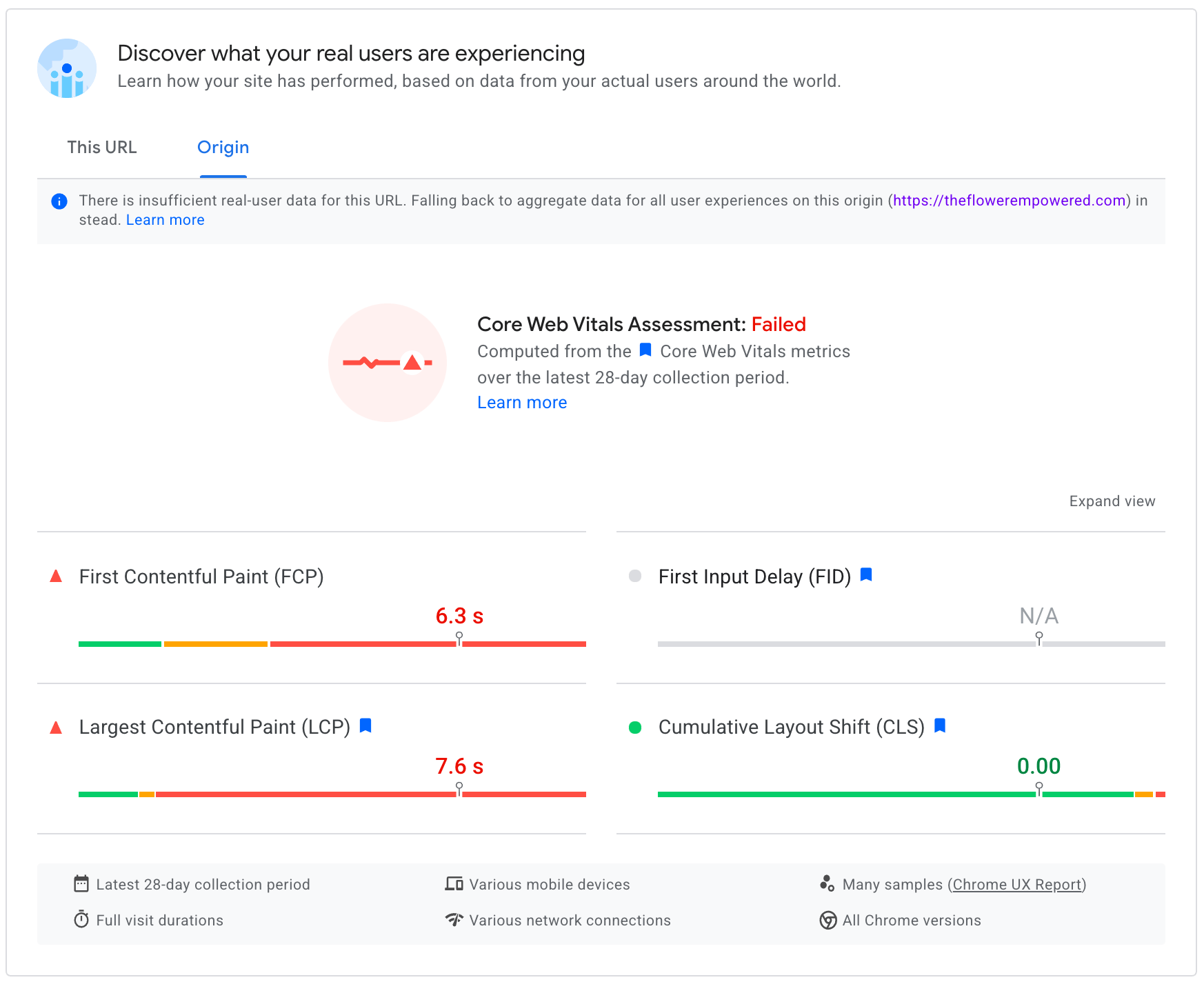
Since you just released your new site, the data here is not yet reflecting the improvements you made to your site with AMP. So I suggest re-checking this in the new year to see how your site is actually behaving for users.
I just ran your homepage through WebPageTest: https://www.webpagetest.org/result/211222_BiDcWY_09721c1b66b983e95d36f4dc49a00ae3/
It’s showing great results, with the only the LCP metric being a bit under optimized. The LCP element is the cover block, which is passing the Lighthouse audit:
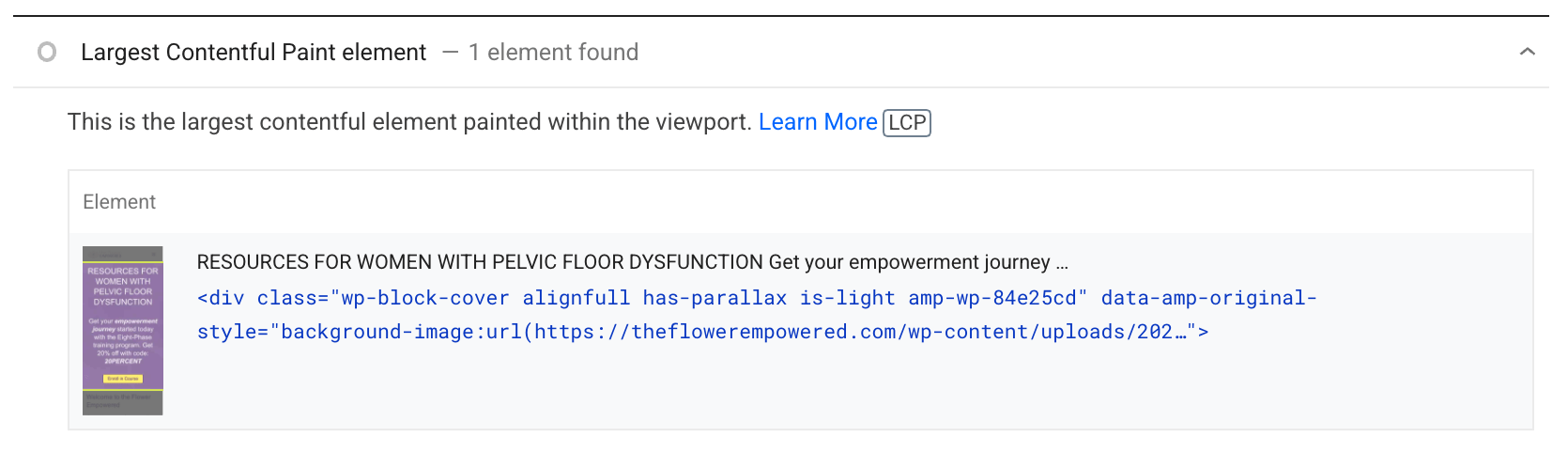
The only way I see that it could be further improved is to make the header background image preloaded. So you could consider doing something like:
add_action(
	'wp_head',
	static function () {
		if ( is_front_page() ) {
			?>
			<link rel="preload" as="image" href="https://theflowerempowered.com/wp-content/uploads/2021/11/TeachableBackgroundImage.webp">
			<?php
		}
	}
);
Actually,
Ideally this would be done automatically by either WordPress Core or by the AMP Optimizer (and I’ve just filed an issue to do that), but you could do so manually for now.
This preloading works on the homepage because the cover block has parallax. On the Knowledge Portal page, the cover block is not parallax so it has an actual image with a srcset, which means it can’t be preloaded in non-Chromium browsers since only Chromium supports imagesrcset and imagesizes attributes on `link[rel=preload]. For more see https://web.dev/preload-responsive-images/
If you want to go ahead and preload these hero images, you can opt-in via this plugin: https://gist.github.com/westonruter/6adb64e6e8c858a40ac1dc51b03f16d8
While you’re at it, to further improve preloading performance you can also consider an opt-in to elevate preload link tags to Link response headers via this plugin: https://gist.github.com/westonruter/8a171f6c561fd69ac33a032983dafaf3
(Note: your favicon is 404’ing)


