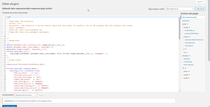
Any help with this? Thanks.
hi @cienfu90,
please follow step here–>
in wordpress dahboard please go to plugin > plugin Editor > go to Select plugin to edit and select responsive accordian and collapse now and select it > now go to front > ac-content.php on line no.85 replace
<a class="<?php if($i!=1){ echo "collapsed"; } ?>" data-toggle="collapse" data-parent="<?php if($enable_toggle=="no") { ?>#wpsm_accordion_<?php echo $post_id; ?> <?php } ?>" data-target="#ac_<?php echo $post_id; ?>_collapse<?php echo $i; ?>" href="javascript:void(0);" >
with this code on that line
thanks
Sorry but i dont see “responsive accordian and collapse”, it is “Tabs responsive” and the files are this ones:
http://imgfz.com/i/9nlpkLq.png
Hi @preetam27 ,
Sorry but i dont see “responsive accordian and collapse”, it is “Tabs responsive” and the files are this ones:
http://imgfz.com/i/9nlpkLq.png
hi @cienfu90 ,
sorry sent mistakenly i will send you solution again..wait
thanks.
Ok @preetam27, thank you in advance.
hi @cienfu90 ,
in wordpress dahboard please go to plugin > plugin Editor > go to Select plugin to edit and select Tabs Responsive now and select it > now go to template folder > content.php on line no.83 replace
<a href="javascript:void(0);" aria-controls="tabs_desc_<?php echo $post_id; ?>_<?php echo $i; ?>" data-target="#tabs_desc_<?php echo $post_id; ?>_<?php echo $i; ?>" role="tab" data-toggle="tab">
and then click on update button ..please let me know if it works or not..
thanks.
When the plugin update what happen to this line change?
hi @cienfu90,
glad that issue has been resolved..please rate us if you like our plugin
thnks