Hello @gabriella1978,
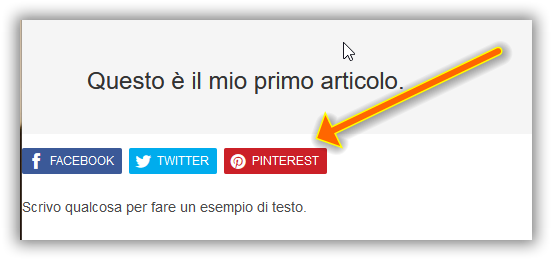
What is the post type on the screenshot? Blog post or product?
Please share a live URL from the issue, and I’ll use the inspector to check the source code. However, here are some guesses:
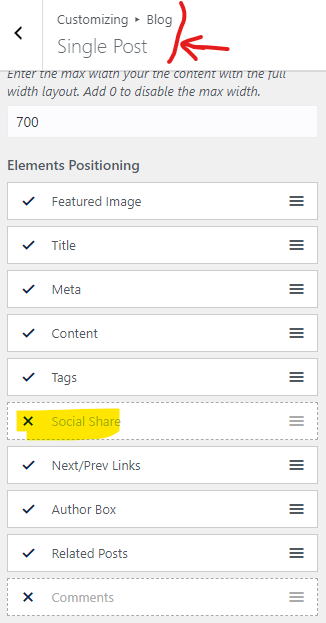
– If you are using the “Ocean Social Sharing” plugin, you can disable the social sharing buttons from Customizing > Blog > Single Post: https://i.postimg.cc/Nj08qgMd/image.png.
– If you use any other third-party plugin, you can disable that plugin from WP Dashboard > Plugins.
– If you added those buttons with customization, you must remove your code(usually, you can find the customizations on the child theme).
Best Regards
Hello Shanin, thanks for reply
I publish a simple article like this:
https://chevapravatdumwrong.altervista.org/secondo-articolo-di-prova/
I have only 4 plugin
Contact Form 7, Duplicator, Elementor, Envato Elements
I don’t added those buttons with customization.
I can’t disable the social sharing buttons, they disappear only if I disable the content,(in customizing blog), but if I disable the content the text also disappears.
Hello @gabriella1978,
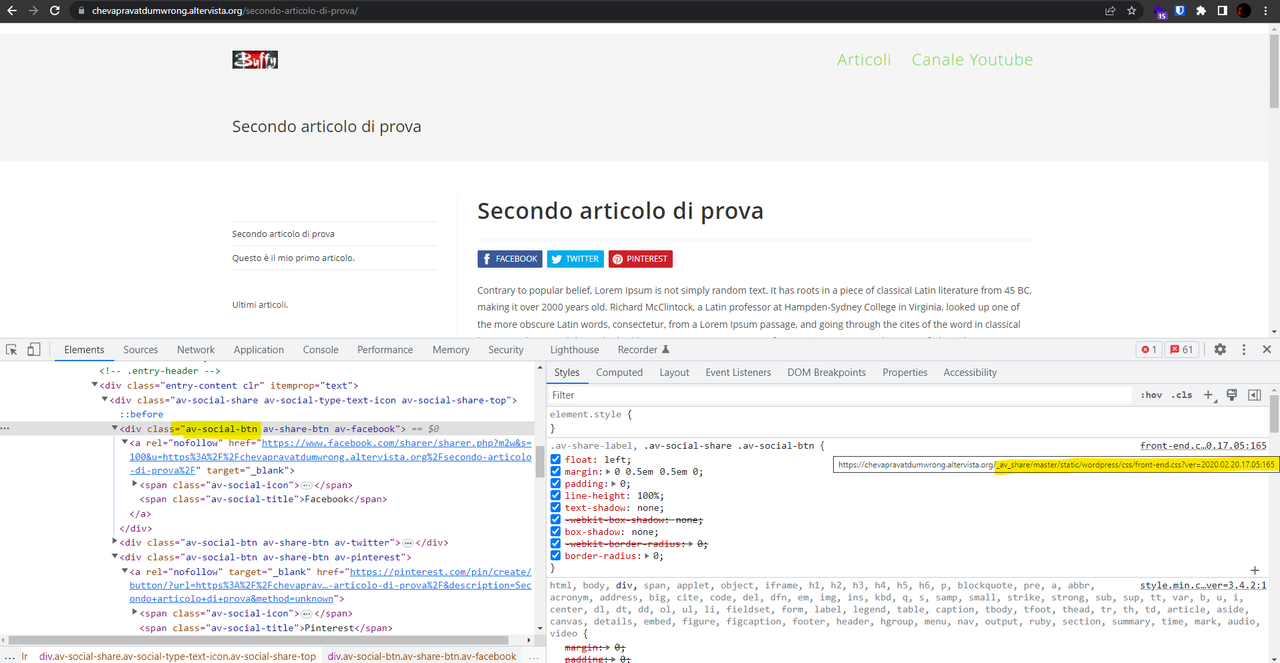
Please check this screenshot: https://i.postimg.cc/6qZ9mK9Q/image.png.
This item is not in the theme. You should ask your website creator to find it for you. Also, you can search this: “.av-social-share” on Google, and find some clues related to this.
However, you can hide them, please put the CSS below in Customizing > Custom CSS/JS > CSS Code:
.single .entry-content .av-social-share {
    display: none !important;
}
Please read this link for more information about the CSS/JS code on the customizer: https://docs.oceanwp.org/article/354-add-custom-css-and-js-to-your-website.
Note: if you have any cache plugin or server cache(CDN / Browser Cache and Cookies and …), you need to clear its cache contents or disable them to see your changes. Also, remember to click on the regenerate all assets file and data in Elementor > Tools(if you have Elementor).
I hope that helps.
Best Regards
-
This reply was modified 3 years, 2 months ago by
 Shahin.
thanks, I found them
It’s a altervista.org setting
https://tutorial.altervista.org/i-pulsanti-social/
Must be disabled on the wordpress board
You are welcome,
I’m glad that you were able to find that.