• Resolved computermedic

    (@computermedic)


    Just one thumbnail need to be fixed. It’s the Harmony Pendant Thumbnail. I realize its taller than all the others but isn’t there a way to display the whole image in the thumbnail?

    The page I need help with: [log in to see the link]

Viewing 1 replies (of 1 total)
  • Hello @computermedic,

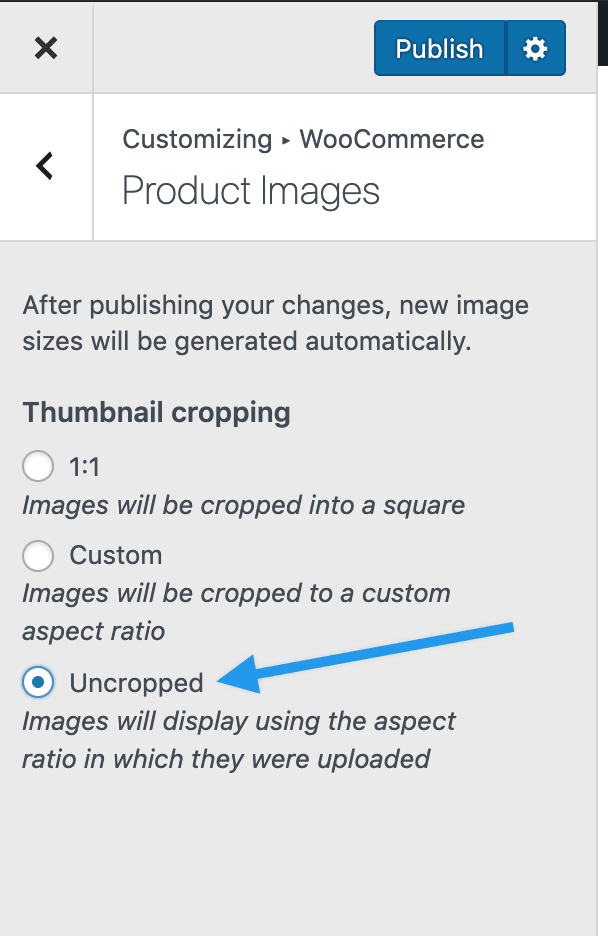
    That’s a good question. One way you can do that is by setting the images so they are uncropped. To do that, go to Appearance > Customize > WooCommerce > Image Sizes and select the uncropped option here.

    uncropped

    That will let the images use whatever aspect ratio they are originally uploaded with. That should show the full height of this product for you.

    Let me know if you have any questions,

Viewing 1 replies (of 1 total)

The topic ‘Resizing 1 Thumbnail’ is closed to new replies.