• Resolved Nimaasghari

    (@nimaasghari)


    Hello; I have looked through all of the posts and was surprised to see no one asked this yet.

    The picture I uploaded for the “header background image” is automatically cropped; and I was wondering if I can change the dimensions of that upper bar so that it reveals more of the picture I uploaded.

    Basically I want to use the upper header to show the company’s logo on each page and would like to expand the dimensions of it’s content area so the picture with the logo is displayed fully.

    Thanks for all of your hard work!

Viewing 5 replies - 1 through 5 (of 5 total)
  • Theme Author nobita

    (@nobita)

    Hi Nimaasghari

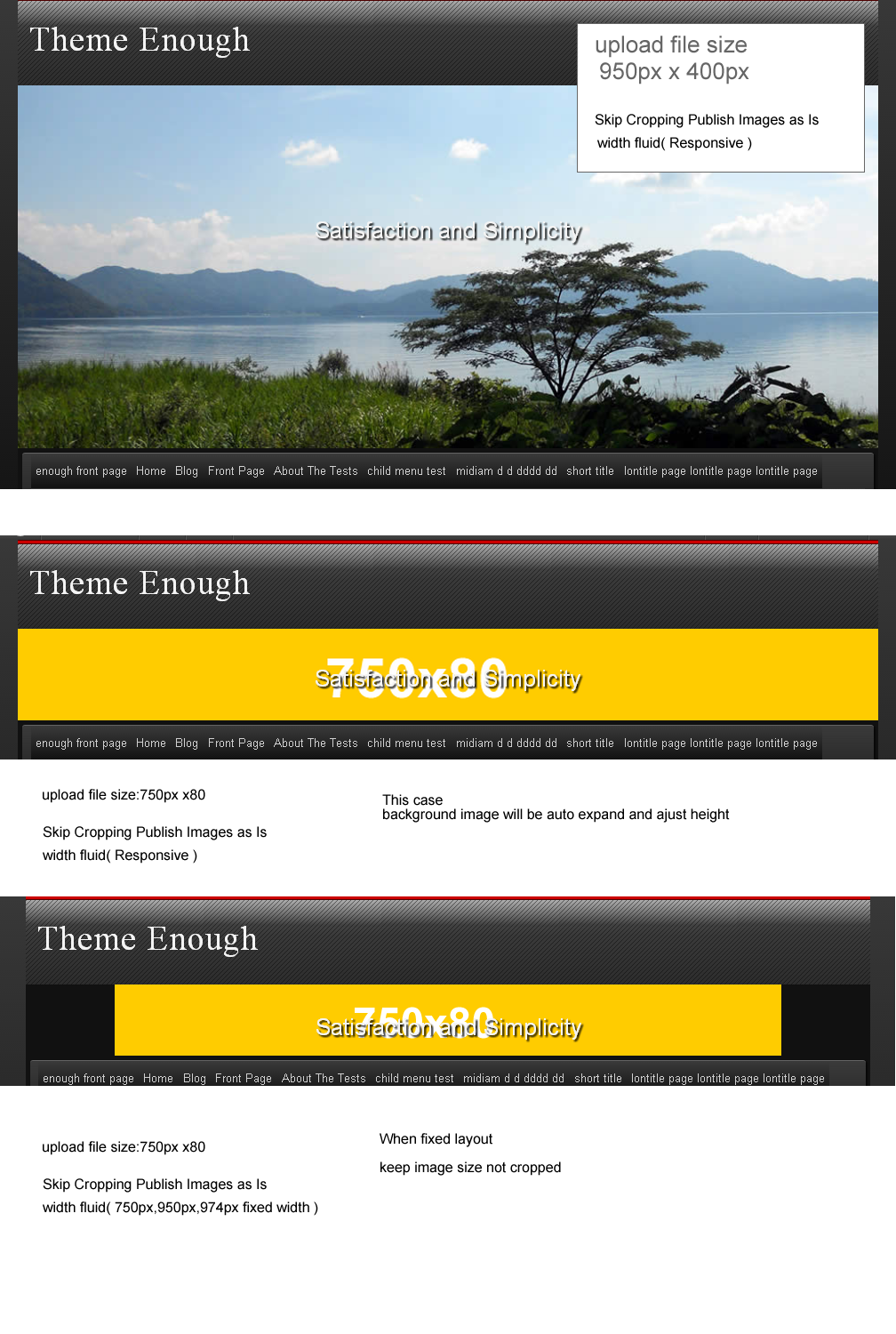
    The header image of Raindrops, there and if it is cropped, if you do not want to change any of the images that have been uploaded.

    This is in conjunction with the setting of the page width.

    Page width, in the case of fixed page width of 950px 750px 974px, the size of the file you upload will be respected.

    If the page width is fluid, it changes to match the size of the browser.

    Please see below examples

    http://www.tenman.info/wp3/manualraindrops/files/header-image-size.png

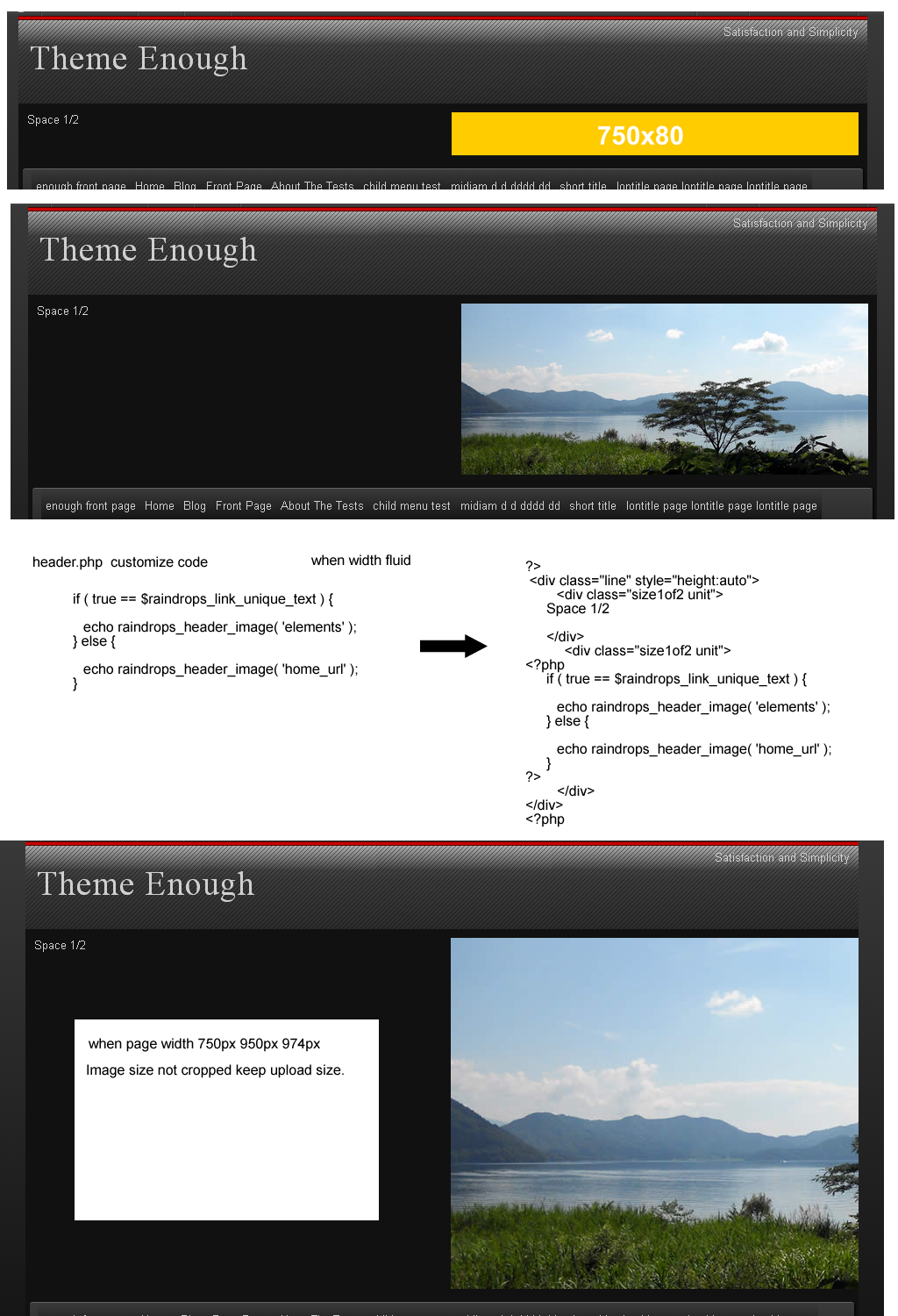
    Layout of the header image can be changed freely

    http://www.tenman.info/wp3/manualraindrops/files/header-image-flexble.png

    Thank you.

    Thread Starter Nimaasghari

    (@nimaasghari)

    Thank you so much for getting back to me;
    There might be some miscommunication here; I am referring only to the UPPER header; meaning the section that says “Theme Enough” in the examples you provided, the one that is tagged as #hd in the style.css.

    Thanks again in advance

    Thread Starter Nimaasghari

    (@nimaasghari)

    Also for more clarification, it is only the height of the header background image I would like to change to show the whole image.

    Theme Author nobita

    (@nobita)

    Sorry

    Please open Appearance / Raindrops options /

    image upload ( page bottom )

    Please box height set value your logo image height (px) when header image upload

    Thank you.

    Thread Starter Nimaasghari

    (@nimaasghari)

    Perfect, thank you very much; I am really enjoying working with this theme. Thanks for all of your hard work sir & best of luck to you in the future as well.

    My regards to you from Los Angeles; thank you again.

Viewing 5 replies - 1 through 5 (of 5 total)

The topic ‘Resizing header background image’ is closed to new replies.