Plugin Support
 Robert
(@robertnextendweb)
Hi @valletinformatique44
The first problem I see is this:
https://smartslider.helpscoutdocs.com/article/2053-common-mistakes#paddingmargin-is-used-for-positioning
You should not use margins and paddings to position elements, as that will most likely result in unexpected responsive behavior at some point. Instead, you should use Row/Column structures:
https://smartslider.helpscoutdocs.com/article/1811-row
And these have options to expand, and align the layers inside them:
https://www.youtube.com/watch?v=3PPtkRU7D74&t=326s
Additionally, this margin also appears to be the reason why your slider gets so big:
https://smartslider.helpscoutdocs.com/article/2033-what-affects-slider-size#content-in-a-slide
So either way please make sure to set those back to a much smaller value (for slight adjustment) or back to 0 if you do not need spacing there.
Thread Starter
 TITAN
TITAN
(@valletinformatique44)
Hello,
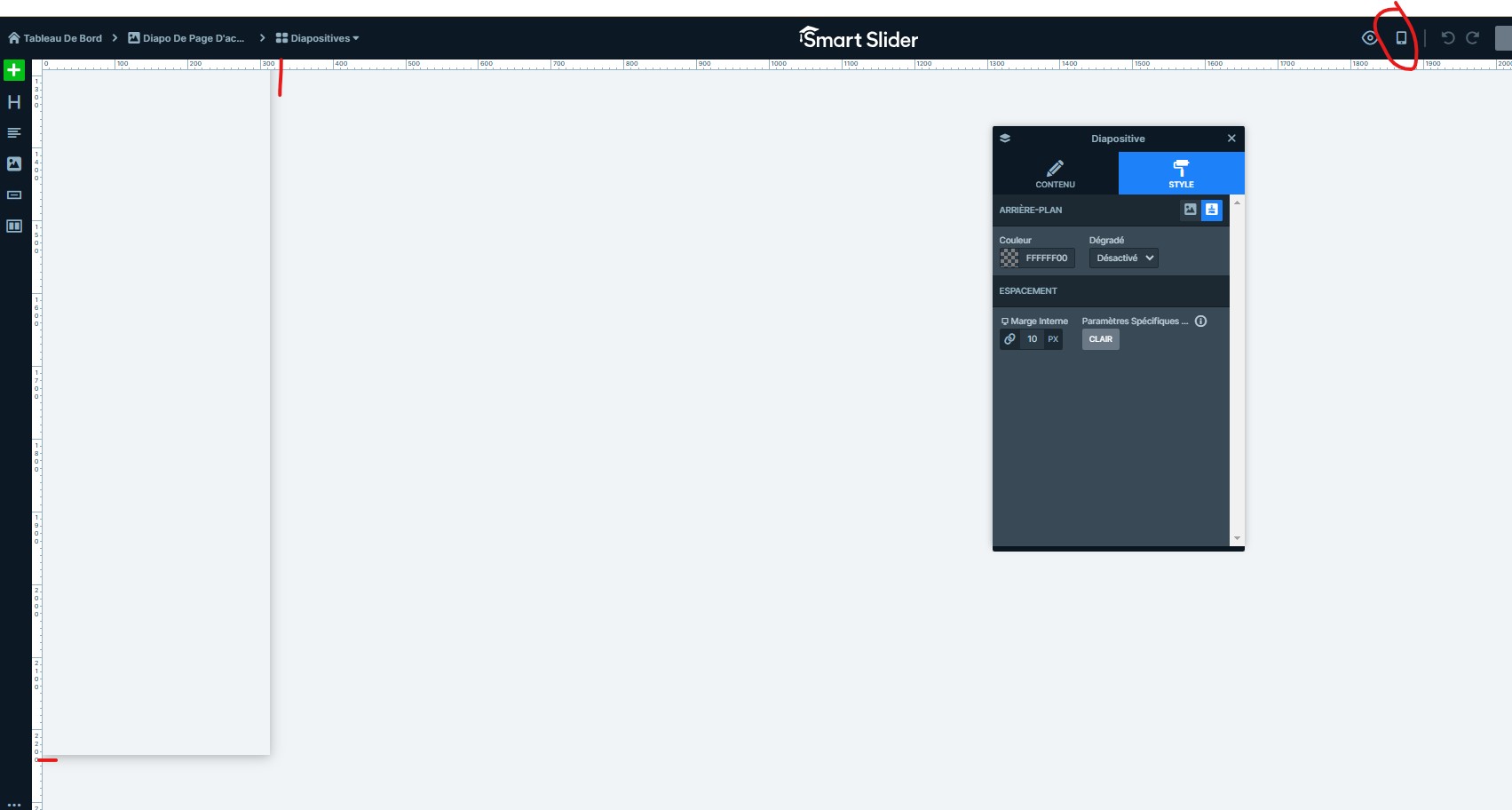
I tried what you said, I put all the margins on 0px. But I think there another problem on the settings because when I start with another slide, the size on mobile version is already not good : 300px and 2200px, I would like to reduce the 2200px.
You can see on this screen : https://immaculee.valletinformatique.fr/wp-content/uploads/2025/01/Capture-decran-2025-01-24-144500.jpg
How can I do please ?
Plugin Support
Robert
(@robertnextendweb)
@valletinformatique44
The slider’s size is affected by the Size settings:
https://smartslider.helpscoutdocs.com/article/2033-what-affects-slider-size#slider-size
If the specified number for the height field is not the same as the height is in the editor, then something increases the height of the slider.
Our slider has a rule, that a slide’s height is at least as big as the height of your layers, margins and paddings are and your entire slider is as big as the highest slide is:
https://smartslider.helpscoutdocs.com/article/2033-what-affects-slider-size#content-in-a-slide
This means that if either of your slides is taller than the others, it will increase the height of all other slides in the slider. To find out which one, you could unpublish all your slides:
https://smartslider.helpscoutdocs.com/article/1764-slider-settings#bulk-slide-actions
and publish them one by one, and each time check the height of the slide.
If you have further trouble with this, you can also contact us here:
https://smartslider3.com/contact-us/support/
and include your slider export:
https://smartslider.helpscoutdocs.com/article/1728-export-import-slider#export
and we’ll take a look at it.