Hello
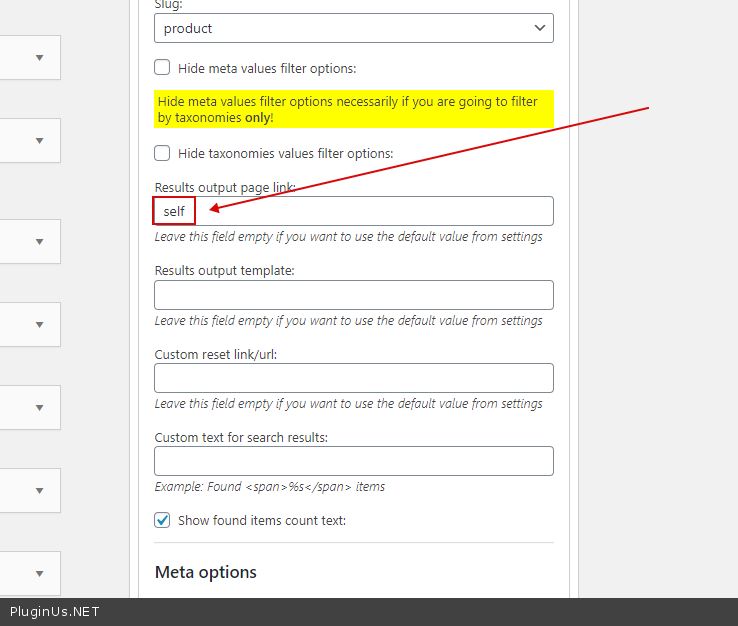
1) Paste ‘self’ here – https://c2n.me/4a0b177.png
2) Use checkboxes please
That’s what I did. It stays in the same page but doesn’t display any result nor message.
The only way to make it work is with “transient” selected, then it will open a “new” page with results, but not with the filter.
If I put “self” it won’t show anything. I’ve done several tests, and the problem seems to be that what is not working is the “[meta_data_filter_results]” shortcode. If i change the shortcode, it will still point to another page.
I put the filter shortcode on the same page for the results, mdtf-filter-result page, and the filter “works”, but it’s like it’s bringing me to another page. I’ve also recreated the mdtf filter results page from scratch, giving it the “metadata filter template”, and put inside a [meta_data_filter_results] shortcode, but it still doesn’t shoe results.
-
This reply was modified 5 years, 6 months ago by
 claudio3.
Hello
As I see the filtering is done on the same page, the problem is in the template for displaying the results
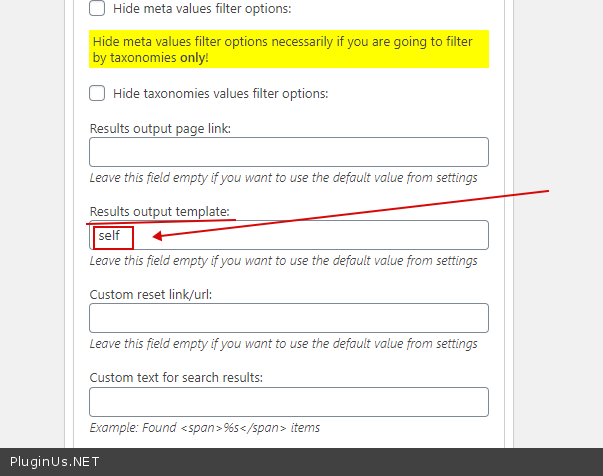
Try to use – https://wp-filter.com/features/shortcode-mdf_custom/ and paste self here – https://c2n.me/4a26Th5.png