Hello @kostas2104,
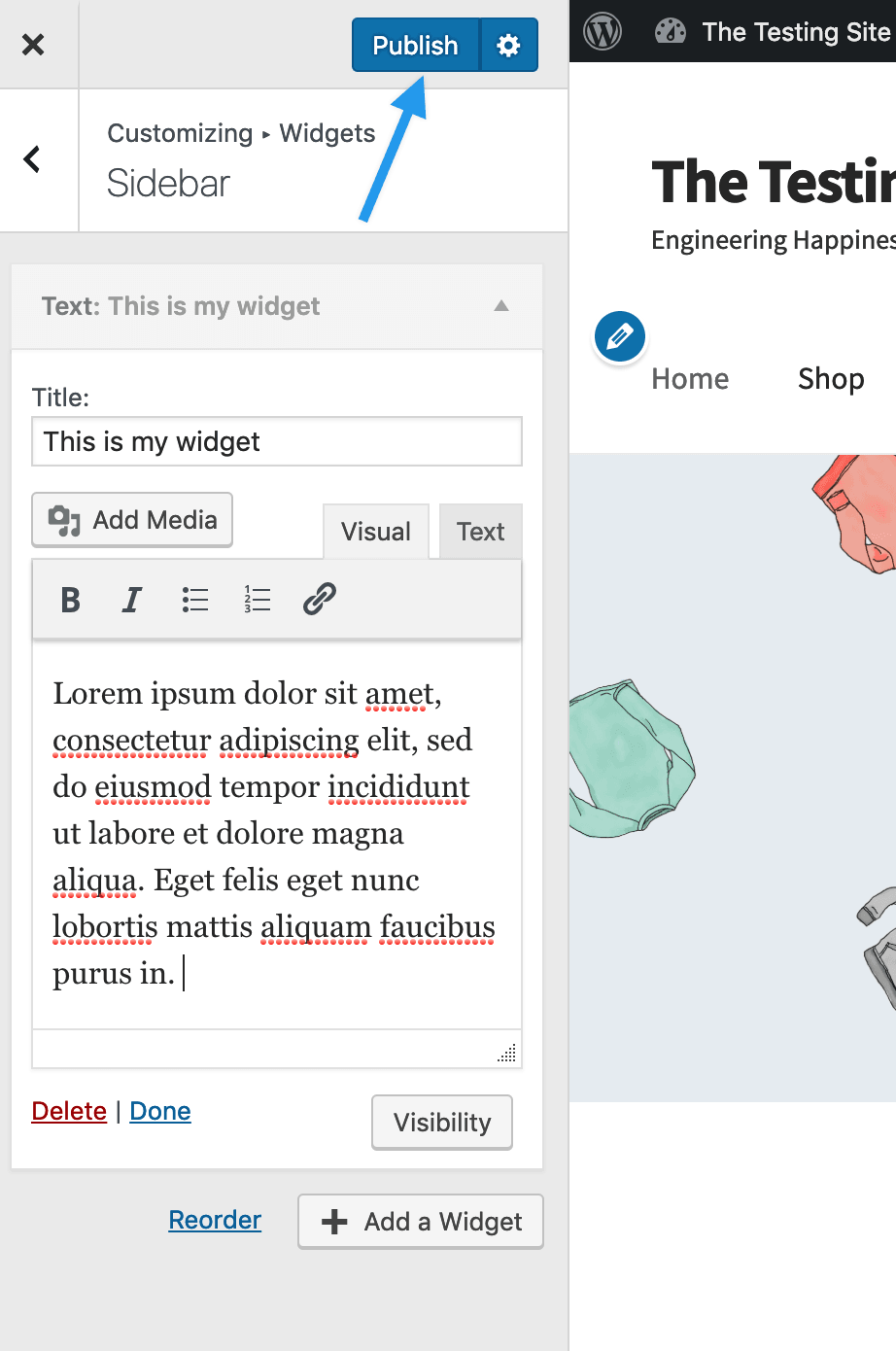
WordPress calls the right-hand column a “sidebar” or “widget area.” You can add content to it by going to Appearance > Customize in your Dashboard. From the options on your left, click on widgets. This will open up a list of the widget areas on your site. Select the one called “Sidebar” to bring it up.
Any widgets currently in the sidebar will be listed here. You can click on the “Add Widget” button to add additional ones. There are lots to choose from. The one called “Text” is like a mini-editor. You can use it to add in images, videos as well as plain text.
When you’re finished, click on the publish button at the top.
WP Beginner has a nice tutorial on adding widgets too: https://www.wpbeginner.com/beginners-guide/how-to-add-and-use-widgets-in-wordpress/
If you run into trouble, let us know.


