You can adjust the range of opening hours through the calendar Editor. Just click on the time-slots on the right pane and you will see the relevant settings on the left. Got to “Open Hours” section and you will be able to set the time-slot range either for all days or individual days.
Hope this helps.
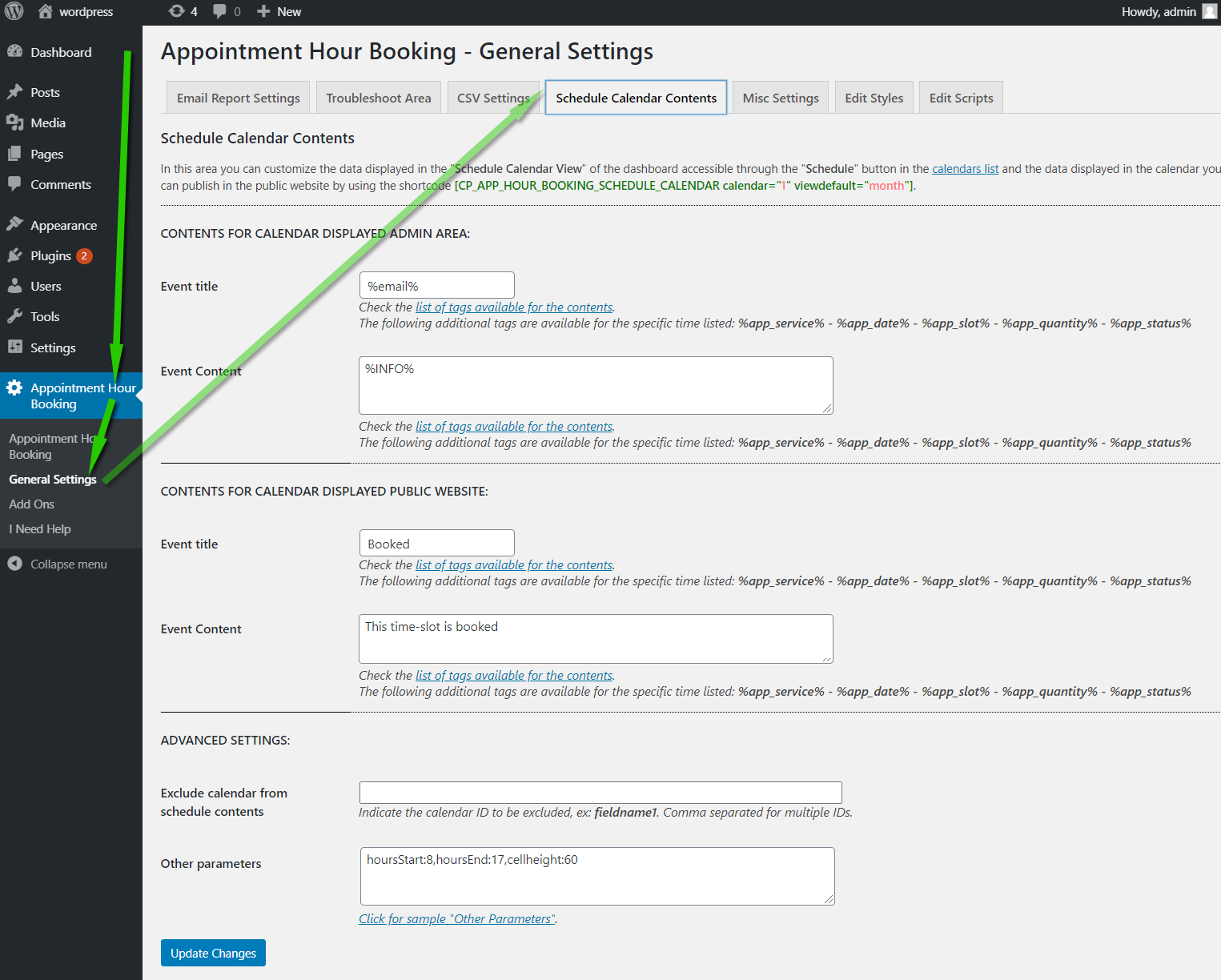
Thanks, I’m talking about how all the bookings are displayed on the SCHEDULE page. Can you help? Is there coding I can alter?
Hi,
That’s a commercial feature:
https://apphourbooking.dwbooster.com/images/articles/schedule-data-settings.png
If you need additional info or for pro/commercial product support please contact us directly on our site. This includes any pre-sales topics as well. Commercial products are not supported in these forums. We will happily answer this and any other questions you can have on our own site.
Thank you.