• Resolved d.zivkovic

    (@dzivkovic)


    Hello,

    we tested the free version before we buy the Pro. Under “Services” we have eg. created two rooms. Room1 and Room2. When someone books room1 from 10am to 11am and then someone else wants to book room2, the period from 10am to 11am is not available. Since there are two different rooms that is wrong.

    Thanky in advanced.

    Regards Dragan

    The page I need help with: [log in to see the link]

Viewing 2 replies - 1 through 2 (of 2 total)
  • Plugin Author codepeople

    (@codepeople)

    Hi,

    The default behavior for services into the same calendar is to share the availability (calendar instance seen as a single resource). In your case you should use a different calendar for each service (rooms in your case of use) to have separate availability for each one.

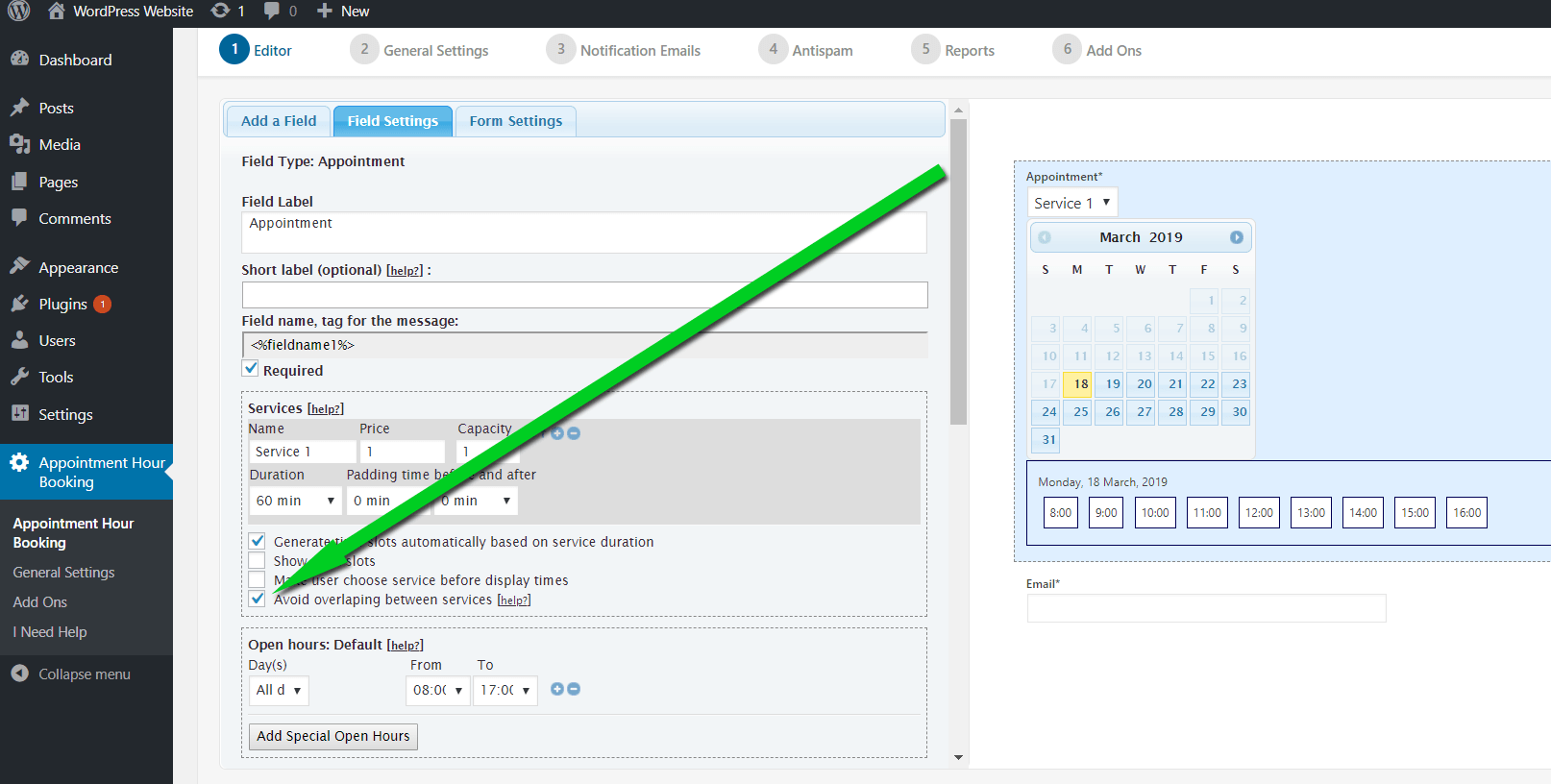
    Another solution (valid for the commercial version of the plugin) is to check the option “avoid overlapping between services”. Checking this option each service will have its separate availability:

    https://apphourbooking.dwbooster.com/images/articles/avoid-overlapping.png

    There is also a similar case of use with another solution explained in the following page, using a calendar for each service and conditional logic (commercial feature) to improve visualization / user experience:

    https://apphourbooking.dwbooster.com/blog/2018/12/24/conditional-rules/

    Thank you for using the plugin!

    Thread Starter d.zivkovic

    (@dzivkovic)

    Hello,
    thank you for fast answer. We buy the PRO and everything is working great now.
    Thank you very much.
    Regards
    Dragan

Viewing 2 replies - 1 through 2 (of 2 total)
The topic ‘Services offered for booking’ is closed to new replies.
