• Resolved mikedc001

    (@mikedc001)


    Hi, I have a question regarding the partial page protection –

    When protecting a portion of the page, is it possible to either enable a checkbox box to show the password, or to show the password by default? I see this option when protecting a full page but cannot find it for the partial page protection.

    Viewing 3 replies - 1 through 3 (of 3 total)
    • Plugin Author WP Folio Team

      (@buildwps)

      Hi @mikedc001 ,

      Thank you for reaching out to us.

      Yes, it possible.

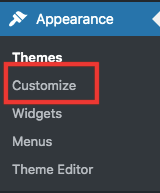
      1. Go to Appearance >> Customize in your WordPress dashboard.
      ppwp-customize

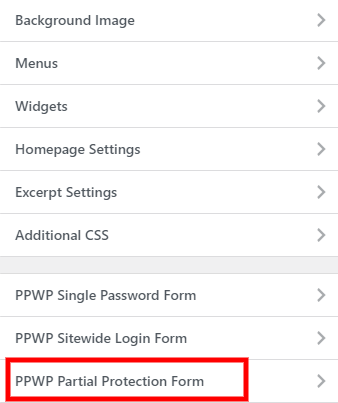
      2. Choose PPWP Partial Protection Form in the left-hand sidebar.

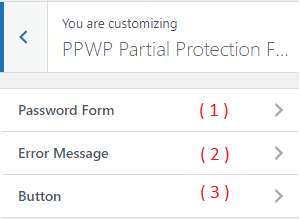
      3. Select “Password Form”

      4. Find the “Show Password” and enable this option to display “Show password” checkbox, which allows users to see what they are typing.

      References: https://passwordprotectwp.com/docs/customize-pcp-form-wordpress-customizer/#reveal-button

      Let us know if it works.

      Thread Starter mikedc001

      (@mikedc001)

      That worked perfectly, thank you for the quick response. Is there a way to have “show password” be the default?

      Plugin Author WP Folio Team

      (@buildwps)

      Hello @mikedc001,

      Unfortunately, it is not possible to have the “show password” checkbox to always be ticked. For that, you would typically need to use JavaScript.

      Feel free to reach back should you need any further help.

    Viewing 3 replies - 1 through 3 (of 3 total)
    The topic ‘Show password’ is closed to new replies.