Plugin Author
 Ajay
Ajay
(@ajay)
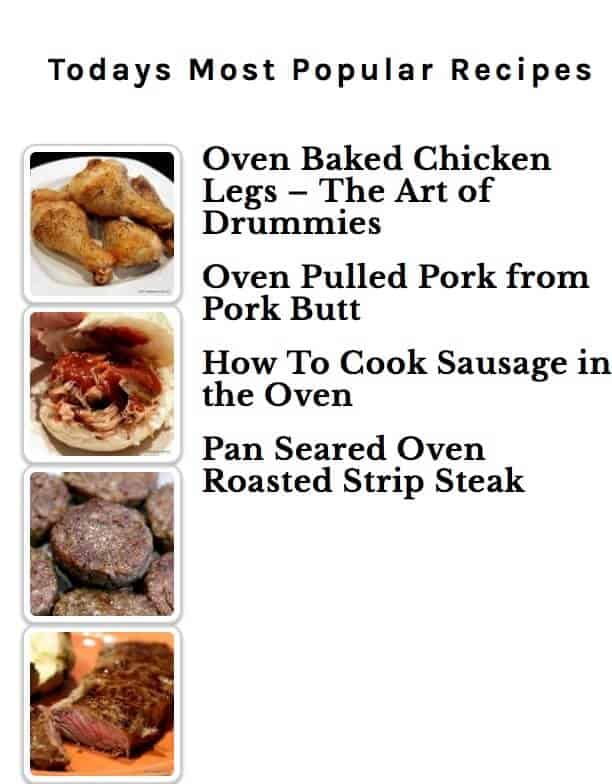
Is the image above what you see with the default install of the plugin choosing the thumbnail style?
If not, can you try that with no custom css?
On Style tab. I was using Popular post style/left thumbnails (default). If set to no CSS, the thumbnail displays left. Correct size. Title starts inline with bottom of the thumb nail the word wraps to under the thumbnail. Not visually acceptable.
If I change the Thumbnail tab on the plugin. “Thumbnail size attributes” Same results with all settings. Location set to “Display thumbnails inline with Post, before title”. Size tptn_thumbnail (80X80) Size also set 80 on both height and width. All caches on site, cloudflare and computer flushed several times between. Also using two different browsers. Safari and chrome.
On WP widget. 5 posts, custom time set to 1 day. No options selected. Thumbnails Options “Thumbnails inline, before title”
Size 80X80
Plugin Author
Ajay
(@ajay)
Sorry for the delay. I’ve been travelling.
I checked your site again and it looks like you don’t have Top 10 running there any more?
I removed it when there was no additional response and the visual was unacceptable. I have found an acceptable substitute.
Thanks for the plugin I have used for several years. I continue to use your related post plugin and I donated a few years ago.
Dan