Sidebar has vanished
-
Hi,
I just updated my site and the WOOF sidebar has vanished. Any help would be greatly appreciated!
The page I need help with: [log in to see the link]

-
Hello
Try to add woof widget.
Not sure if it depends on my pluginHi,
Do you mean the widget ‘WOOF – WooCommerce Products Filter’? If so, it’s already added – nothing’s changed and it was showing up previously.
Hello
I checked – the sidebar is empty! To test you can add any widget
I’m sorry, but it’s not showing as empty on the back end. I’m happy to give you access to my WordPress or send screenshots?
Hello
Yes drop me screenshots of the widget settings
as I wrote in the previous message – Please add any another widget to test( example calendar )
-
This reply was modified 6 years, 8 months ago by
pavloborysenko.
Exact same thing happening here, I have the widget set in the back end, but the front end is just a couple of empty HTML divs where the filter plugin functionality should be.
Other widgets work in the same sidebar also.
-
This reply was modified 6 years, 8 months ago by
AndyWarren.
How do I send screenshots?
Hello @riaface
Use services to transfer screenshots by link. Example clip2net
Hello @awarren
Please drop me exact link to the issue
Hello @riaface
Did you do test with another widget?
AND
Try to add widget here – https://c2n.me/442gdva.png
I have tried this in every widget area, and it is only outputting the widget title along with a couple of empty HTML divs. Below is the full HTML being output into any widget area. All the widget areas have other working widgets in them.
<article class="widget WOOF_Widget" id="woof_widget-3"> <div class="widget widget-woof"> <h6>Products Filter</h6> <div class="woof woof_sid woof_sid_widget" data-ajax-redraw="0" data-autosubmit="1" data-redirect="" data-shortcode="woof sid='widget' autosubmit='-1' start_filtering_btn='0' price_filter='0' redirect='' ajax_redraw='0' btn_position='b' dynamic_recount='-1'" data-sid="widget"> <a class="woof_edit_view" data-sid="widget" href="#">show blocks helper</a> <div></div><!--- here is possible drop html code which is never redraws by AJAX ==--> <div class="woof_redraw_zone" data-woof-ver="1.2.3"> <div class="woof_submit_search_form_container"></div> </div> </div> </div> </article>Hi, managed to fix this!
I followed your suggestion of adding another widget and trying another sidebar, and neither worked, so in the spirit of experimentation I added the WOOF widget to the blog sidebar and it showed up! This made me think that it wasn’t the sidebar, but something else – turns out it was the theme settings. Even though I’m using a child theme, I think something changed after an update.
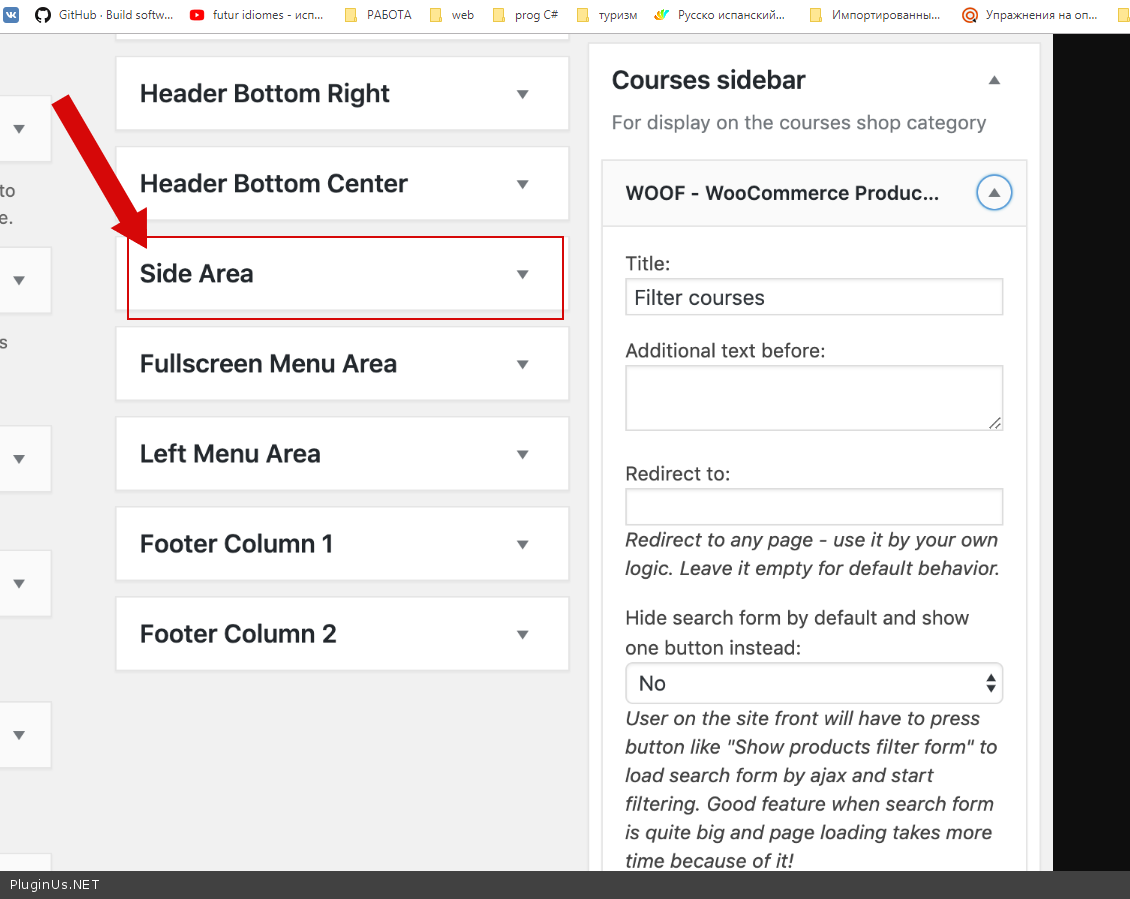
@awarren If you’re using a Qode theme, it might be the same issue. I fixed this by creating a new custom widget area in Appearance > Widgets and adding the WOOF widget to it. Then I went to my Woocommerce shop page via Pages, scrolled way down, and added the sidebar in the Qode Sidebar section:

Hope this helps anyone else!
Hello @riaface
Great! Thank you for cooperation.
Hello @awarren
Drop me exact link to the issue and screenshots of the plugin settings
-
This reply was modified 6 years, 8 months ago by


The topic ‘Sidebar has vanished’ is closed to new replies.